EasyManua.ls Logo

Technics SC-CH730 - Direct Access Play; Random Play

Technics SC-CH730
52 pages
Print Icon
To Next Page IconTo Next Page
To Previous Page IconTo Previous Page
Loading...
Direct
access
play
Random
play
(Available
only
from
the
remote
control)
This
function
automatically
selects
a
sequence
of
tracks
to
be
played
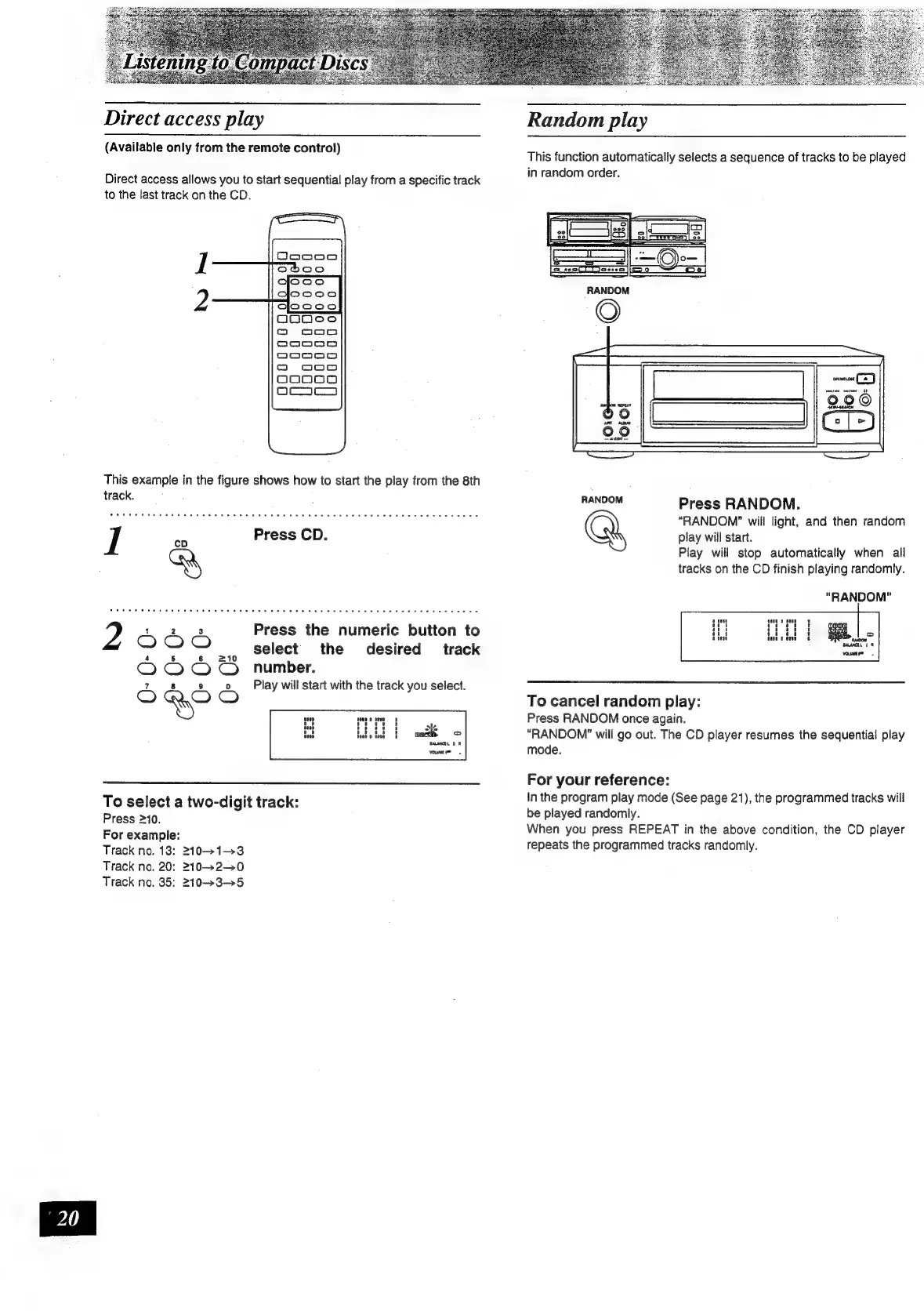
Direct
access
allows
you
to
start
sequential
play
from
a
specific
track
ML
paneOM
Order:
to
the
last
track
on
the
CD.
track.
HANDOM
Press
RANDOM.
LOWER
eS
GATE
ae
DNianng
5
aint
hcea
eace
Dalat
am
aes
Seb
ebaeicarans
“RANDOM?
will
light,
and
then
random
I
ae
Press
CD.
play
will
start.
Play
will
stop
automatically
when
all
tracks
on
the
CD
finish
playing
randomly.
"RANDOM"
1
2 3
Press
the
numeric
button
to
KG)
;
select
the
desired
track
Oooo
“number.
7 8
9
0
Play
will
start
with
the
track
you
select.
=)
a
CO
To
cancel
random
play:
Press
RANDOM
once
again.
“RANDOM”
will
go
out.
The
CD
player
resumes
the
sequential
play
mode.
For
your
reference:
To
selecta
two-digit
track:
In
the
program
play
mode
(See
page
21),
the
programmed
tracks
will
Press
210
be
played
randomly.
For
example:
When
you
press
REPEAT
in
the
above
condition,
the
CD
player
Track
no.
13:
2101-3
repeats
the
programmed
tracks
randomly.
Track
no.
20:
2102-0
Track
no.
35:
2103-5

Related product manuals