Operation & Maintenance Manual
CD-135 / CD-155
OM-02-02
Chapter:
Issue:
Issue date:
Page:
Content:
02-OM-06-02
4
30.07.2014
68
74
Revision no.:
Revision date:
7
20.07.2016
14V-Version
1. Disconnect the excitation battery.
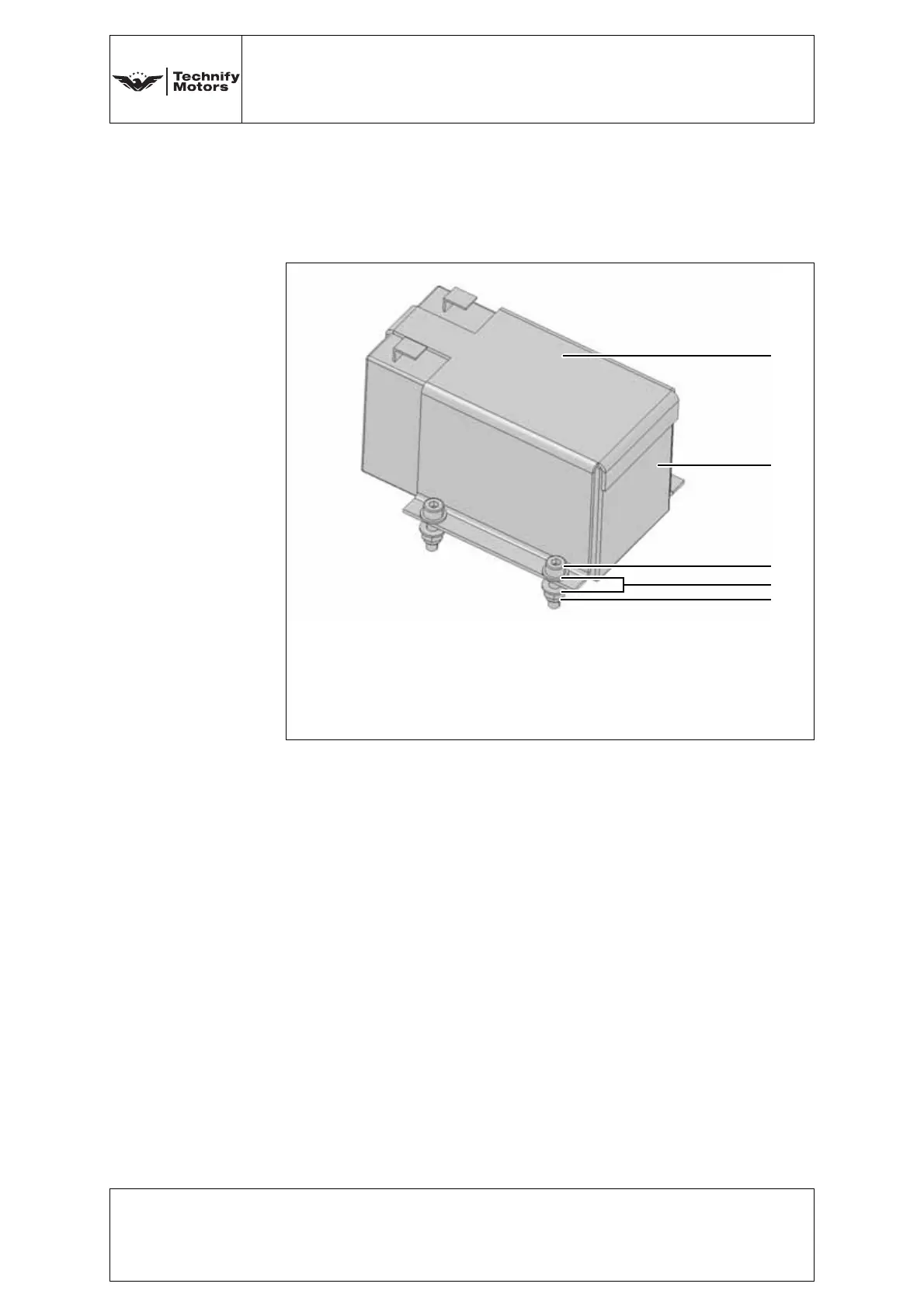
2. Remove the excitation battery holder (a). To do this, undo
the four screws (c). See Fig. 6.57.
3. Replace the excitation battery (b).
4. Refit the excitation battery holder with the new excitation
battery using four screws (c), eight washers (d) and four
stop nuts (e).
Tightening torque:
3.5 Nm
5. Connect the wiring harness to the excitation battery. The
blue cable lug is pushed onto the black connection (-) of the
excitation battery. The red cable lug is pushed onto the red
connection (+) of the excitation battery.
6. Perform an Engine Test Run, refer to Annex 4 of this
Chapter.
Fig. 6.57 Excitation battery holder (14V)
a Excitation battery holder, P/N: 20-3940-55165xx
b Excitation battery, P/N: 20-3940-H0021xx
c Screw, excitation battery holder, P/N: NM-0000-00209xx
d Washer, P/N: NM-0000-00150xx
e Stop nut, P/N: NM-0000-00179xx



 To Next Page