EasyManua.ls Logo

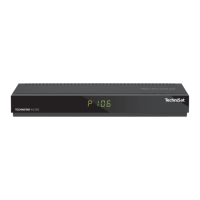
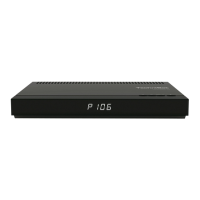
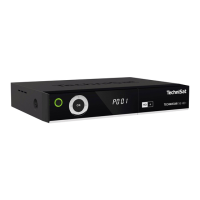
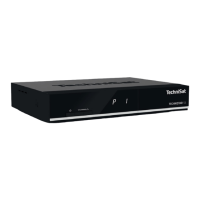
TechniSat TechniCorder ISIO STC - User Manual

TechniSat TechniCorder ISIO STC
64 pages
Print Icon
To Next Page IconTo Next Page
Loading...
DiSEqC
1.2
Quick Start Manual
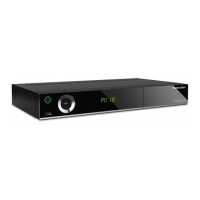
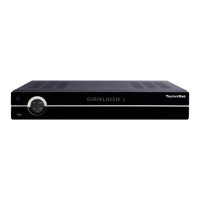
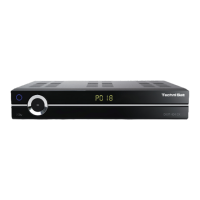
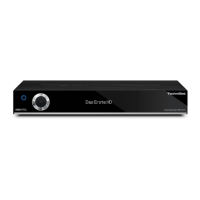
TechniCorder ISIO STC
Digital Multituner HD Receiver
with Internet Access
With CONAX cardreader and an interface
for recording from two CI/CI+ modules
and a DVR recording function via the optional internal hard drive,
the USB interface or the home network.
For reception of free-to-air and encrypted
(e.g. VIACCESS, CONAX, IRDETO, etc.)
HD satellite channels.

Questions and Answers

  • D
    Destiny LloydSep 8, 2025
    Why is my TechniSat TechniCorder ISIO STC not recognizing the USB device?
    • C
      Collin SalazarSep 8, 2025
      If your TechniSat Receiver is not recognizing a USB device, it may be because the USB device is formatted for the wrong file system. Format the USB device for the FAT32 file format.
  • J
    Jason VillegasSep 7, 2025
    How to troubleshoot TechniSat TechniCorder ISIO STC PC connection issues?
    • S
      Samuel FreemanSep 7, 2025
      If your PC cannot connect to the TechniSat Receiver, or the receiver cannot connect to the network, it may be due to incorrect network settings. Check the network settings. Another cause could be an incorrectly connected network cable, so check the network connection.
  • C
    craigstephanieAug 22, 2025
    What to do if TechniSat TechniCorder ISIO STC Receiver has no picture, no sound, display not on?
    • T
      Travis ThomasAug 22, 2025
      If your TechniSat Receiver shows no picture, no sound, and the display is off, the cause may be a lack of mains voltage. Check the mains adapter and plug to ensure they are properly connected and functioning.
  • K
    kayla46Sep 4, 2025
    What to do if TechniSat TechniCorder ISIO STC cannot be operated?
    • J
      James SalazarSep 4, 2025
      If your TechniSat Receiver cannot be operated, switched on, or off, it may be due to a defective data stream, causing the receiver to become blocked. Hold down the On/Stand-by button on the receiver or the remote control for approximately 5 seconds. You can also try pulling the mains plug out of the power supply for about 5 seconds and then switching the device back on. As a last resort, perform a Flash reset. Warning! All personal settings will be lost. Remove the mains adapter from the device, press and hold Standby and the up arrow key at the same time, reconnect the plug while keeping the buttons depressed, hold the buttons for around 5 seconds, and then release both buttons. The text “Factory settings” will appear on the display.
  • D
    Donna McgeeSep 3, 2025
    How to fix TechniSat Receiver no sound via HDMI but picture OK?
    • D
      Daniel SparksSep 3, 2025
      If your TechniSat Receiver has no sound via HDMI but the picture is OK, the wrong HDMI sound format may be selected. Check the HDMI sound format settings.
  • C
    Cassandra MeyerSep 1, 2025
    What causes intermittent picture issues on TechniSat Receiver?
    • H
      heatherharrisSep 1, 2025
      If your TechniSat Receiver is showing intermittent square blocks in the picture, freezing intermittently, or displaying a blank screen with a “no signal” message, heavy rain or snow may be the cause. Remove any snow from the dish antenna. Alternatively, the antenna may be incorrectly adjusted, so adjust the antenna. Other potential causes include a dish that is too small for your location (use a larger antenna) or an obstacle between the dish and satellite (mount the dish with a clear line of sight).
  • R
    Randy StevensonAug 31, 2025
    Why does my TechniSat TechniCorder ISIO STC Receiver automatically switch off?
    • R
      reneehallAug 31, 2025
      If your TechniSat Receiver device automatically switches off after a certain time, the Auto Standby function is likely activated. Check the Auto Standby setting and deactivate it if necessary.
  • A
    Adrienne BrownAug 30, 2025
    Why is there no picture via HDMI on my TechniSat TechniCorder ISIO STC?
    • M
      michaelmeyersAug 30, 2025
      If your TechniSat Receiver has no picture via HDMI, the configured HDMI resolution may not be supported by your TV. Adjust the HDMI resolution, connecting to the correct device via Scart cable if necessary.
  • E
    Eric MurphyAug 28, 2025
    How to fix TechniSat TechniCorder ISIO STC Receiver picture not fully visible or distorted?
    • M
      Mrs. Brittany RobinsonAug 28, 2025
      If your TechniSat Receiver is not showing a full or is showing a distorted picture, the picture format may not be set correctly. Check the picture format. Also, an incorrect picture display/zoom setting may be selected; check the picture display zoom in the menu. Check the zoom setting.
  • O
    obrownAug 27, 2025
    What to do if TechniSat TechniCorder ISIO STC Receiver has no picture, no sound, but display is on?
    • M
      martinjamesAug 27, 2025
      If your TechniSat Receiver shows no picture and no sound, but the display is on, there might be a short circuit in the LNB feed line. Switch off the receiver, correct the short circuit, and then switch the receiver back on. It could also be due to a faulty or missing cable connection, so check all cable connections. Other possible causes include a defective LNB (replace it), an incorrectly installed external unit (correct the settings), or an incorrectly adjusted antenna (adjust the antenna).

Summary

2 Please read this first

2.1 Safety advice

Crucial safety precautions and warnings for operating the receiver to prevent hazards and damage.

4 Connecting the DVB Receiver

4.1 Mains power connection

Procedure for connecting the digital receiver to the mains power supply after other connections are made.

4.2 External unit connections

Details on connecting the receiver to various antenna signals (DVB-S, DVB-C/T) and external units.

4.3 Connecting to a TV

Instructions for connecting the receiver to a television via HDMI or SCART cable.

5 Basic operation

5.1 Switching the unit on;off

How to turn the digital receiver on and off, and switch between operating and standby modes.

5.2 Menu navigation

Guide to navigating the main menu, submenus, and selecting functions using the remote control.

5.4 Changing a setting

Methods for altering receiver settings using arrow keys, selection lists, or virtual keyboard.

6 Initial installation

Menu language selection

Setting the preferred operating language for the receiver's menu interface.

Country selection

Choosing the country of operation to set local time and sort channels.

Selecting reception signals

Choosing the types of reception signals (DVB-S, DVB-C, DVB-T) to connect to the device.

Antenna configuration

Adapting receiver setup to antenna configuration for DVB-S and DVB-T signals.

Network configuration check

Automatic check and modification of network settings for internet and media access.

Channel search; ISIPRO

Options for searching new channels or updating the existing channel list.

7 Operating the unit

7.4 Selecting a channel

Methods for selecting TV and radio channels using buttons, numeric keypad, or channel list.

8 EPG Overview

9 Timer recordings

10 Function Selection

12 DVR recording

Recording modes

Details on Instant, Timer-controlled, and Timeshift recording modes.

13 DVR playback

14 Encryption system

16 Software updates via USB interface

17 Troubleshooting guide

TechniSat TechniCorder ISIO STC Specifications

General IconGeneral
HDTVYes
PVR readyYes
Operating SystemLinux
Video DecodingMPEG-2, MPEG-4, H.264
Ethernet PortYes
Tuner TypeDVB-S2
TypeReceiver
Video OutputHDMI
Audio Outputoptical
Network ConnectivityEthernet
Audio DecodingMPEG, AAC
HDMI OutputYes
Smartcard ReaderYes

Related product manuals