EasyManua.ls Logo

Technische Alternative UVR 63 - User Manual

Technische Alternative UVR 63
68 pages
Print Icon
To Next Page IconTo Next Page
Loading...
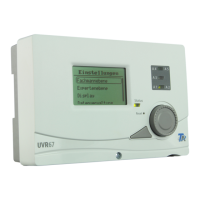
UVR 63
Version 2.6 EN - FR
Single and triple-loop universal controller
Regulateur universel à un-/trois circuits
Operation
Installation instructions
Mode d'emploi
Instructions de montage
fr
en

Table of Contents

Questions and Answers

  • G
    Gabrielle SilvaAug 3, 2025
    What to do if my Technische Alternative Controller displays incorrect temperature?
    • J
      Joshua RobinsonAug 3, 2025
      If the Technische Alternative Controller displays a value like -999 (sensor short-circuit) or 999 (interruption), it might not be a material or terminal issue. Ensure the correct sensor types (KTY or PT1000) are selected in the MEN/SENSOR menu. You can also test the sensor by replacing the suspect part with a known working one at the strip terminal and observing the display.
  • G
    Glenn MorrisAug 13, 2025
    What to do if my Technische Alternative Controller is malfunctioning but shows realistic temperatures?
    • C
      Christopher CarrAug 13, 2025
      If your Technische Alternative Controller is malfunctioning but displaying realistic temperatures, consider the following: Verify the program number. Check the on/off thresholds and differential temperatures to ensure they've been reached. Determine if settings in the submenus (MEN) were altered. Test if the output can be switched on/off in manual mode. Confirm all sensors are connected to the correct terminals by heating each sensor with a lighter and observing the display.
  • K
    Kevin MillerAug 25, 2025
    Why Technische Alternative UVR 63 does not run when it has power?
    • M
      Marcus FisherAug 25, 2025
      If your Technische Alternative Controller doesn't run despite having power, check the 3.15A quick-blow fuse that protects the control system and the output. Replace it if necessary.

Summary

Safety requirements

Installation instructions

Installing the sensors

Guidance on the proper placement and mounting of temperature and other sensors.

Installing the unit

Steps for physically mounting and securing the controller unit.

Electrical connection

Instructions for making the necessary electrical wiring connections to the controller.

Operation

The main level

Overview of the controller's primary display and navigation interface.

Changing a value (parameter)

Describes the procedure for modifying controller parameters and settings.

The parameter menu PAR

Code to enter menu

Instructions on how to access the parameter menu using a specific code.

Set values (max, min, diff)

Adjusting threshold values for switching outputs on or off.

The menu MEN

System protection function

Settings for protecting the system against overheating or frost.

Troubleshooting

Malfunction, but realistic temperatures

Diagnosing issues when temperatures appear normal but system functions fail.

Incorrect temperature displayed

Identifying causes and solutions for inaccurate temperature readings.

Technische Alternative UVR 63 Specifications

General IconGeneral
BrandTechnische Alternative
ModelUVR 63
CategoryController
LanguageEnglish

Related product manuals