14
Call: 1-631-648-7481 or Visit: support.technocnc.com
HD Series Manual
NK105G2
Whenthemachinerstpowers
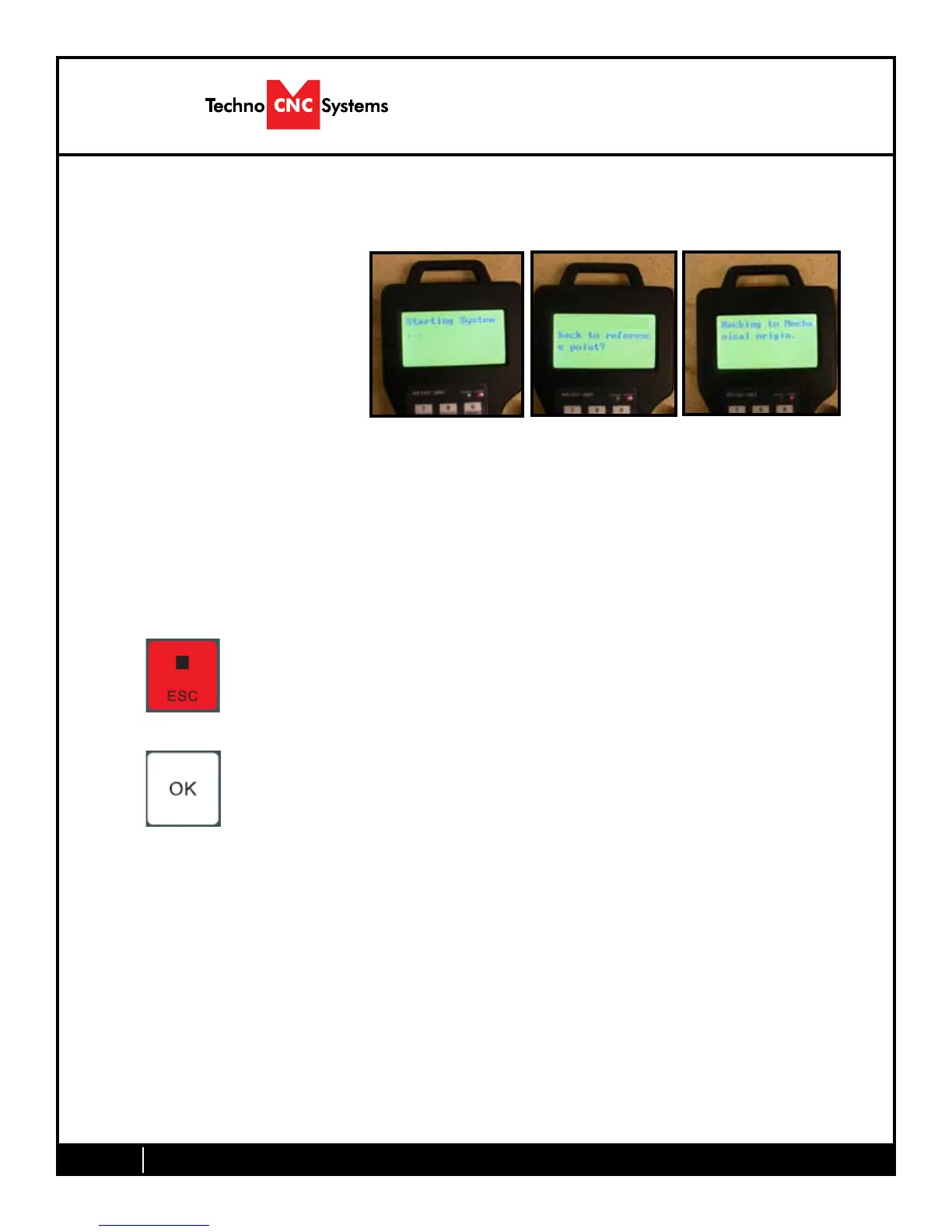
on, the display on the controller
will light up and say “Starting
System”. (Fig. 3.1a)
Once the system has booted it
will ask the user “Back to refer-
ence point?” Fig 3.2b
Fig. 3.1a Fig. 3.2b Fig. 3.3c
Thisisalsoknownas‘homing’themachine.Itreferstotheprocessofthemachinend-
ing its mechanical home position.
From this point, the user has two options;
Home the machine or cancel the homing process. We recommend that you home the
machine every time you start up.
This will abort the sequence and the machine will stay still.
There will be no reference position and break points, offsets and
all functions that rely on a reference position will be invalid.
Once the machine has moved to the end of travel on each axis, it will stop and enter
an IDLE state and will be ready to use.
You should test all machine functions before beginning to cut. The functions are
displayed in the next section.
ThiswillcausethemachinetorstmovetheZ-axistothetop
of travel, then the X and Y axis will move simultaneously, to the
home /reference position. A sensor on the gantry is used to locate
this position. (Fig 3.3c)
The homing procedure can be canceled at anytime by pressing ESC.
II.I HD Series / HD Mini Start-Up


 To Next Page