16
Call: 1-631-648-7481 or Visit: support.technocnc.com
HD Series Manual
NK105G2
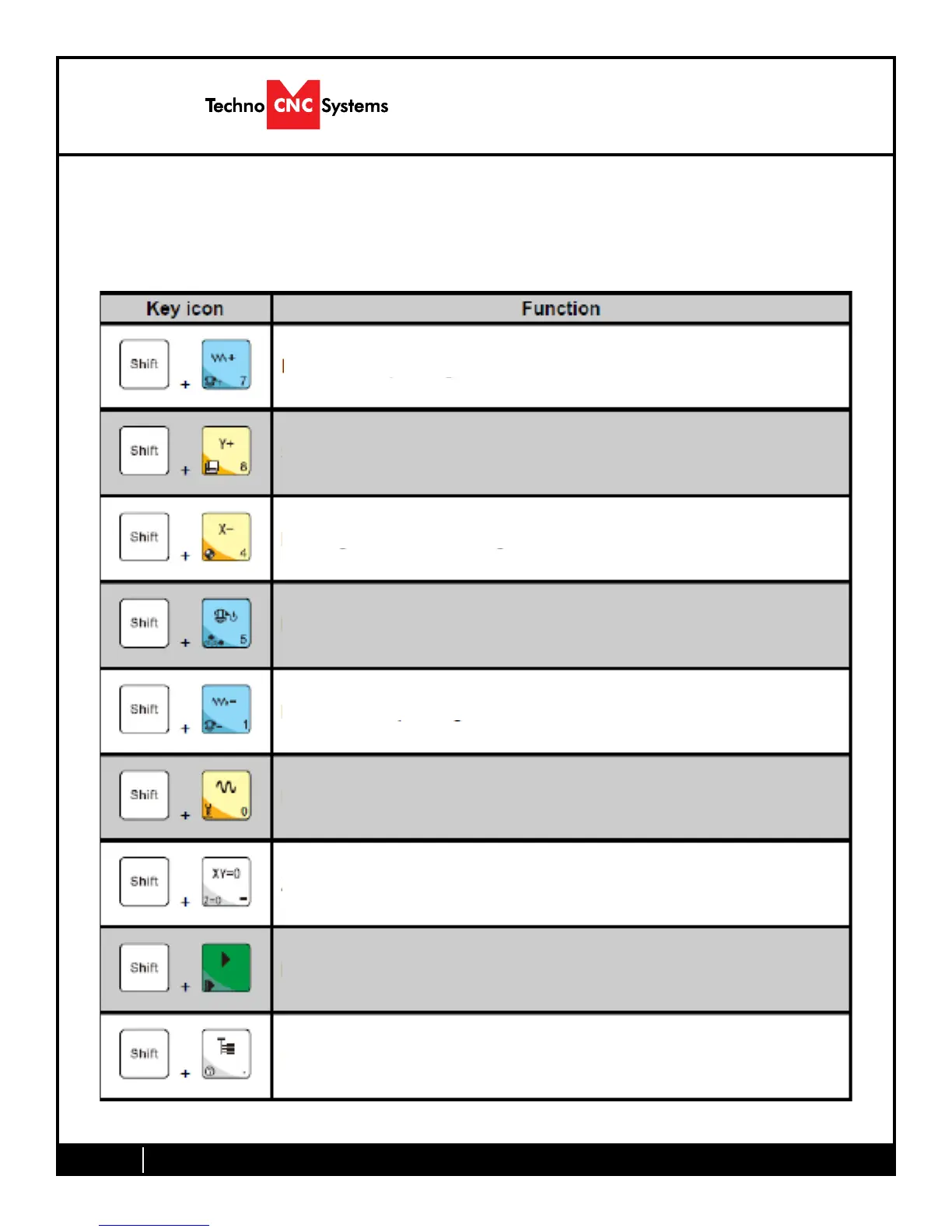
Shift Commands / Combination Keystrokes
To use the shift commands, you must press and hold the shift key and then select
a second key to use the Shift Command function.
Go to current work (relative) origin
Switch between work (relative) and machine (absolute)
Decrease spindle RPM
Go to XYZ home (mechanical origin)
Increase spindle RPM
Resume from breakpoint M0 command
Open help screen
Set Z zero position using Touch-Off pad
Set Z zero position manually not using Touch-Off pad


 To Next Page