12 Remote Surveillance
12.1 Mobile Client Surveillance
① Enable NAT in the DVR. Refer to 11.1.7 NAT Configuration for details.
② Download and install the mobile client “SuperLive Plus” into the mobile device with the
Android or iOS system.
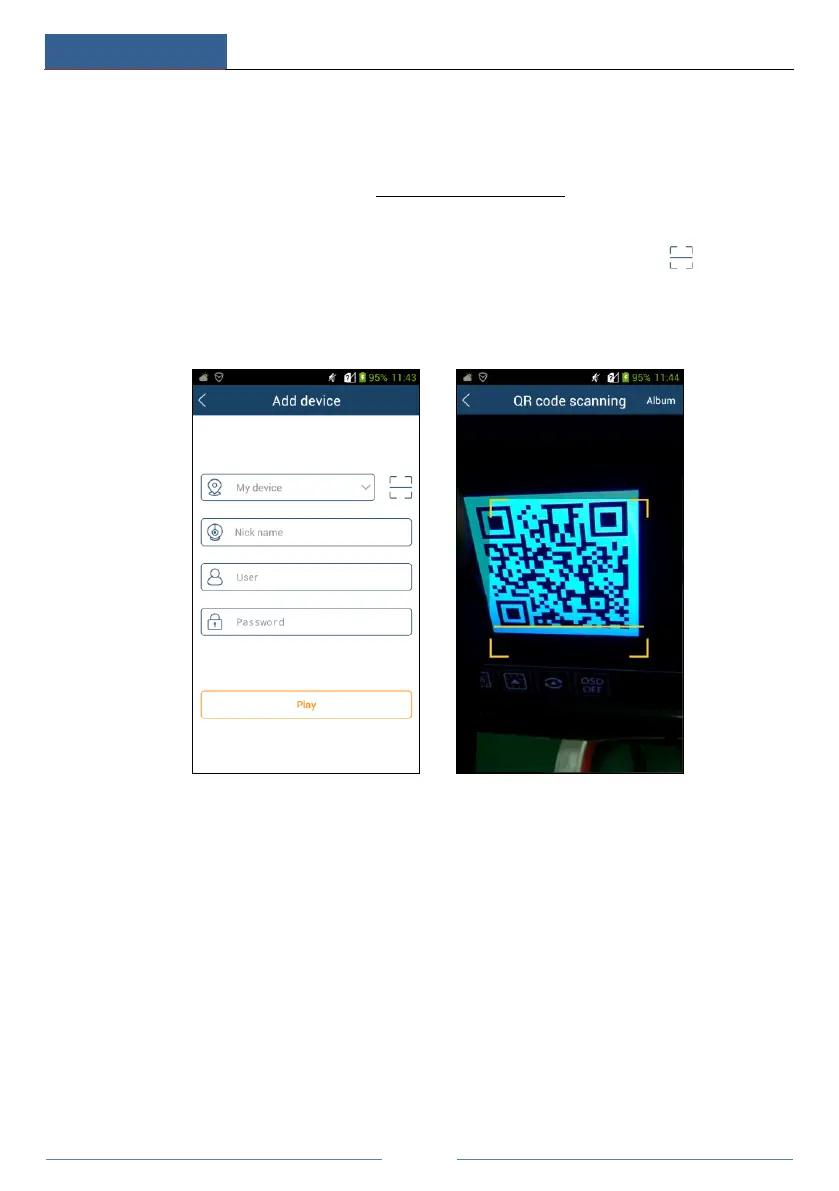
③ Run the mobile client, go to the “Add Device” interface and then click to scan the
QRCode of the DVR (Go to StartSettingsSystemInformationBasic to view the
QRCode of the DVR).
④ After scanning the QRCode successfully, input the login password to log in mobile client.
12.2 Web LAN Access
① Click StartSettingsNetworkTCP/IP to go to the “TCP/IP” interface. Set the IP
address, subnet mask, gateway, preferred DNS and alternate DNS of the DVR.
② Open a web browser on your computer, enter the IP address of the DVR in the address bar
and then press enter to go to the login interface as shown below. You can change the display
language on the top right corner of the login interface. Enter the username and password of the
DVR in the interface and then click “Login” to go to the live preview interface.



 To Next Page