③ Click “Apply” to save the settings. You can click “Article Protect Config” to go to the
object detection configuration interface.
9.3.2 Exception
Exception Configuration:
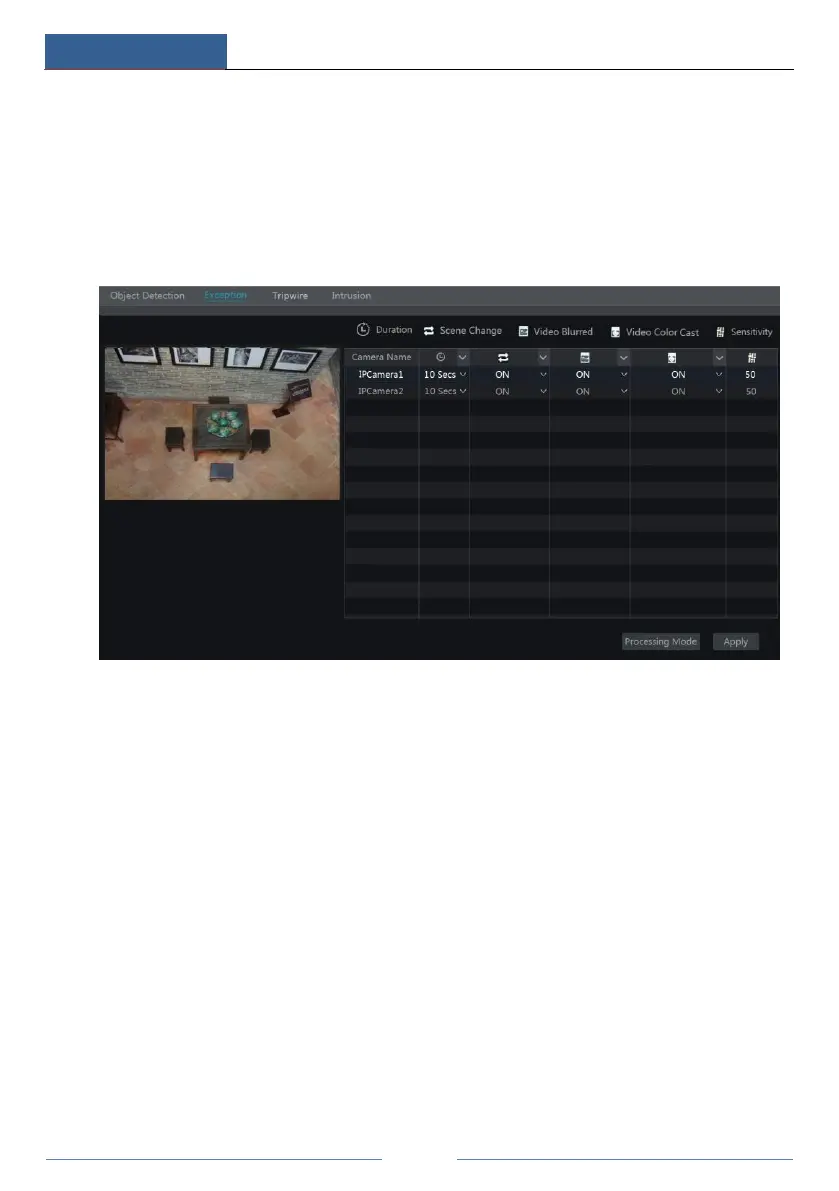
① Click StartSettingsCameraIntelligent DetectionException to go to the following
interface.
② Select the camera and enable the relevant detection as needed.
Scene Change: Alarms will be triggered if the scene of the monitor video has changed.
Video Blurred: Alarms will be triggered if the video becomes blurry.
Video Color Cast: Alarms will be triggered if the video becomes obscured.
③ Set the sensitivity of the exception detection.
④ Click “Apply” to save the settings.
⑤ Click “Processing Mode” to go to the alarm handling configuration interface of exception
detection.
Exception Alarm Handling Configuration:
① Click StartSettingsAlarmIntelligence AlarmException to go to the interface.



 To Next Page