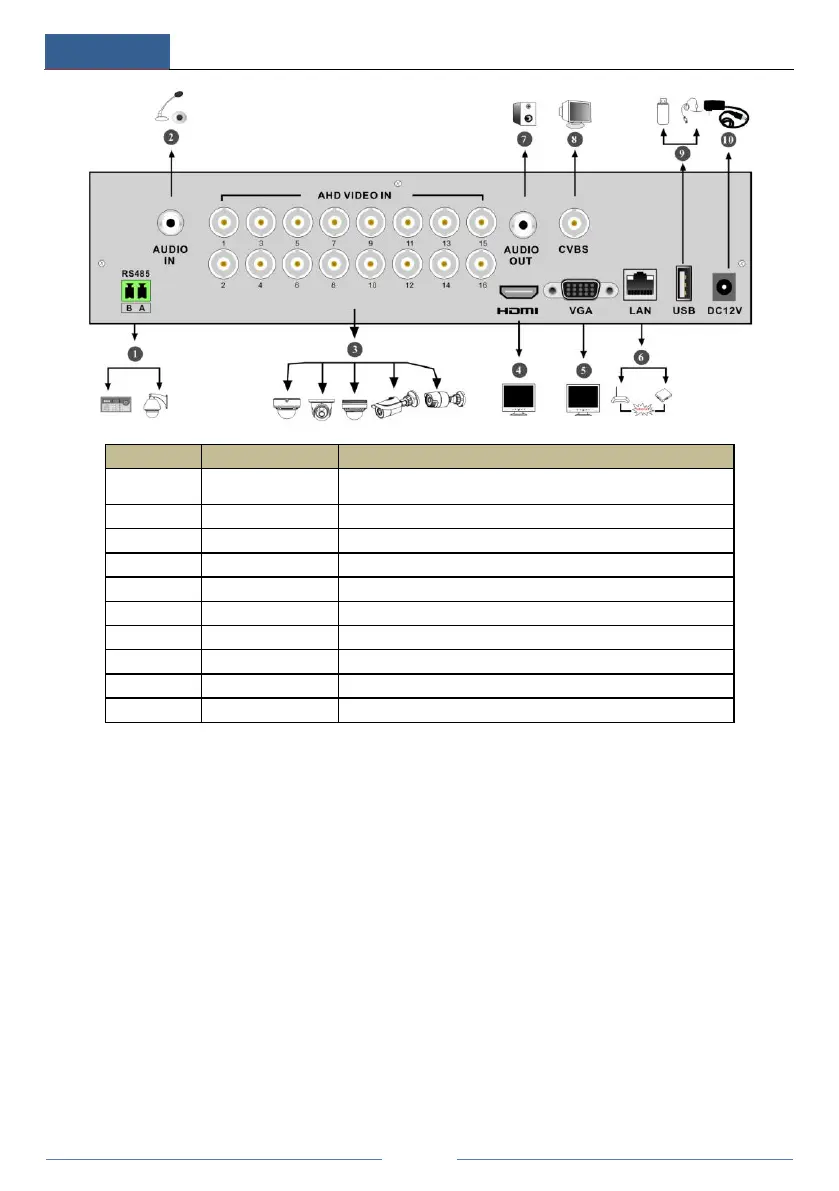
Connectors for keyboards or speed domes. A is TX+; B is
TX-
CVBS video output; connect to monitor
Connect USB storage devices or USB mouse
1.5 Connections
Video Connections
Video Output: Supports VGA/HDMI video output. You can connect to monitor through these
video output interfaces simultaneously or independently.
Audio Connections
Audio Input: Connect to microphone, pickup, etc.
Audio Output: Connect to headphone, sound box or other audio output devices.
Alarm Connections
Some models may support this function. Take 16 CH alarm inputs and 1 CH alarm output for
example.



 To Next Page