3 Wizard & Main Interface
3.1 Startup Wizard
The disk icons will be shown on the top of the startup interface. You can view the number and
status of each disk quickly and conveniently through these icons ( : no disk; : unavailable
disk; : RW available disk).
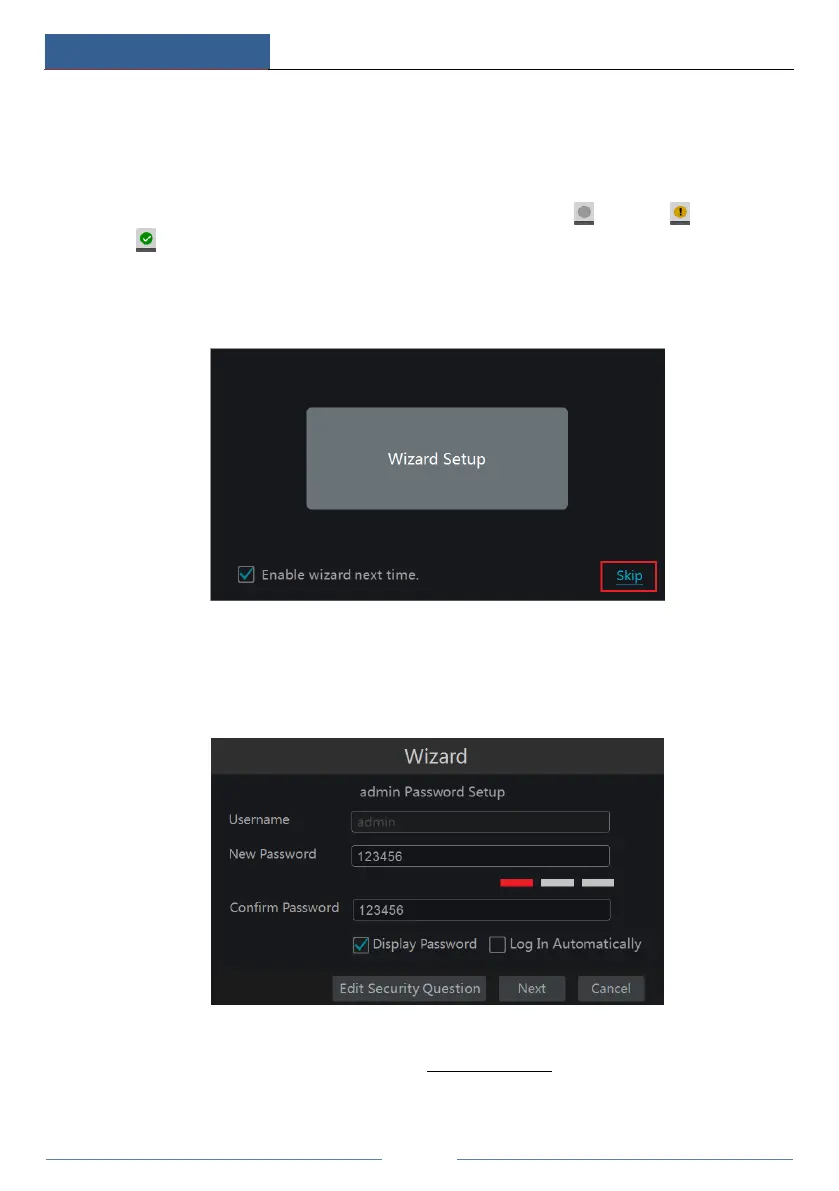
You can quickly configure the DVR by wizard setup to make the DVR work normally. You
must configure the wizard if you start the DVR for the first time (or click “Skip” to cancel the
wizard next time).
Click “Wizard Setup” to start wizard. The setting steps are as follows.
① System Login. Set your own password or use the default when you use the wizard for the
first time (the default username of the system is admin and the default password of admin is
123456); select the login username and enter the corresponding password next time.
Click “Edit Security Question” to set questions and answers for password security of admin. If
you forget the password, please refer to Q4 in Appendix A FAQ for details.
Click “Next” to continue or click “Cancel” to exit the wizard.



 To Next Page