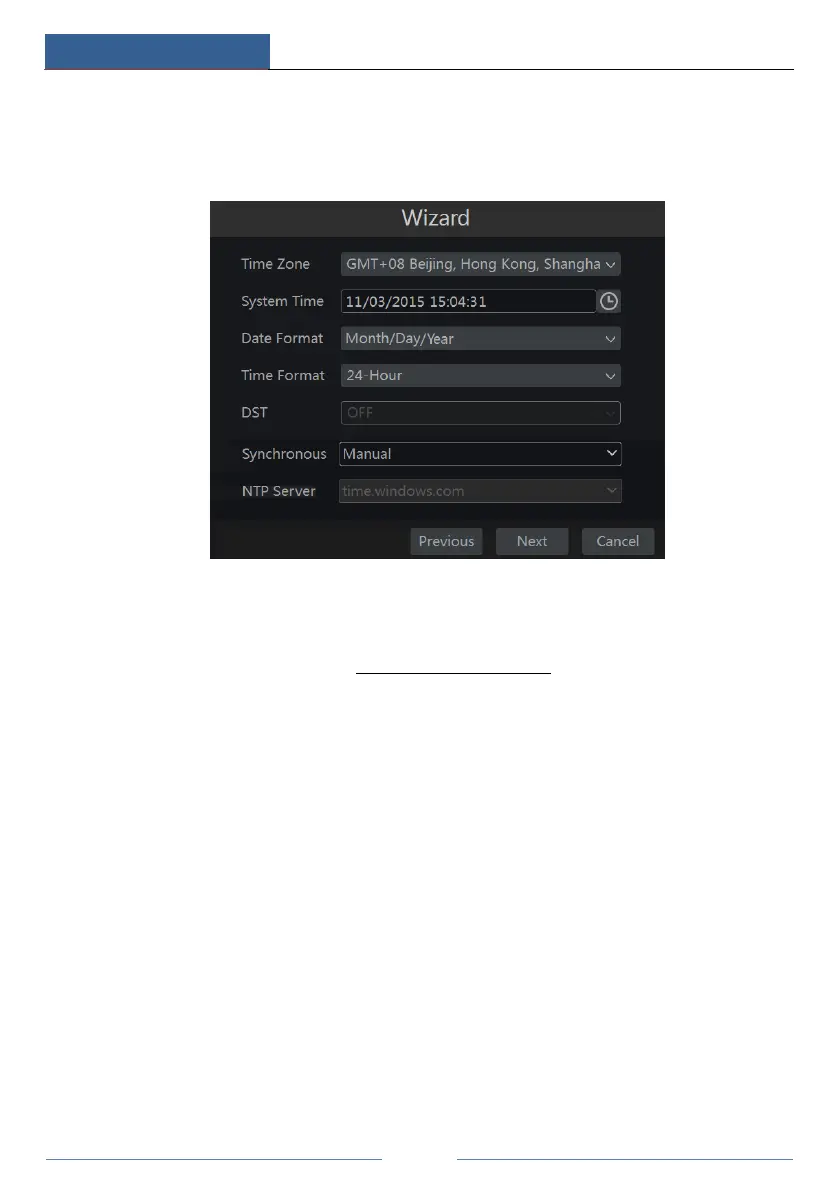
② Date and Time Configuration. The date and time of the system need to be set up if you
use the wizard for the first time. Refer to the following figure. Set the time zone, system time,
date format and time format. The DST will be enabled by default if the time zone selected
includes DST. Click “Next” to continue.
③ Network Settings. Check “Obtain an IP address automatically” and “Obtain DNS
automatically” to get the IP address and DNS automatically (the DHCP function of the router
in the same LAN should also be enabled), or manually input them. Input the HTTP port, RTSP
port and Server port (please see 11.1.2 Port Configuration for details). Click “Next” to
continue.



 To Next Page