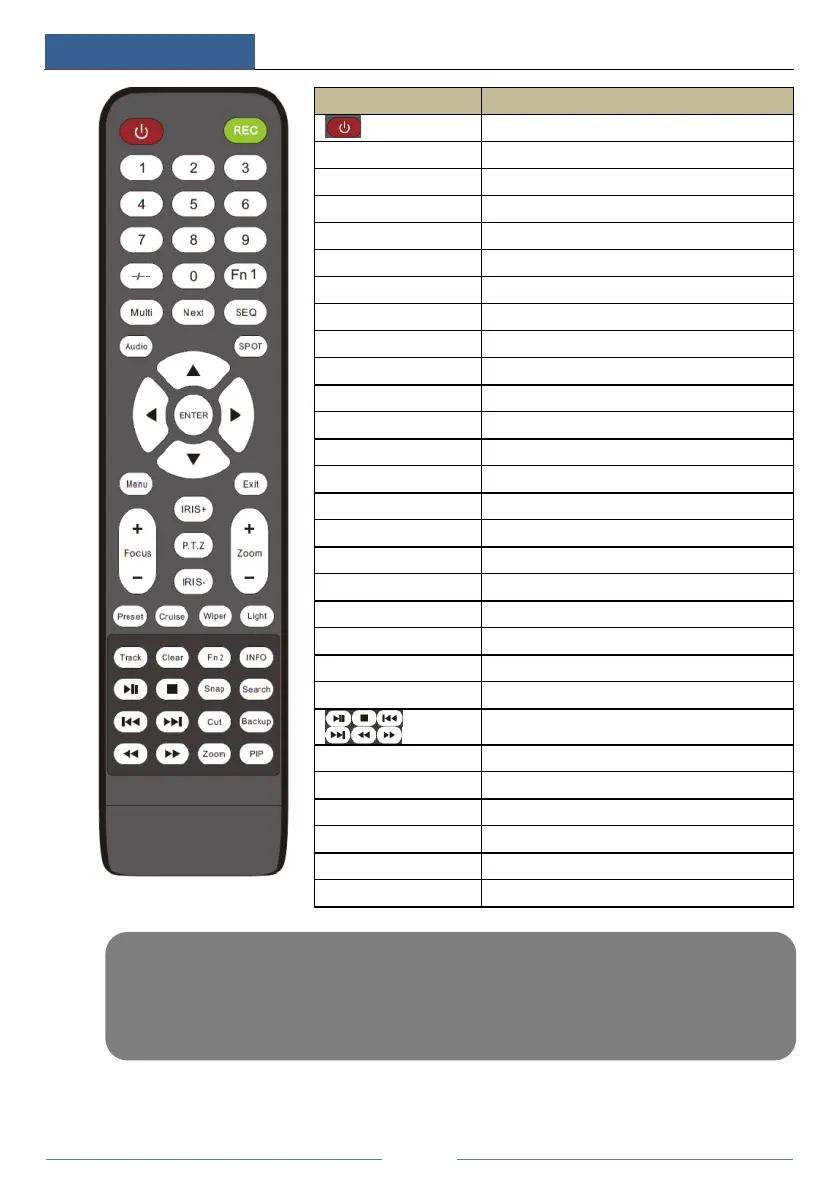
Switch off—to stop the device
Input number or choose camera
To choose multi screen display mode
To go to sequence view mode
To enable audio output in live mode
To move cursor in setup or pan/title PTZ
To confirm the choice or setup
To exit the current interface
To enter into preset setting in PTZ mode
To go to cruise setting in PTZ mode
No track function temporarily
Get information about the device
To control playback. Play(Pause)/Stop/Previous
Frame/Next Frame/Speed Down/Speed Up
To take snapshots manually
Note:
You shall press P.T.Z button to enter PTZ setting mode, choose a channel and press P.T.Z button again to
hide the P.T.Z control panel. Then you can press preset, cruise, track, wiper or light button to enable the
relevant function.



 To Next Page