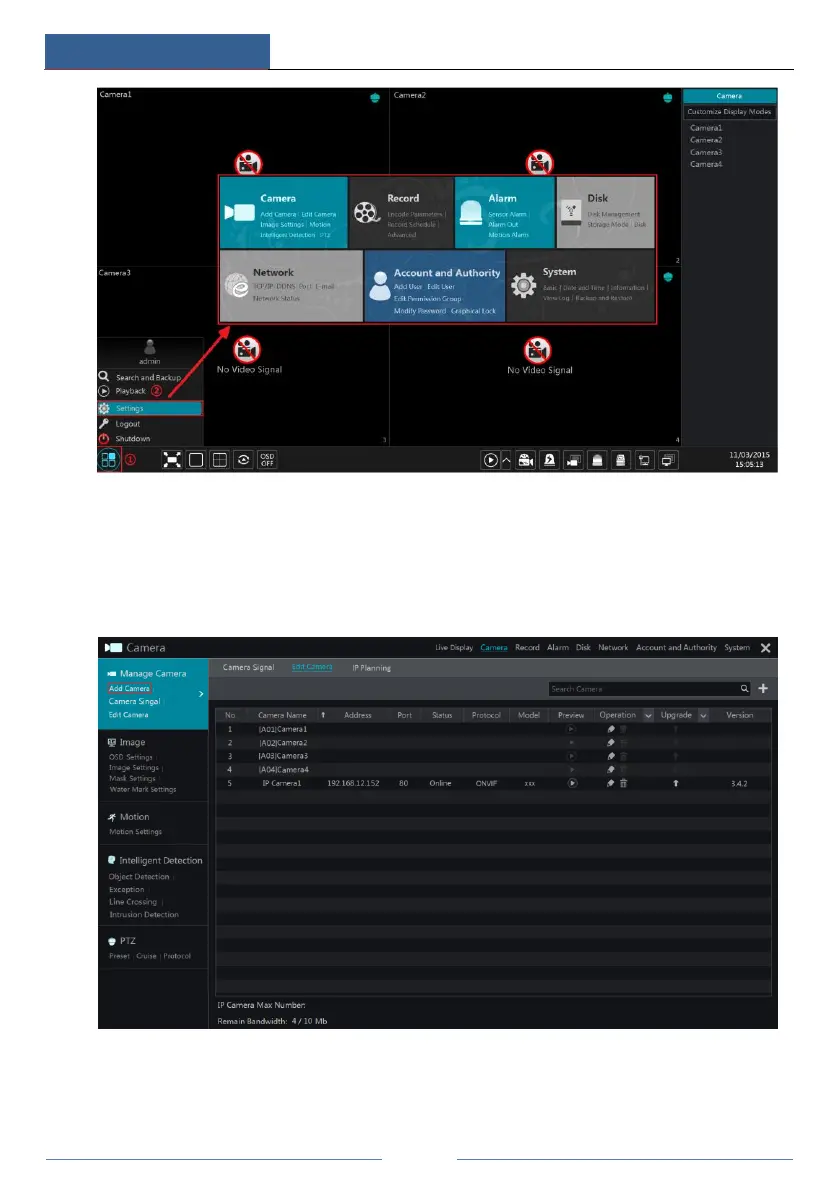
The setup panel includes seven modules. Each module provides some function entries with
links for convenient operation.
Here we take Camera module as an example. The Camera module provides convenient links
such as “Add Camera”, “Edit Camera”, “Image Settings”, “Motion”, “Intelligent Detection”
and “PTZ”. Click Camera to go to the camera management interface as shown below.
There are some function items on the left side of the camera management interface. Click each
item to go to corresponding interface or window. For instance, click “Add Camera” to pop up
the window as shown below.



 To Next Page