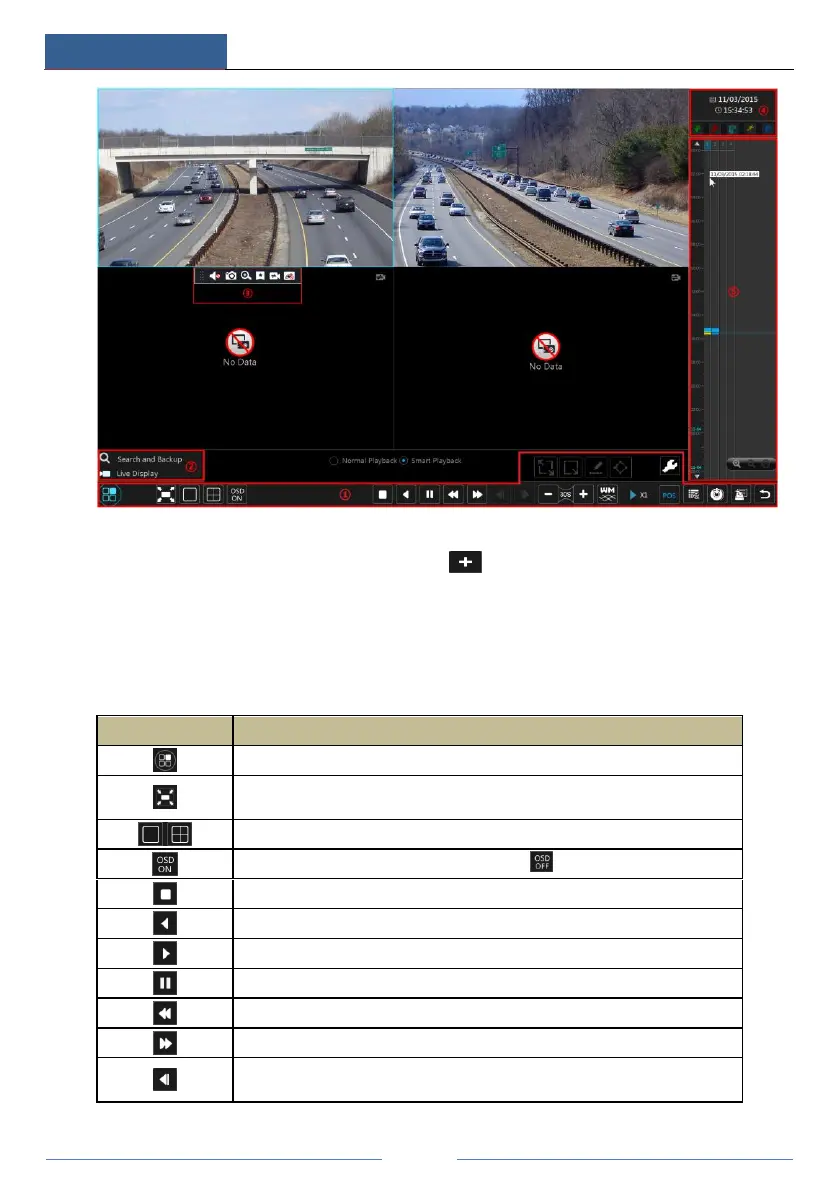
The added cameras will playback their records in the playback interface automatically. You can
also add the playback camera manually. Click in the playback window to pop up the
“Add Camera” window. Check the cameras in the window and then click “Add” to add
playback camera.
The buttons on the tool bar (area ①) at the bottom of the playback interface are introduced in
the table below.
Start button. Click it to pop up area ②.
Full screen button. Click it to show full screen; click it again to exit the full
screen.
OSD ON button. Click it to enable OSD; click to disable OSD.
Rewind button. Click it to play video backward.
Play button. Click it to play video forward.
Deceleration button. Click it to decrease the playing speed.
Acceleration button. Click it to increase the playing speed.
Previous frame button. It works only when the forward playing is paused in
single screen mode.



 To Next Page