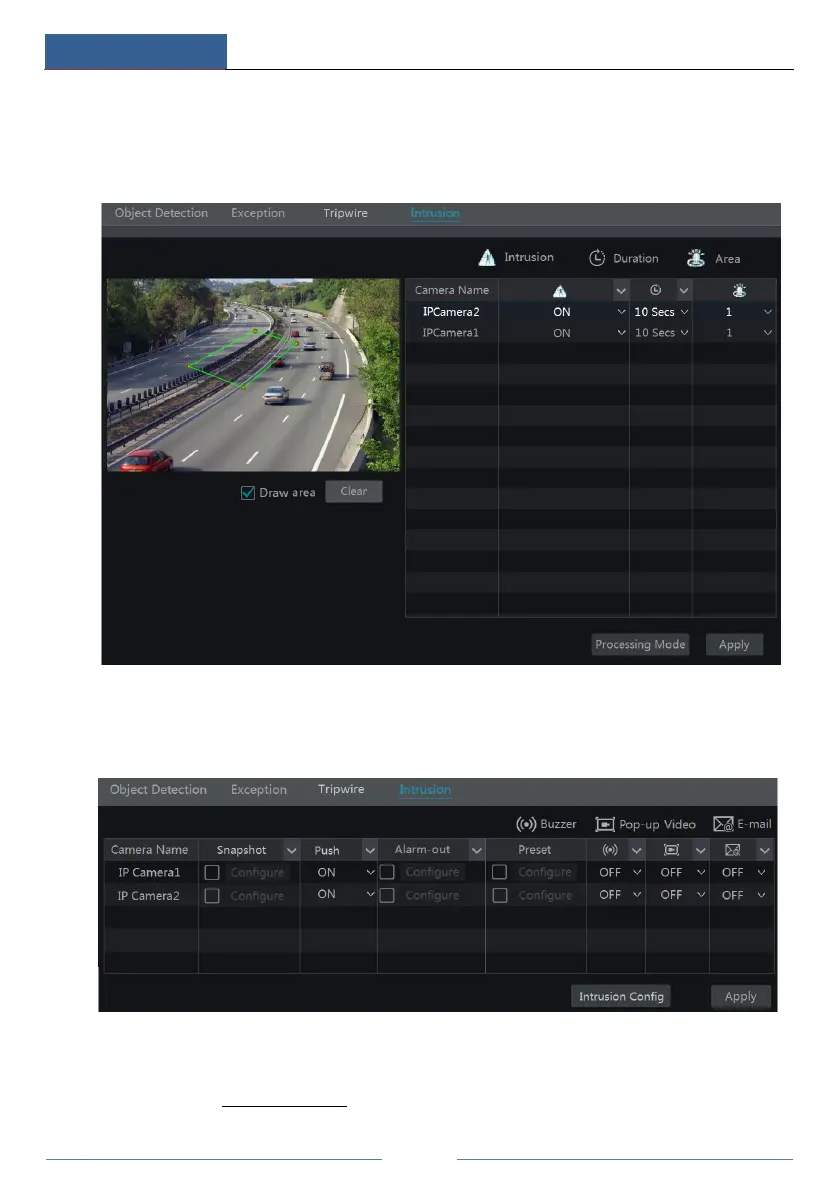
drawing. Click the “Clear” button to delete the alarm area.
⑤ Click “Apply” to save the settings.
⑥ Click “Processing Mode” to go to the alarm handling configuration interface of intrusion
detection.
Intrusion Detection Alarm Handling Configuration:
① Click StartSettingsAlarmIntelligence AlarmIntrusion Detection to go to the
following interface.
② Enable or disable “Snapshot”, “Push”, “Alarm-out”, “Preset”, “Buzzer”, “Pop-up Video”
and “E-mail”. The alarm handling setting of intrusion detection alarm is similar to that of the
sensor alarm (see 9.1 Sensor Alarm for details).
③ Click “Apply” to save the settings. You can click “Regional Invasion Config” to go to the



 To Next Page