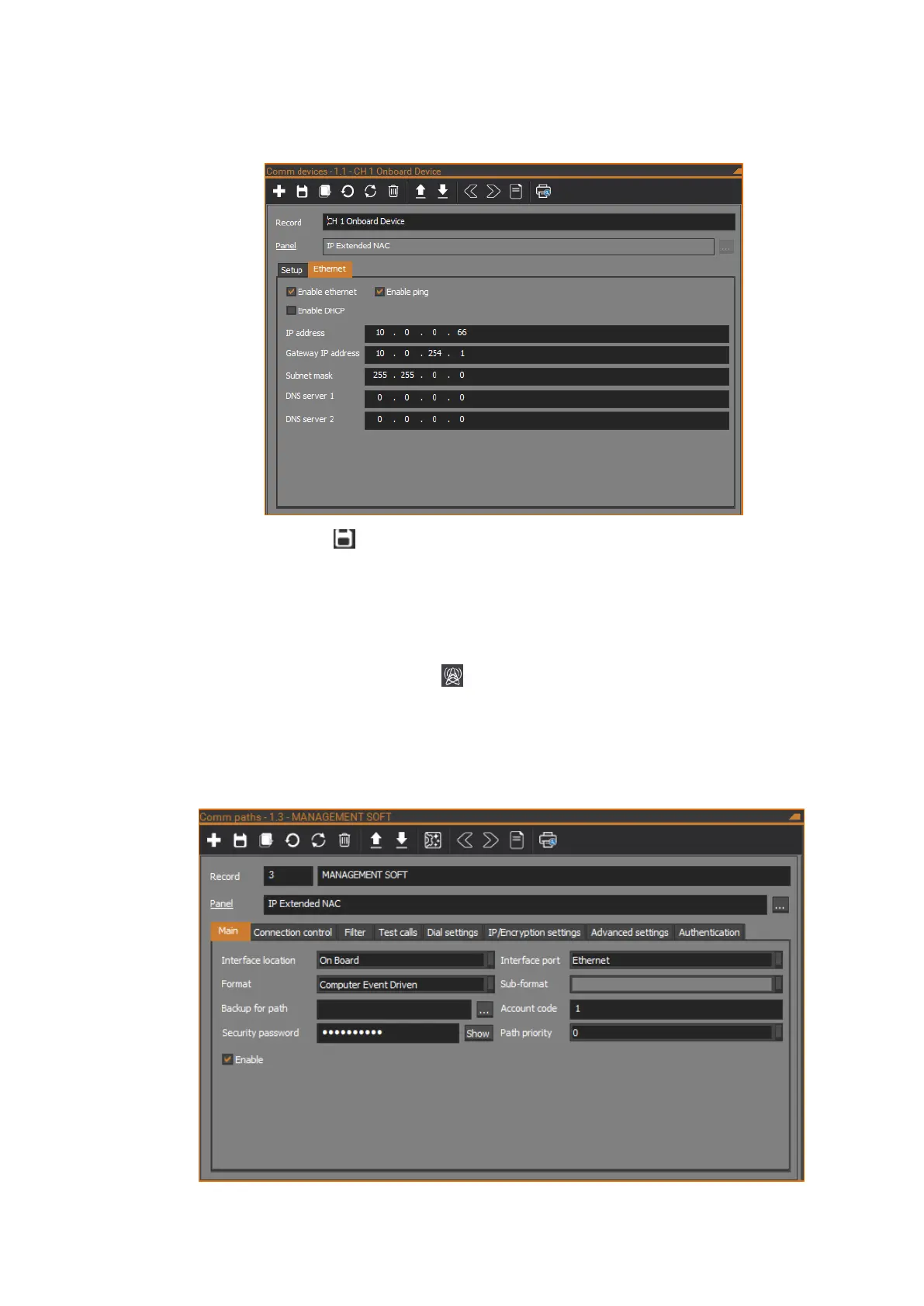
3. On the Ethernet tab, set up the Ethernet settings for the NAC (i.e. IP
address and Subnet mask). Ensure that the Enable Ethernet check box
is ticked.
4. Click the Save button in the toolbar to save the Comm device record.
Configuring communications path
Configure an IP communications path on the NAC for management software.
Using CTPlus, follow these steps:
1. Click the Communications button on the Panel programming ribbon
tab and select Comm paths to open the Comm paths form.
2. Select one of the NAC’s communications paths, e.g. communications
path 3 (ensure the record’s associated Panel field matches the NAC
panel).



 To Next Page