FLOW METER CALIBRATION
The fl ow meter supplied with your system has been calibrated at the factory and under normal circumstances
there may be no need to re-calibrate it. However, the factory calibration setup may not refl ect specifi c sprayer
plumbing. Before spraying actual chemicals, the fl ow meter should be checked for proper calibration. Also, the
fl ow meter is made up of moving parts and can wear over time. If you feel that your fl ow meter is worn, you can
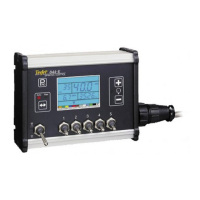
re-calibrate your fl ow meter using the 844 console. To do so, use either of the following methods:
Method 1 – Known Volume
Step 1 – Known Value
Select a known volume of water (n) that you will pump through the fl ow meter. In these steps, 10 US gallons (38
liters) {8 Imperial gallons} will be used as an example. The specifi c volume you use is not important, although
larger volumes generally produce more accurate results.
Step 2 – Programming Calibration Number
Go into the System Setup mode and advance to the fl ow meter calibration number step (fl ashing turbine at the top
of the display). In this programming step, enter (n) 10 US gallons (38 liters) {8 Imperial gallons} as the calibration
number. Exit the System Setup mode by pressing and holding the key for fi ve seconds.
Step 3 – Resetting Volume Counter
Reset the total volume number that is displayed in the lower right portion of the display. (Display alternates
between Ac (Ha) covered and the volume sprayed through the fl ow meter). To reset this number, press and hold
the and keys simultaneously for three seconds or until you see the values reset to zero.
Step 4 – Spraying Known Volume
Engage the pump on the sprayer, fl ip the Master boom section of the 844 to “ON” (make sure at least one boom
section switch is on), and pump exactly (n) 10 US gallons (38 liters) {8 Imperial gallons} through the fl ow meter.
When the known volume is reached, shut the Master boom switch “OFF”.
Step 5 – Entering in New Flow meter Calibration Number
The number that is displayed in the lower right corner of the display is your new fl ow meter calibration number.
Record this number, enter the System Setup mode and advance to the fl ow meter calibration number step. Enter
the new value from your test into this step and then exit the System Setup mode.
Step 6 – Double-checking the New Value
Double-check your new value by spraying a larger volume of water, such as 100 US gallons (378 liters){83
Imperial gallons} through the fl ow meter. Before spraying the larger volume, make sure to reset the memory
counters by depressing and holding the and keys simultaneously for three seconds.
NOTE: After double checking the new calibration number, if you find that the volume shown on the display of the
844 is more than +/- 3% in error, change the flow meter calibration number in the System Setup mode by
the % difference it is in error.


 To Next Page