17
EN
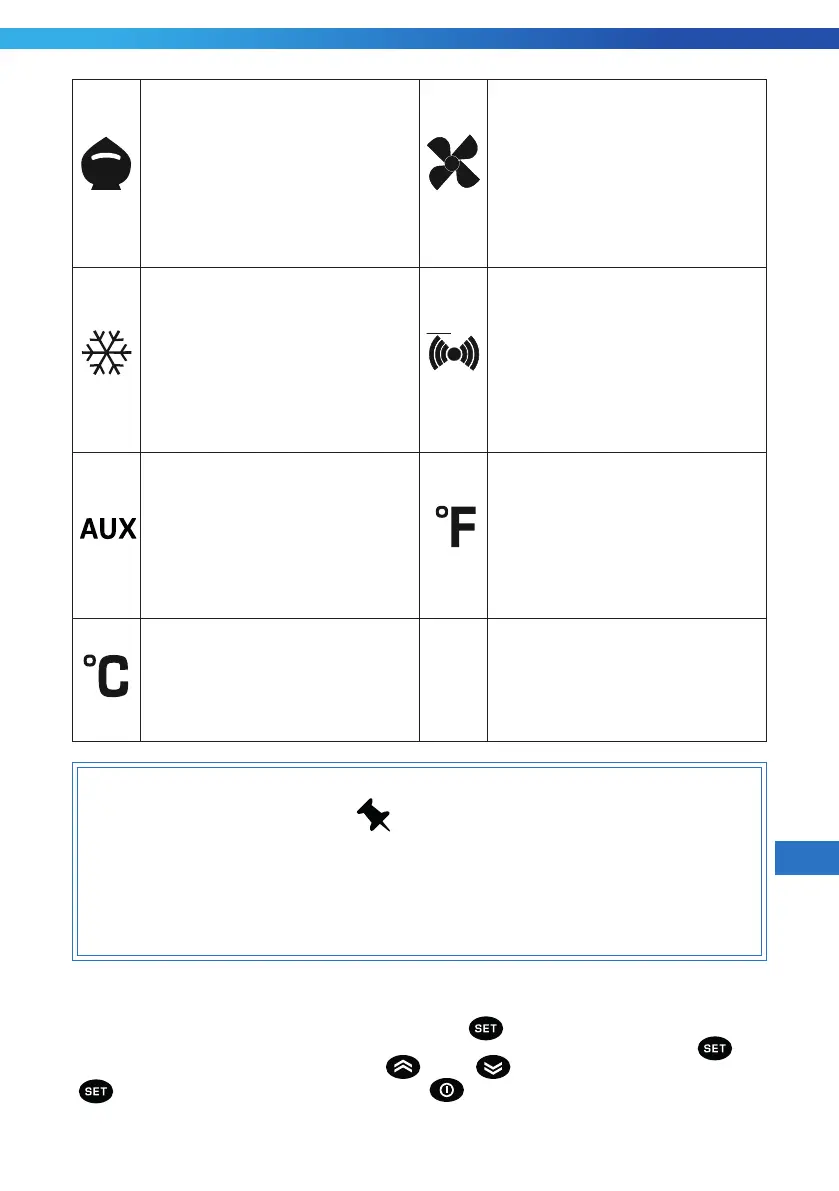
Reduced SET / Economy LED
Permanently on: Energy
Savng actve
Flashng: Reduced set actve
Quck ashng: Access to
level2 parameters
O: Otherwse
Fans LED
Permanently on: Fans actve
O: Otherwse
Compressor LED
Permanently on: Compressor
actve
Flashng: Delay, protecton or
actvaton blocked
O: Otherwse
Alarms LED
Permanently on: alarm actve
Flashng: alarm acknowledged
O: otherwse
Aux LED
Permanently on: Aux output
actve
Flashng: Deep coolng Cycle
actve
O: Aux output not actve
°F LED
Permanently on: °F settng
(dro = 1)
O: otherwse
°C LED
Permanently on: °C settng
(dro = 0)
O: otherwse
NOTE
Your thermostat s set on factory defaults and does not requres
any adjustment. Only freezer wthout defrost mode s avalable
for EWPlus 971 thermostat.
4.2.2 SET TEMPERATURE
To display the Setpoint value press the [ ] key when the 'SEt' label is
displayed. The Setpoint value appears on the display. Please again press the (
). To
change the Setpoint value, press the [
] and [ ] keys within 15 seconds. Press
[
]to confirm the modification. Press the( ) key to exit setting.


 To Next Page