104
English
Once the set amount of coffee has been deliv-
ered, the machine stops delivery automatically
and expels the exhausted coffee grounds into
the grounds container.
4. After a few seconds, the ready message is dis-
played again and you can make another coffee.
5. To turn the appliance off, turn the knob
(A7) (to the right or left) (fig. 5).
Before going off, the appliance performs an au-
tomatic rinse cycle (a little hot water flows from
the spouts and is collected in the drip tray be-
neath. Take care to avoid scalds).
NOTE1:Ifthecoffeeisdeliveredadropatatimeor
not at all, turn the grinding adjustment knob (A17)
(fig. 11) one click clockwise (see “Adjusting the cof-
fee mill”).
Proceed one click at a time until coffee delivery is
satisfactory.
NOTE2:Ifthecoffeeisdeliveredtoofastandthe
cream is not satisfactory, turn the grinding adjust-
ment knob (A17) (fig. 11) one click anticlockwise
(see “Adjusting the coffee mill”).
Avoid turning the grinding adjustment knob exces-
sively otherwise when you select 2 cups, the coffee
may be delivered a drop at a time.
NOTE3:Tipsforahottercoffee:
• Whenyouturntheapplianceon,ifyouwantto
make a short coffee (less than 60 cc), rinse the
cups with hot water to preheat the cups.
Ifmorethan2/3minuteshavepassedsincethe
last coffee made, before requesting another cof-
fee, you must preheat the infuser by pressing
the button (B8) (fig. 12).
Deliver the water into the underlying drip tray
or alternatively use this water to fill (and then
empty) the cup to be used for the coffee, so as
to preheat it.
• Unlesspreheated,donotuseexcessivelythick
cups as they will absorb too much heat.
• Preheatthecupsbyrinsingthemwithhotwater.
NOTE4:Whiletheapplianceismakingcoffee,de-
livery can be interrupted at any moment by press-
ing the previously selected button, (B3), (B4)
or (B5).
NOTE5:Assoonasdeliveryisnished,toincrease
the quantity of coffee in the cup, just hold down the
previously selected coffee button ( , or )
until the required amount is reached (this must be
done within 3 seconds after completion of delivery).
NOTE6:Whentheappliancedisplays“FILLTANK”,
fill the tank with water or the appliance will not de-
liver coffee.
(It is normal for there to be a little water left in the
tank when the message is displayed).
NOTE 7: After about 14 single (or 7 double) cof-
fees, the appliance displays “EMPTY GROUNDS
CONTAINER”,indicatingthatthegroundscontainer
is full and must be emptied and cleaned. Until the
grounds container has been cleaned, the appliance
continues to display the message and coffee cannot
be made.
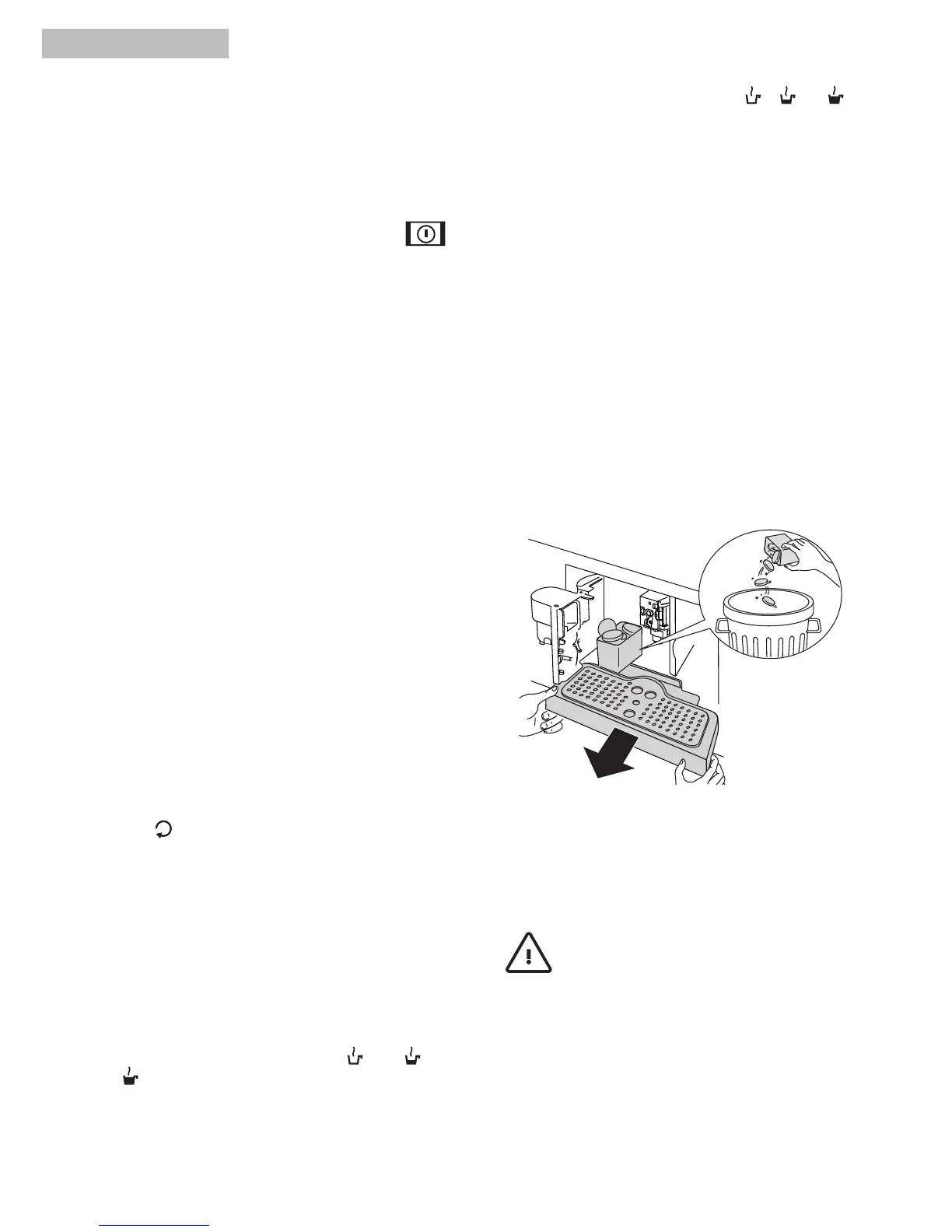
To clean, open the service door on the front of the
appliance by pulling the spout (A13) (fig. 13), extract
the drip tray (A14) (fig. 14), empty and clean.
When cleaning, always extract the drip tray
completely to avoid it falling when the grounds
container is removed.
Emptythegroundscontainerandcleanthoroughly
to remove all residues left on the bottom.
Important!
when removing the drip tray,
the grounds container must be emptied, even if it
is not completely full. If this is not done, when you
make the next coffees, the grounds container may
fill up more than expected and clog the machine.
NOTE 8: Never extract the water tank while the
machine is delivering coffee.



 To Next Page