WiFi
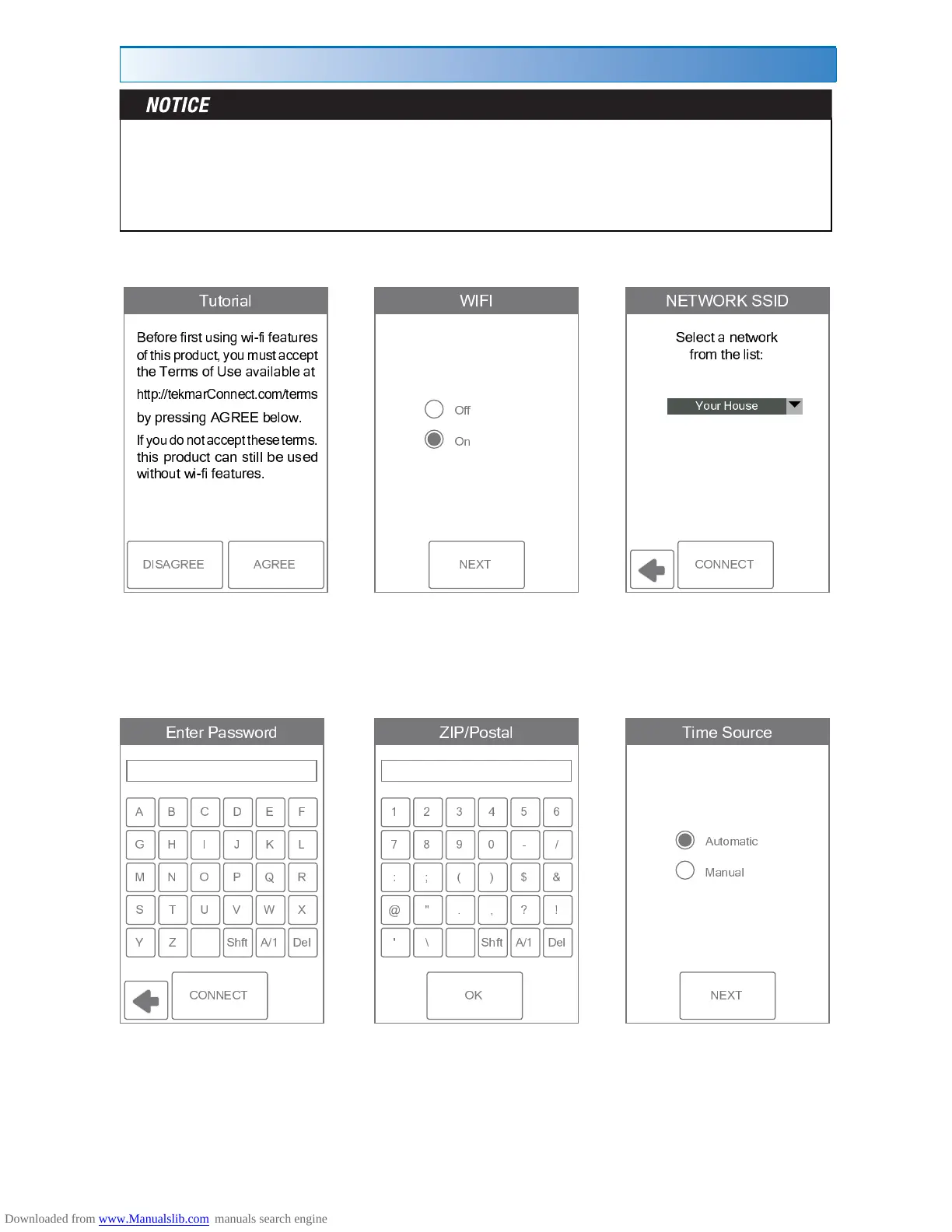
The thermostat includes a step by step tutorial to setup the WiFi connection.
Step 1
Agree to Terms of
Use
Step 2
Turn on WiFi
Step 3
Enter wireless network
name.
Step 4
Enter WiFi password.
Step 6
Select if the time is set
automatically from the
Internet or manually.
Step 5
Enter ZIP or postal code.
This determines your
location for weather
information.
Before using the WiFi features of this product, you must accept the Terms of Use, as
amended from time to time and available at tekmarConnect.com/terms. If you do not
accept these terms, this product can still be used without WiFi features.
This product requires WiFi WPA security. WEP is not supported.
÷ ø ù ú û ü ý þ
ÿ
! " #
$ % & ' ( ) * )
+ , , - . / / , 0 1 2 3 4 5 6 7 7 0 8 , 9 8 6 2 / , 0 4 2 :
* ; < = > ? @ @ * ) A
B C D E F G E H E I J K K L M I I N L O L I L P Q O R
S T U V W X Y Z [ \ S \ ] ^ V S U _ _ ` a [ V a Z
$ A
b c d c
e f g
h i i
h j
÷ ü
k l m
ú ø û
n l
e f g
o p q r s p t u
v s j o s w
x y
÷
b z { | m m c }
~ h e e ~ g
)
& $ )
q o q o
~
ÿ
v h e
i p
ÿ
w
g f
y
ù
l
û
ý
ú û
~ h e e ~ g
¡ ¢£ ¤ ¥
¦ § i p
ÿ
w
¨ © ª« ¬
® ¯° ± ²
³ c ´
ú
ù ý þ
h


 To Next Page