Setup
Setup - Toolbox
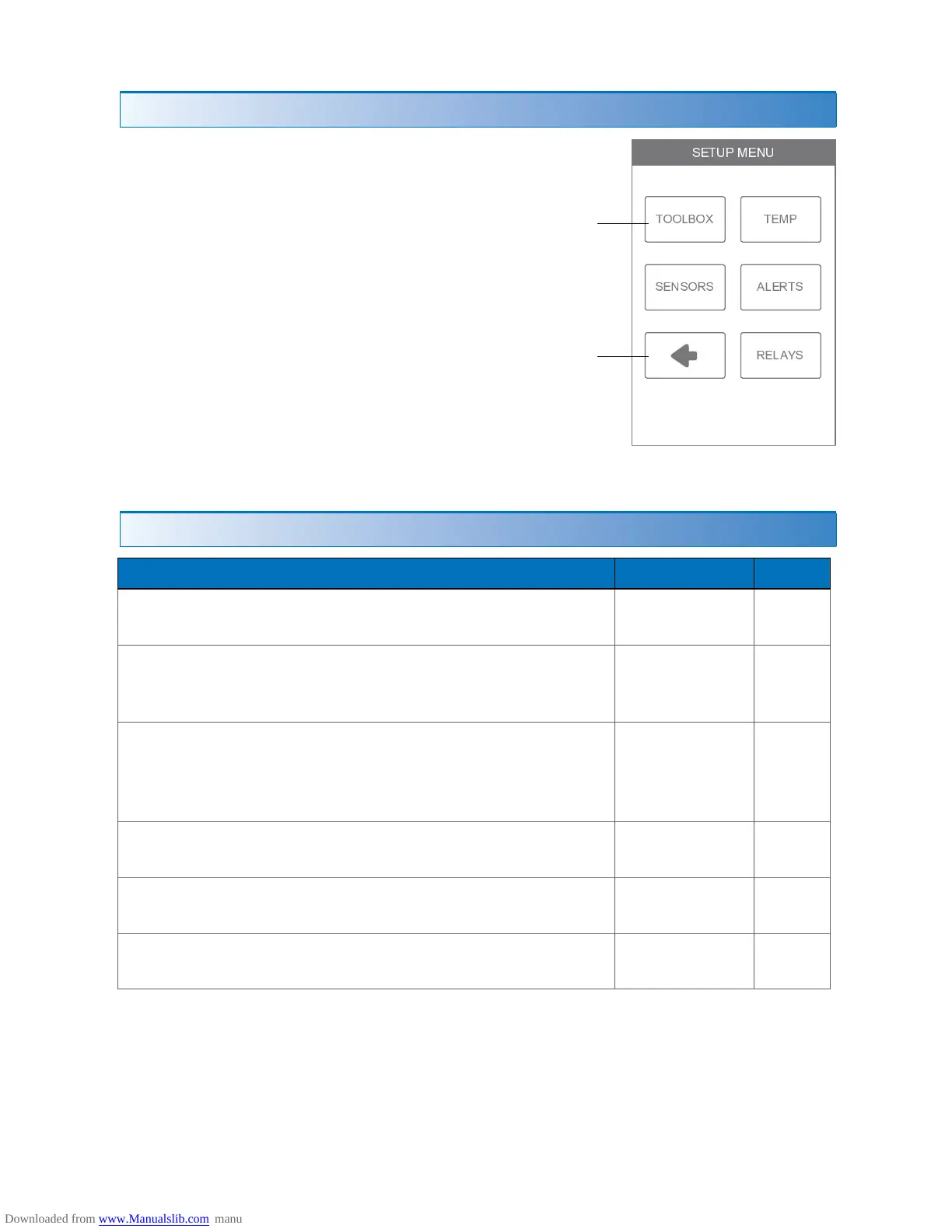
The Setup menu contains five sub-menus that determine
how the thermostat operates.
The Access Level setting in the Toolbox menu
determines how many settings are available to the user.
Press back to return to
the main Settings menu.
Setting Range
Default
ERROR
Displays any error messages.
N/A N/A
ACCESS LEVEL
Select between user and installer access levels. User
access level restricts access in the Setup Menu.
User,
Installer
Installer
STATUS
The current status of warm weather shut down, cold
weather shut down and each of the relays.
WWSD,
CWSD,
W1, W2,
Y1, G1
N/A
SOFTWARE VERSION
Display the software version.
J1255A N/A
LOAD DEFAULTS
All settings are returned to factory defaults.
Yes,
No
No
CALIBRATE TOUCHSCREEN
Recalibrate the screen after loading factory defaults.
N/A N/A
Installer Settings
µ ¶ · ¸ ¹ º ¶ » ¸
¼ ½ ½ ¾ ¿ ½ À ¼ Á Â Ã
Ä Á Å Ä ½ Æ Ä Ç ¾ Á Æ ¼ Ä
Æ Á ¾ Ç È Ä


 To Next Page