after the instrument is switched off.
* If any faults or abnormalities are observed, take the
instrument out of service and ensure that it cannot be used
until it has been checked out.
* If the meter is not going to be used for a long time, take out
the battery and do not store the meter in high temperature
or high humidity environment.
2. DESCRIPTION
2.1 Instrument Familiarization
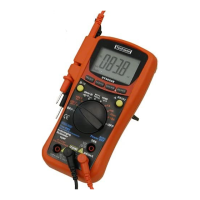
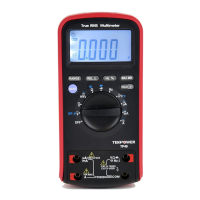
The front panel is shown as in Figure 2-1,
explanation being as follows:
① LCD display
Used for displaying the measuring results and various
symbols.
② Keypad
Measurement function keys.
③ Rotary switch
Used for selecting measurement functions.
④
Terminal receiving the red test lead for voltage,
resistance, capacitance, frequency, Temperature,
diode and continuity measurements.
⑤ uA/mA
Terminal receiving the red test lead for A, mA


 To Next Page