A
mA
uA
C
。
Hz
mV
V
V
OFF
F
。
COM
A
V
Hz
mA
uA
A
mA
uA
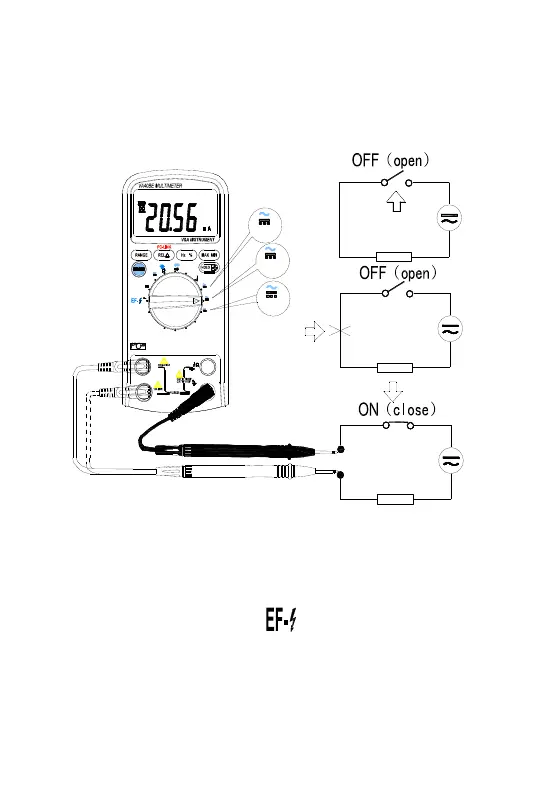
Figure 3-6 Measuring Current
3.2.9 NCV (Non-Contact Voltage detect)
Set rotary switch to the ACV / range,Press the SELECT
key to go NCV detect mode. Put the EF-DETECT AREA
close to the AC power cable or the power socket, if AC
electrical voltage is present, the Buzzer warning will sound,


 To Next Page