EasyManua.ls Logo

Tektronix T912 - Page 15

Tektronix T912
101 pages
Print Icon
To Next Page IconTo Next Page
To Previous Page IconTo Previous Page
Loading...
Operating
Instructions—
T912
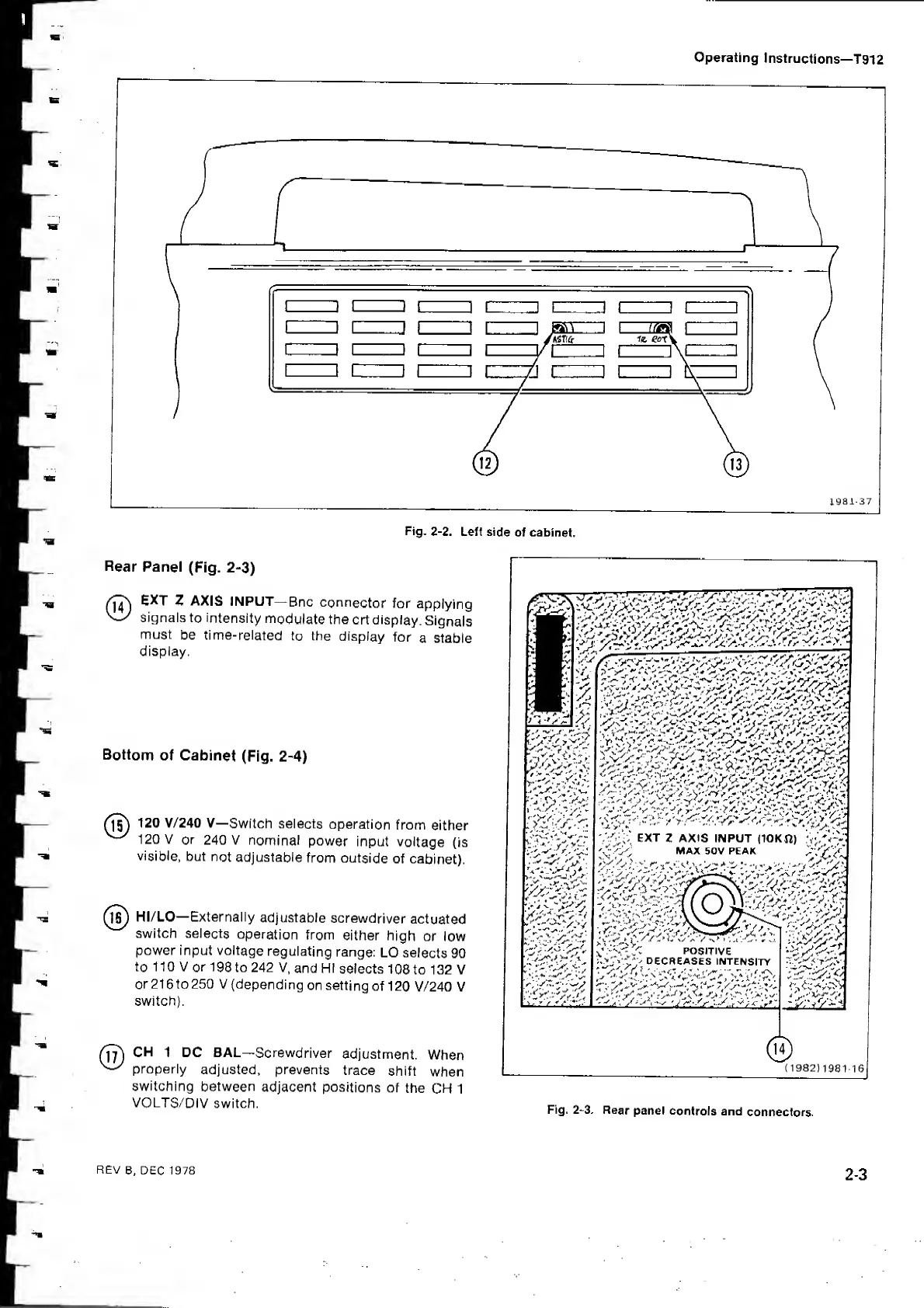
Fig. 2-2.
Left
side
of cabinet.
Rear
Panel
(Fig.
2-3)
EXT
Z AXIS
INPUT—
Bnc
connector
for
applying
Signals
to intensity
modulate
the
crt display.
Signals
must
be
time-related
to
the
display
for
a stable
display.
Bottom
of Cabinet
(Fig.
2-4)
120 V/240 V—
Switch selects
operation
from
either
120 V
or
240 V
nominal
power
input
voltage
(is
visible,
but
not
adjustable
from outside
of
cabinet).
Hi/LO—Externally
adjustable
screwdriver
actuated
switch selects
operation
from
either
high
or low
power input voltage
regulating
range:
LO
selects
90
to
110 V
or 198
to 242 V,
and HI
selects
108
to 132 V
or216to250
V
(depending
on setting
of
120
V/240 V
switch).
CH
1 DC BAL—
Screwdriver
adjustment.
When
properly
adjusted, prevents
trace
shift
when
switching
between
adjacent
positions
of
the
CH 1
VOLTS/DIV
switch.
EXT
Z
AXIS
INPUT
(10KI2)
'-fS-'
WAX 50V PEAK
y.O
'.-.'I
r-,
*
::>
-i
'>
'-'v
'
- '
' I
:/
5
y
DnCITItJC I
'
y
y
^
'
(
1982
)
1981-16
Fig.
2-3.
Rear
panel
controls
and
connectors.
REV
B, DEC 1978
2-3