User Manual E3
59300623 Rev.001
5.4.2018 14(20)
E61 RIS receiver with USB
Installation
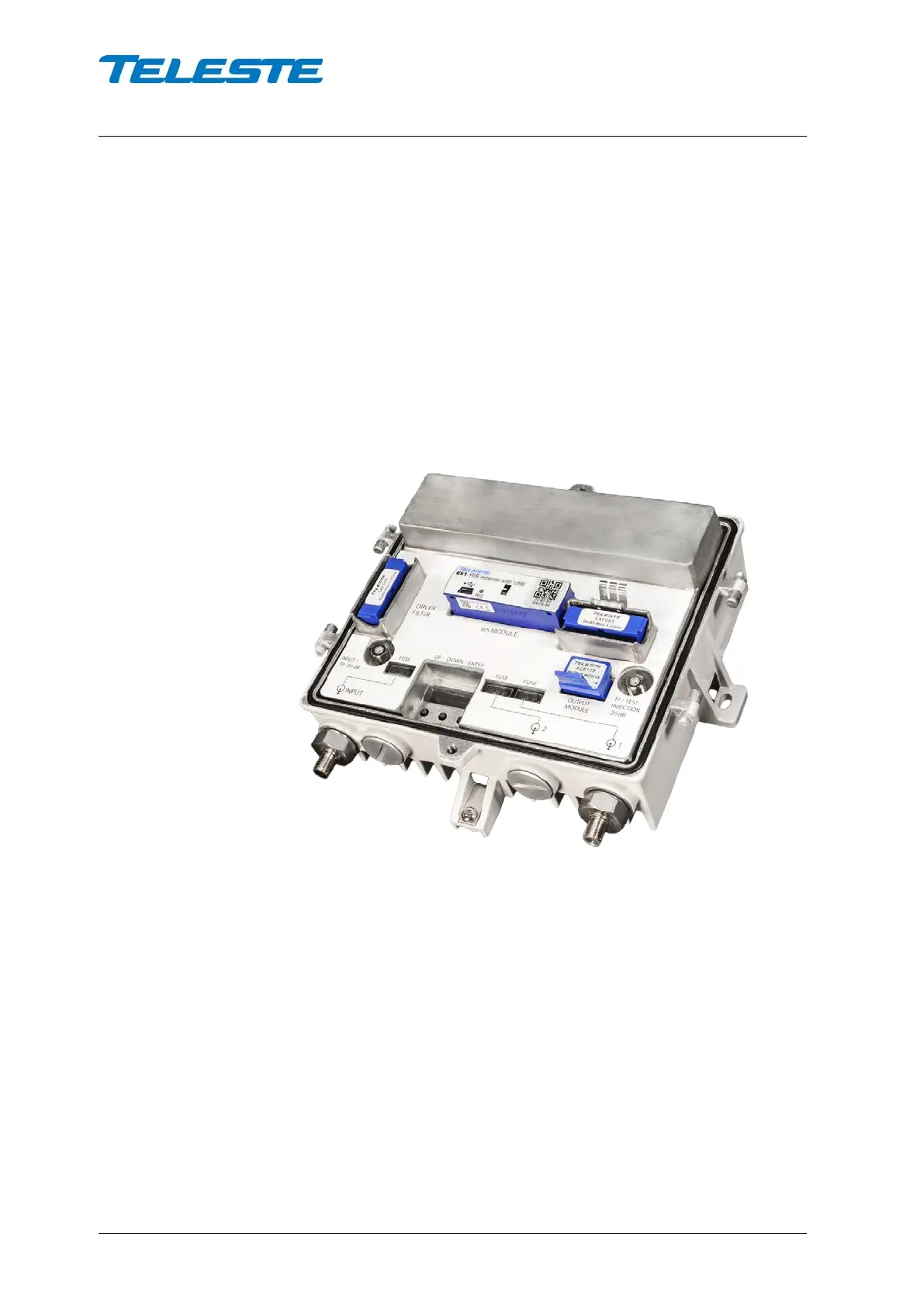
E61 can be installed without turning off the power by simply pushing the unit
firmly to its location marked with “RIS module” until it snaps into place.
The MAC address visible in E61 front panel should be recorded during
installation together with unit location and other information. This makes it
possible to later add the unit into HDM155 RIS controller device table and EMS
system. This data can also be stored and transferred easily using Teleste
Commander software for Android devices.
Note that E61 automatically updates E3 software if it detects different version
that is included inside E61. Thus it is recommended to make sure the E61
software version is up to date before installing it into E3. See the “Software
update” chapter for details.
Figure 6. E61 installed into E3
E61 automatically scans for RIS carrier generated by HDM155 RIS controller
within its tuning range. When a carrier is found, E61 locks to the carrier and
reacts to commands sent to its MAC address. If E61 doesn’t receive any
packets during 1 minute it starts scanning again.
E61 front panel has a “RIS” led which indicates communication status:
• Dark: Searching for RIS carrier.
• Blinking green: Locked to RIS carrier, but no commands received in last 2
minutes. This usually means that this E61’s MAC address has not been
entered in RIS controller’s device list.
• Green: Locked to RIS carrier and receiving commands.
• Yellow: Locked to RIS carrier and received “Ingress attenuate” command.
• Red: Locked to RIS carrier and received “Ingress off” command.


 To Next Page