User Manual E3
59300623 Rev.001
5.4.2018 17(20)
Viewer pages
This chapter presents E3 graphical user interface (=”viewer”) pages when
connecting to E3 with CATVisor Commander PC software via E61 module USB
port using USB cable or AC6901 Bluetooth adapter.
The same settings but in slightly different layout are also available when using
an Android tablet or smartphone with Teleste Commander software.
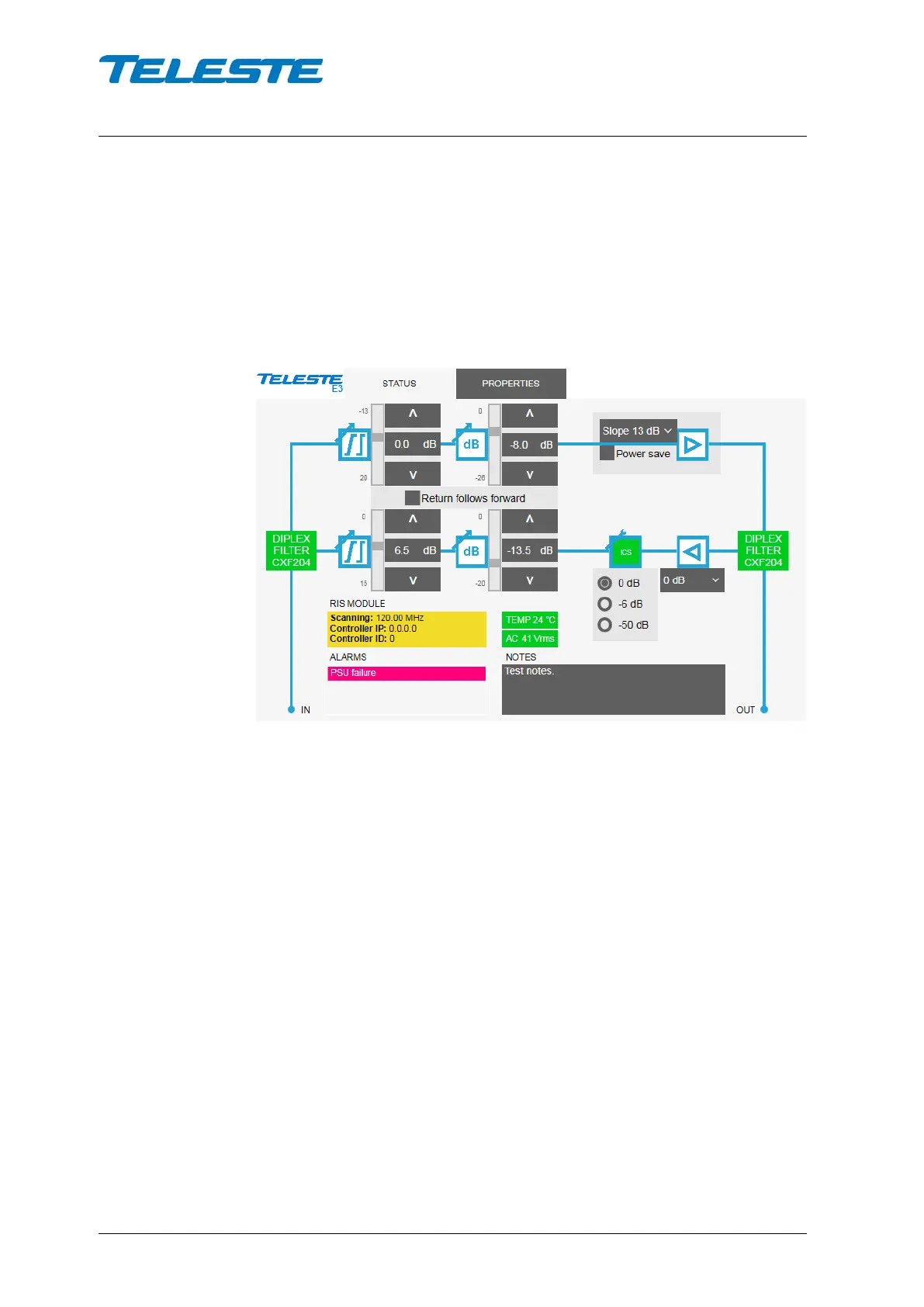
Status viewer page
Figure 7. The Status page
The Status page displays unit's alarms and controls together with measurement
data and a graphical view of the current configuration.
Forward and return path controls
Forward path interstage gain and slope and return path input gain can be
selected from the drop-down menu according to installation requirements.
Gain and slope can be adjusted by clicking the up and down buttons or typing a
value into the fields. The slider indicates relative position of the control to its
limits.
When “Return follows forward” is checked, return path gain and slope are
automatically adjusted based on forward path settings and frequency range.
Adjusting return path manually disables this RFF feature.
The radio buttons control the ingress switch. The “-50 dB” selection cuts off the
return path RF signal and thus disconnects all cable modems behind this unit. If
ingress switch commands are received via RIS link they override local control.
Detected diplex filter types are shown in respective positions in green when the
types are detected OK and match each other, otherwise in red.


 To Next Page