User Manual E3
59300623 Rev.001
5.4.2018 19(20)
Properties viewer page
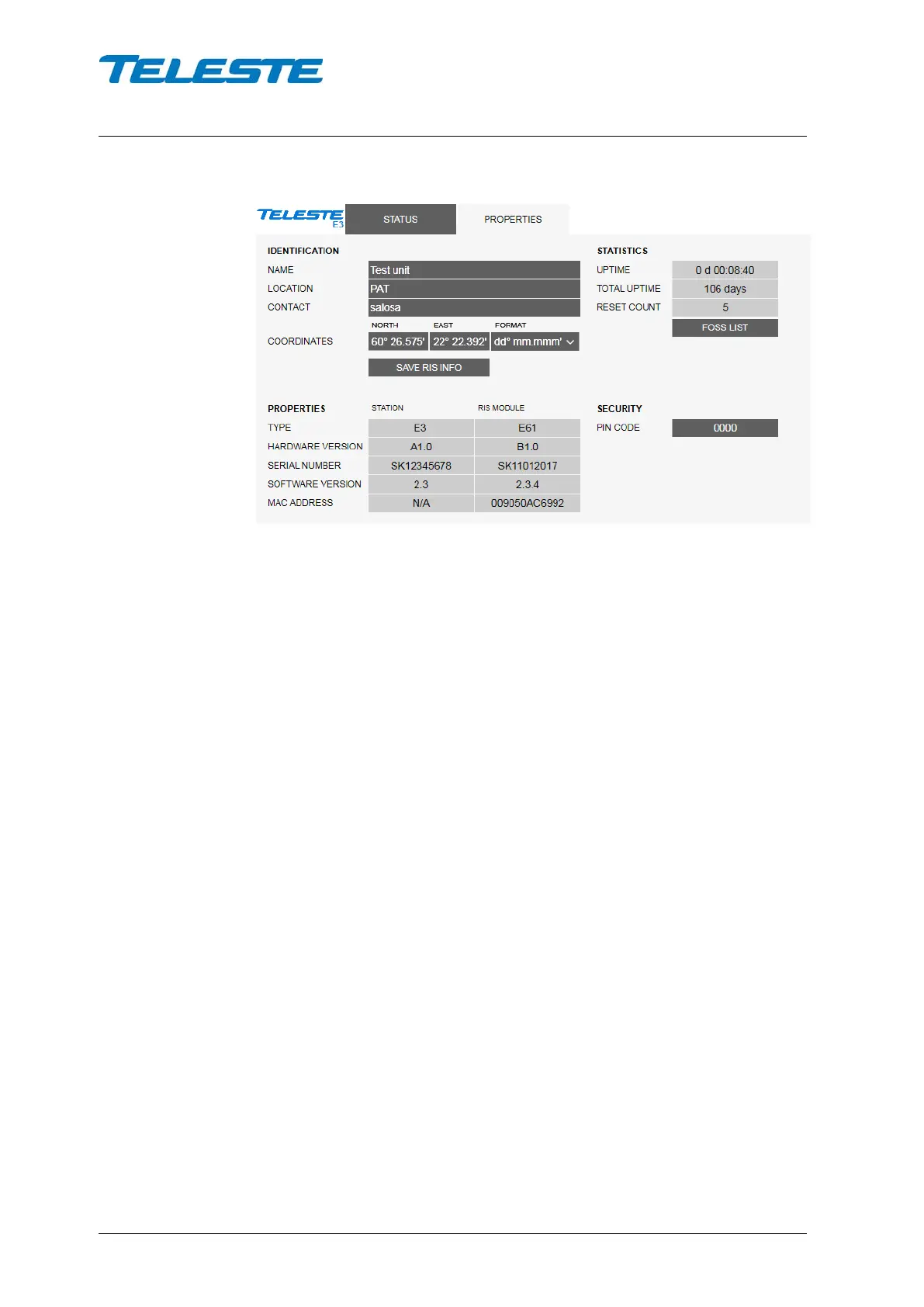
Figure 8. The Properties page
The “Properties” page displays unit identification and statistics data.
Identification
A descriptive alias name for the station can be entered into the “Name” field,
site location into “Location” field and contact information into “Contact” field. All
these fields can contain up to 63 characters.
The geographical coordinates can be entered into respective latitude and
longitude fields. The preferred format for the coordinates can be selected from
the "Format" drop-down field. When entering coordinates, special characters
(º/'/") can be simply omitted.
The "Save RIS info" button opens a dialog for saving RIS identification data to a
file. This file can then be used for adding the amplifier to management system.
Properties
The type, hardware version, serial number and software version are shown for
both station and RIS module. RIS module MAC address used for remote
communication is displayed here and on RIS module front panel.
Statistics
The “Uptime” field shows the time since the last reset or power up. The format
is days, hours, minutes and seconds, with ±5 s/day accuracy.
The "Total uptime" field shows the total number of full operating days.
The "Reset count" field shows the total number of resets.
Security
The PIN code can be enabled to protect the E3 local user interface from
unauthorised access. When a value other than 0000 is entered, the correct PIN
needs to be entered every time the local user interface is used. Note that the
PIN is not needed for PC/smartphone/tablet configuration via E61.


 To Next Page