iRIS8 - Addressable Fire Alarm Panel – Installer Programming
32
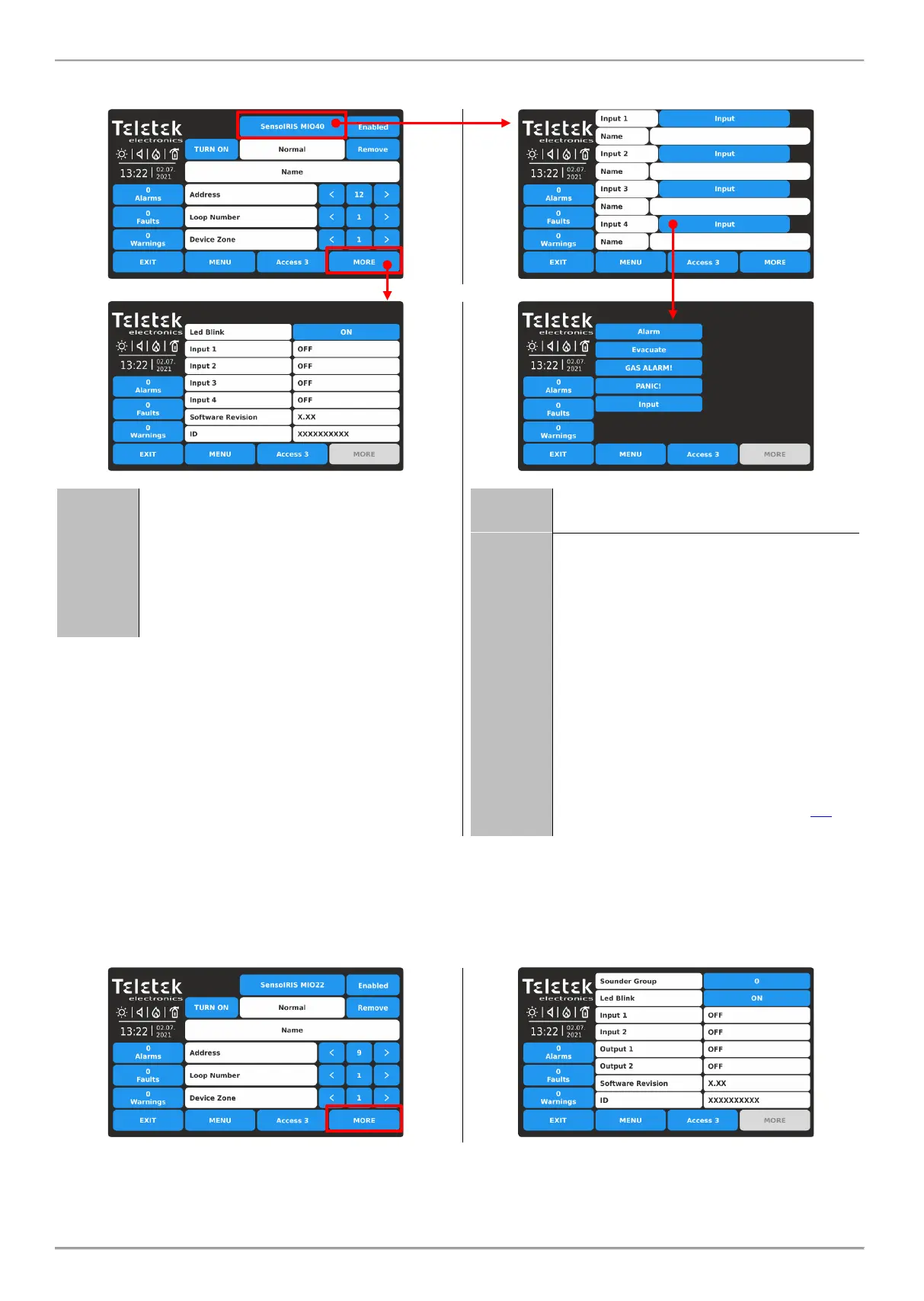
- SensoIRIS MIO40 - The module has 4 inputs, programmable for activation by an event. Press active button
with the name of the module to access the programming of the inputs.
Review the current status of the input:
- ON. The input is activated.
- OFF. The input is deactivated.
- OPEN. The line connected to the input is
open or no EOL module is connected to
the terminal in case the input is not used.
- SHORT. There is a short-circuit in the
line connected to the input.
Active field for entering a name for every
of the inputs.
Every input can be configured as:
- ALARM*. The input operates as fire
detector and generates fire alarm event to
the panel when is activated.
- EVACUATE*. The input operates as fire
detector and generates evacuation event
to the panel when is activated.
- GAS ALARM! The input operates as gas
detector and generates gas alarm event to
the panel when is activated.
- PANIC! The input operates as panic
button and generates panic alarm event to
the panel when is activated.
- INPUT. The input operates as single
switch and you have to program the logic
of activation in menu INPUTS – item 3.3.
* Note: This type of input is not EN54-2 compliant.
- SensoIRIS MIO22 - The module has 2 inputs and 2 outputs, programmable for activation by an event. Press
active button with the name of the module to access the programming of the outputs and inputs. For setting the
activation of the inputs, refer to description of MIO40, and for setting the activation of outputs, refer to
description of MIO04. Press MORE button to access the additional settings.














 To Next Page