iRIS8 - Addressable Fire Alarm Panel – Installer Programming
74
4.10. Display Calibration and Settings
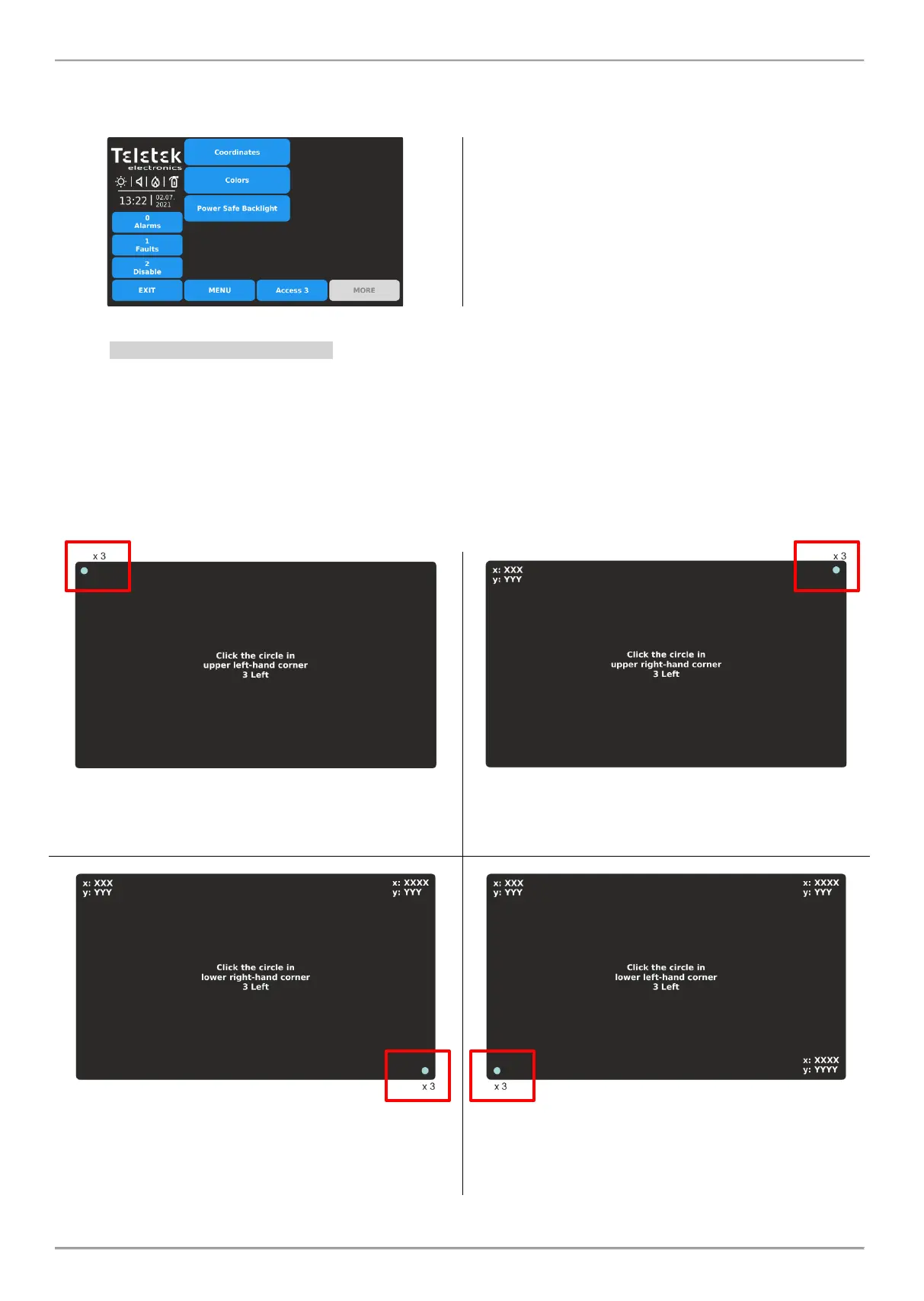
Enter MAINTENANCE - DISPLAY menu. The following submenus are available for settings.
Quick summery for the submenus:
• Coordinates – Perform hardware calibration of the
TFT screen.
• Colors – Review the supported color palette of the
display.
• Power Save Backlight – Enable/Disable the backlight
of the screen.
4.10.1. Coordinates Calibration
It is possible that after a certain period of use, the parameters of the TFT screen display to change, causing difficulties
in pressing buttons, lower sensitivity, etc. This requires the display to be calibrated periodically. It is recommended to
use touch pen for precise calibration and to avoid damage and contamination of the sensitive TFT screen.
Do not use sharp instruments for pressing the screen, like screwdrivers, tweezers or pliers, because they can
scratch or break the plastic surface of the screen and the iRIS8 panel to become not operable!
Enter COORDINATES submenu. The calibration procedure requires selection (3 times) of some specific places on the
screen, following the displayed messages on the middle.
1. Press 3 times in sequence the blue dot in the upper left
corner of the screen. The message in the middle will
remand you how many times are left.
2. Press 3 times in sequence the blue dot in the upper
right corner of the screen. The message in the middle will
remand you how many times are left.
3. Press 3 times in sequence the blue dot in the bottom
right corner of the screen. The message in the middle will
remand you how many times are left.
4. Press 3 times in sequence the blue dot in the bottom
left corner of the screen. The message in the middle will
remand you how many times are left.














 To Next Page