iRIS8 - Addressable Fire Alarm Panel – Installer Programming
66
4. MAINTENANCE SYSTEM MENUS
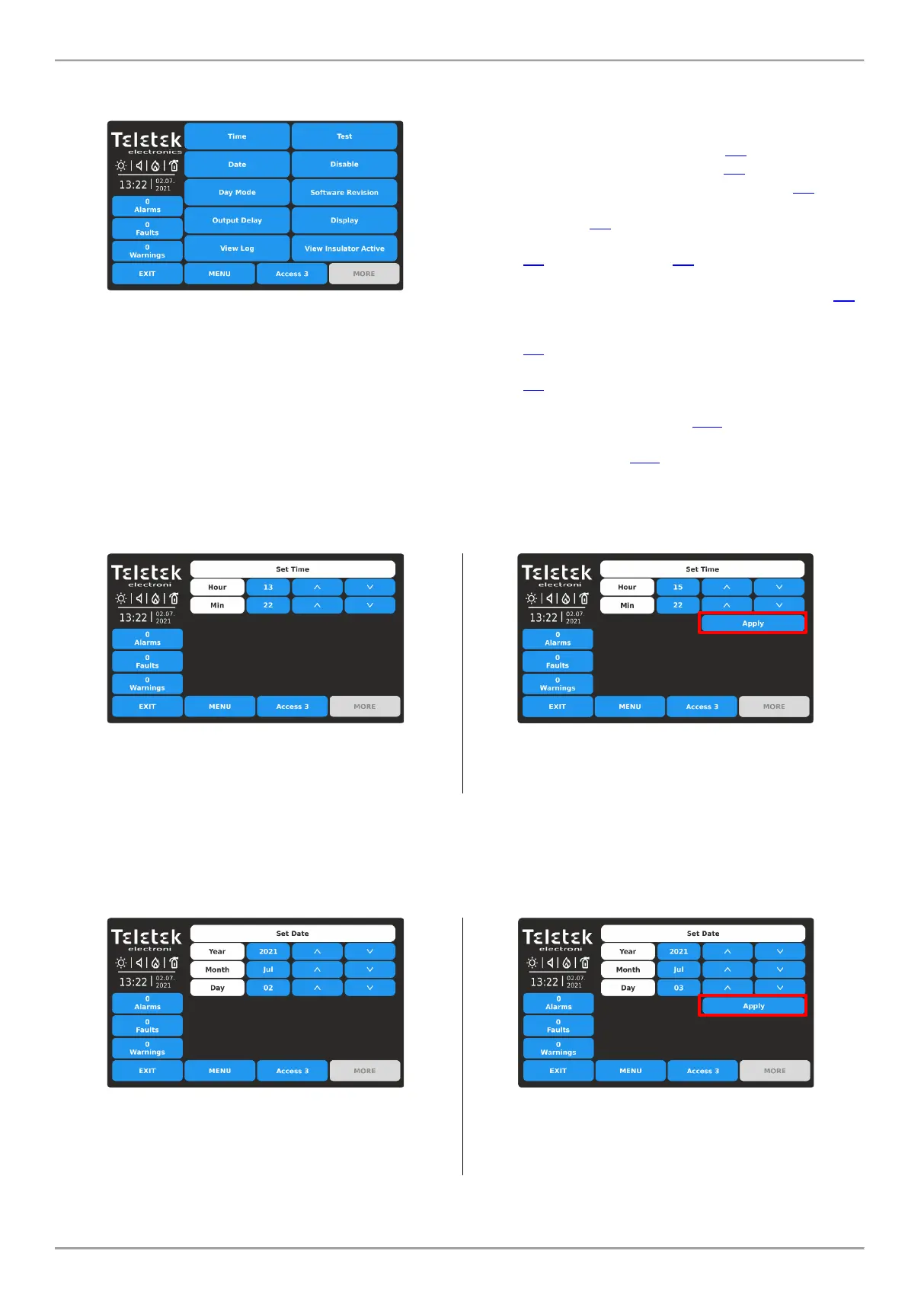
Press in sequence SYSTEM - MAINTENANCE from Main Screen:
In general, the Maintenance menus of iRIS8 include some
daily settings as well testing the operability of the panel
and menu for firmware updates.
Quick summery of the menus:
• Time – Set the current time – item 4.1
• Date – Set the current date – item 4.2
• Day Mode – Set Day mode operation – item 4.3
• Output Delay – Set the delay for activation of panel
outputs – item 4.4
• View Log – Memory log file review, print and clear –
item 4.5; Clear Log – item 4.6
• Test – Performing tests for zone and sounders
operation, LED indication on the front panel – item 4.7
• Disable – Perform disablements for zones, loop
devices, including by zones, and panel’s outputs –
item 4.8
• Software Revision – Firmware update of the panel –
item 4.9
• Display – Calibration of the screen, review colors, set
backlight of the screen – item 4.10
• View Insulator Active – Review the activated isolator
in the system – item 4.11
4.1. Setting Time
Enter MAINTENANCE - TIME menu.
Use the up and down arrow buttons to set the time.
You can also directly enter the new settings using the
keyboard after selecting the digit button for hour/minutes.
Confirm the new set time with APPLY button.
The panel will change the time immediately without need
of resetting.
Use EXIT button to return back to Maintenance Menus.
4.2. Setting Date
Enter MAINTENANCE - DATE menu.
Use the up and down arrow buttons to set the date.
You can also directly enter the new settings using the
keyboard after selecting the digit button for
year/month/day.
Confirm the new set date with APPLY button.
The panel will change the date immediately without need
of resetting.
Use EXIT button to return back to Maintenance Menus.














 To Next Page