iRIS8 - Addressable Fire Alarm Panel – Installer Programming
48
3.3.11. Device Group Type Input
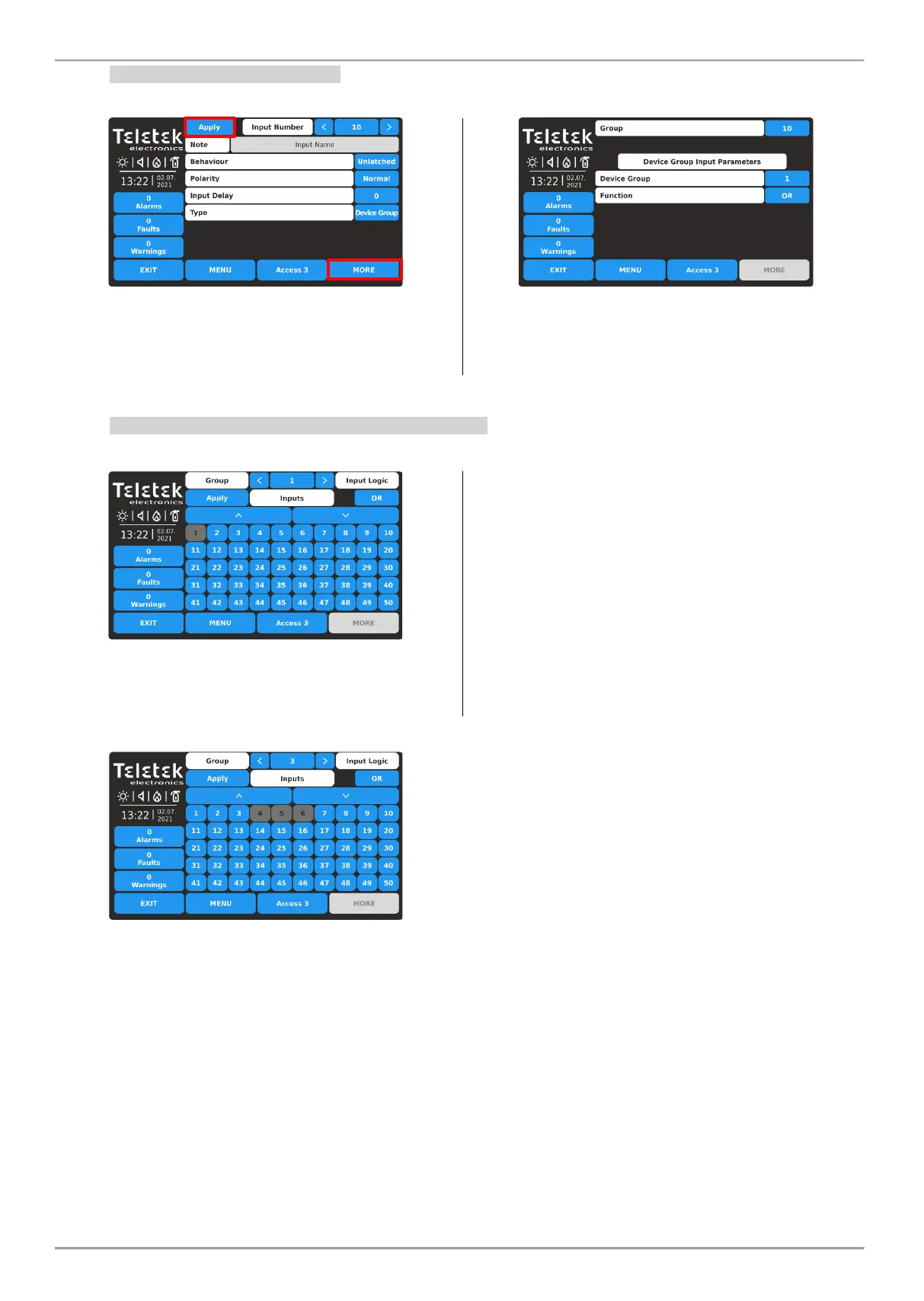
Select this type, when the input will be activated from a device, included in a group.
Press MORE button to access the additional settings for
the device group type input. Note that all introduced
changes must be confirmed with APPLY button in this
main screen.
Set the GROUP Number from 1-250, according the
system configuration.
Next, set DEVICE GROUP from 1 to 200.
In FUNCTION field set the logic for operation OR/AND.
3.3.12. Reviewing and Attaching of Inputs to Groups
This is a menu for quick reviewing and attaching inputs to group numbers.
All introduced changes must be confirmed with the APPLY
button.
- GROUP - Use the left/right arrow buttons to change the
group number. Respectively, the map with input numbers
will change according the current settings.
- INPUT NUMBERS – A grid view with available input
numbers in the system. Up to 50 input numbers can be
reviewed at the same time. To review the rest, the
installer has to use the large down and up arrow buttons.
The attached input numbers to the currently set group are
selected (dark grey buttons). The installer has to select all
input numbers attached to a group and confirm this final
configuration with APPLY button.
- INPUT LOGIC - Use the button to define the logic of
operation (OR/AND function) of the inputs attached to a
group number.
Example for settings for Input Groups menu:
The Inputs with numbers 4, 5 and 6 are associated to
Group 3 and will operate in OR logic. The OR logic
function means that when any of the input is activated
then the group will be activated.
For example, if 4, 5 and 6 inputs associated to MINP M
modules, located into one large area, but in different
places, they are organized in one Group (Group 3), and in
case of activation of any of the modules (OR logic), the
Group is activated also.














 To Next Page