iRIS8 - Addressable Fire Alarm Panel – Installer Programming
75
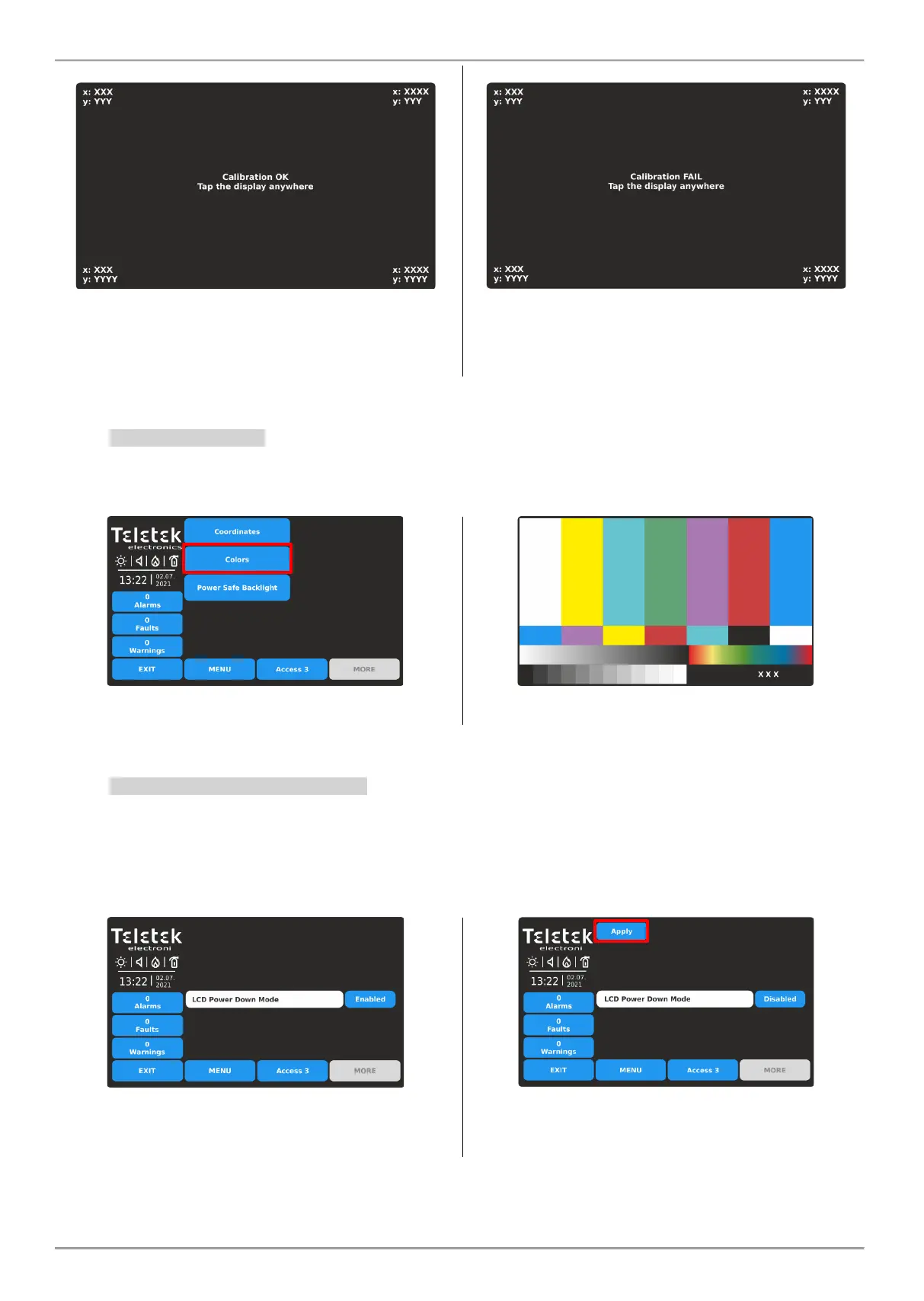
5. Message for succesful calibration is diplayed. Press the
screen anywhere to return to DISPLAY menu.
If the calibration is unsuccessful, it is announced with
message for failure. In that case is recommended to
perform the calibration again. Press the screen anywhere
to return to DISPLAY menu.
4.10.2. Colors Review
This is a menu for reviewing the color palette of the screen. Enter COLORS submenu to check the number and type of
the supported colors.
Press the screen anywhere to return to DISPLAY menu.
4.10.3. Setting the Screen Backlight
ATTENTION: “Power Safe Backlight” must be disabled for conformity with EN 54-2 standard!
This is an option for switching off the backlight of the screen after 60 sec in case the TFT display is not used.
By default, the Power Safe Backlight option is Enabled.
Enter MAINTENANCE - POWER SAFE BACKLIGHT menu.
Every pressing of the button will change the state
Enabled/Disabled.
Confirm the new setting pressing the APPLY button on
the top of the screen. To reject press EXIT button and
return to DISPLAY menu.














 To Next Page