iRIS8 - Addressable Fire Alarm Panel – Installer Programming
53
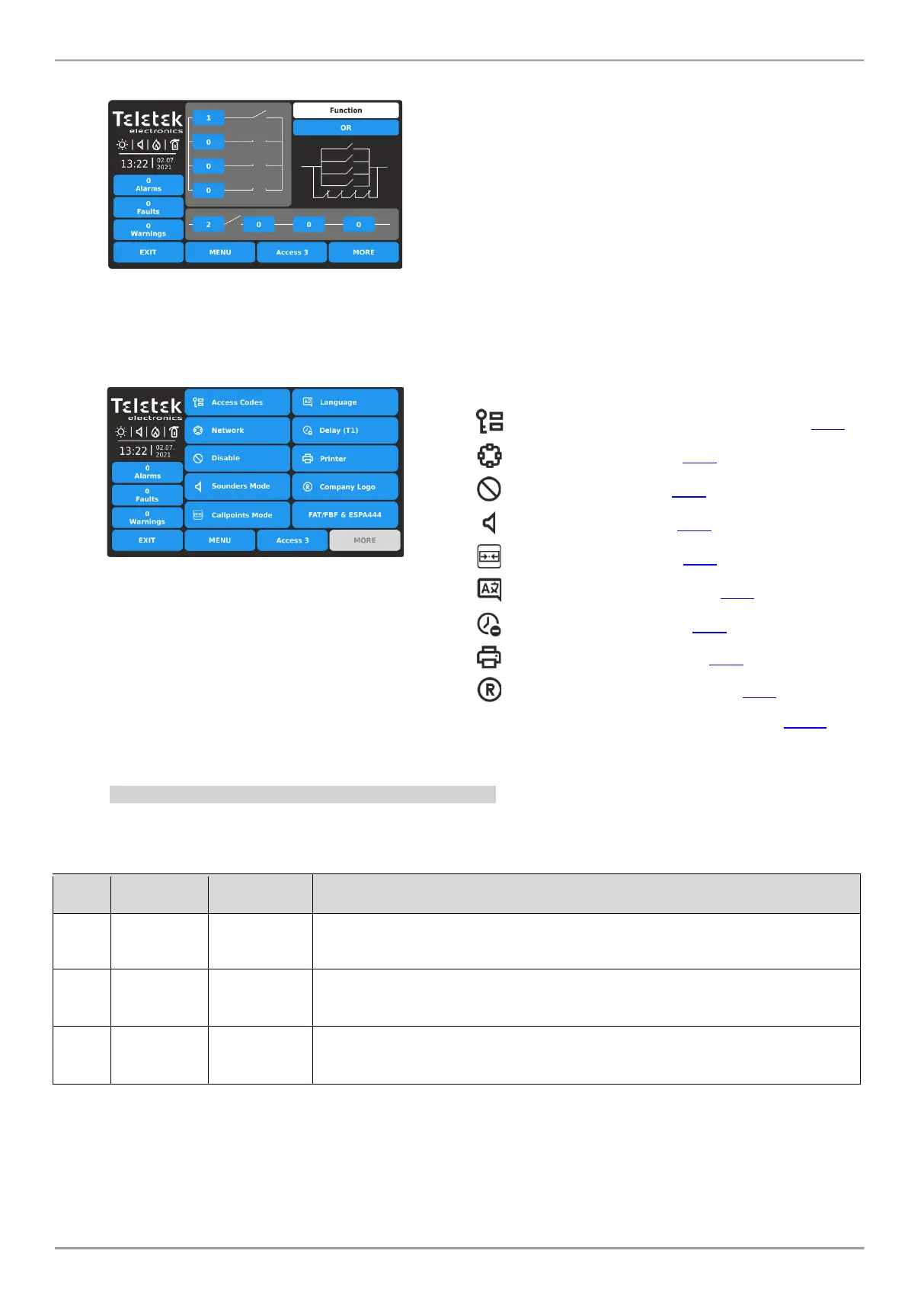
Example for settings of Edit Outputs Map:
Press EDIT OUTPUTS MAP button to enter the output
map. Set input group numbers into the vertical (OR
section) and into the horizontal (AND section).
The set positions are displayed with “an open switch”
representing a function operation. Select the logic for
operation of the both sections.
In the example, the output is activated when either of
input group 1 or 2 is activated - they are operated on OR
logic. If you set the operating logic to AND, then the
output will be activated only in case the input group
numbers 1 and 2 are activated together.
3.5. Panel
Enter PANEL menu.
The main panel menu includes a list with the most
important parameters for the operation of the iRIS8 panel.
Quick summery for the submenus:
- Access Codes for Users and Levels – item 3.5.1
- Network settings – item 3.5.2
- Disable/Enable – item 3.5.3
- Sounders Mode – item 3.5.4
- Call points Mode – item 3.5.5
- Change the Language – item 3.5.6
- Delay Setting (T1) – item 3.5.7
- Choose Printer Type – item 3.5.8
- Set Company Information – item 3.5.9
- FAT/FBF & ESPA444 Protocols – item 3.5.10
3.5.1. Setting Access Codes and Levels for Operation
There are three access levels for control in iRIS8 addressable fire alarm panel with different functionalities and rights for
operation. Four access codes can be set with different access level for users.
The default code combinations (factory set) with set access levels are presented in the following table.
Access and Functionalities
Only Silence buzzer and Evacuate* buttons are active. It is not allowed to enter
Maintenance and Programming access levels.
* Just for those cases, when there is active fire alarm signal, received from a loop device.
Silence buzzer, Silence sounders, Reset and Evacuate buttons are active.
Maintenance access level entry, which allows partial programming and menu
settings.
Silence buzzer, Silence sounders, Reset and Evacuate buttons are active.
Installer access level entry, which allows full programming and settings.
All access levels have rights for reviewing the active events for Alarms, Faults, Disablements, Tests and Warnings,
generated form iRIS8 or received from other panels connected in the network.
Enter PANEL – ACCESS CODES menu.














 To Next Page