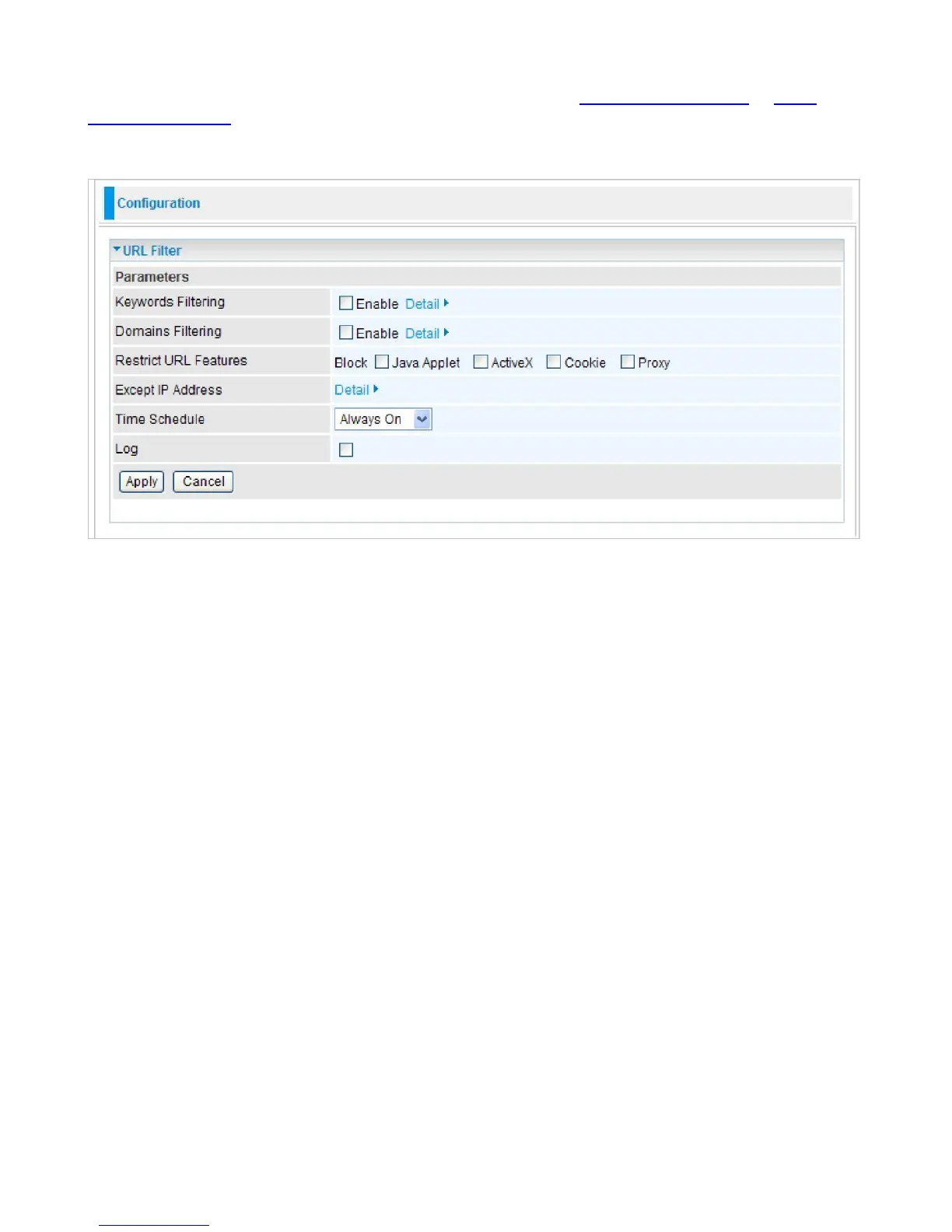
URL Filter
URL (Uniform Resource Locator) (e.g. an address in the form of http://www.abcde.com or http://
www.example.com) filter rule allows you to prevent users on your network from accessing specific
websites defined by their URL. There are no predefined URL filter rules, therefore you can add
filter rules to meet your requirements.
Keywords Filtering:
Allow blocking against specific keywords within a particular URL rather than
having to specify a complete URL (e.g. to block any image called “advertisement.gif”). When
enabled, your specified keywords list will be checked to see if any keywords are present in URLs
accessed to determine if the connection attempt should be blocked. Please note that the URL filter
blocks web browser (HTTP) connection attempts using port 80 only.
Domains Filtering:
This function checks the whole URL address but not the IP address against
your list of domains to block or allow. If it is matched, the URL request will either be sent (Trusted)
or dropped (Forbidden).
Restrict URL Features:
Click Block Java Applet to filter web access with Java Applet
components. Click Block ActiveX to filter web access with ActiveX components. Click Block Cookie
to filter web access with Cookie components. Click Block Proxy to filter web proxy access.
Exception List:
You can input a list of IP addresses as the exception list for URL filtering.
Time Schedule:
A self defined time period. You may specify a time schedule for your prioritization
policy. For setup and detail, refer to Time Schedule section.
Log:
Select Enable for this option if you will like to capture the logs for this URL filter policy.
Click Apply to confirm the settings.



 To Next Page