| 5
2
Installation
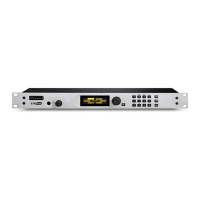
e Hx1 and 2 mount in a 1RU space in a standard 19” rack. e unit generates very little heat
and needs no special attention for cooling or rack placement. e unit will operate in any envi-
ronment where the stirred air temperature around the unit is between 0 to 40 degrees Celsius
(32 to 104 degrees Fahrenheit) with a relative humidity of 0 to 98% (non-condensing).
Next installation steps are:
♦ Connect your telco circuits and connect a “looped through” telephone set, if desired.
♦ Connect Audio with analog connections (or AES3 if equipped).
♦ Connect any needed parallel GPIO for remote control operation or to use any of the
available status indications present on the rear panel DB-9 connector.
♦ Power up the Hx and do a quick basic operational test using the factory settings.
is installation section covers all of the above. After completing these steps you’ll be ready to
move on to conguration for your specic situation.
2.1 Connecting your telco lines
e Hx1 & 2 use standard RJ-11 type “modular” telephone connectors. Only the two center
pins that carry the analog line’s “tip and ring” are used. Connect the telephone line using the rear
panel “LINE” jack.
e Hx is designed to work with ordinary “loop start” analog phone lines, though it can oper-
ate on PBX extensions and VoIP Analog Terminal Adapters (ATA’s). Hybrid performance and
system behavior on these kinds of lines may vary. If you plan to use your Hx on any of these
types of lines or connect your unit to other legacy Telos systems such as the 1A2 interface or the
Direct Interface Module and others, please see section 2.7.
Lines that carry “Shared Line DSL” can be problematic. It’s suggested that you avoid using the
Hx on lines that carry DSL, but if you must use one, be sure to use a “line splitter” or DSL lter
in series with the “LINE” jack on the Hx. DSL lines have data carriers above the voice band of
the circuit, usually from 25 khz to 1004 khz. DSL lters strip away the high frequency data car-
riers and pass on the 0-4 khz voice band and signaling. Some lters are better than others and
sometimes better results can be obtained by cascading several lters, each rolling o more of the
high frequency energy. On a line with DSL you might hear more “hiss” and “hash” than with a
normal line.
An analog phone set may be plugged into the “PHONE” jack. e telephone can be used when
the Hx is “o ”. You might want to disable the telephone’s ringer if you are in a studio envi-
ronment. e Hx has a “line ringing” open collector output that you can use to light lamps or
strobes. See Section 2.6: the “remote” connector.
e Hx has an “auto-answer” function that you can enable. See section 4.1.


 To Next Page