24 | Section 4
4.1 Rear Panel DIP Switch Control
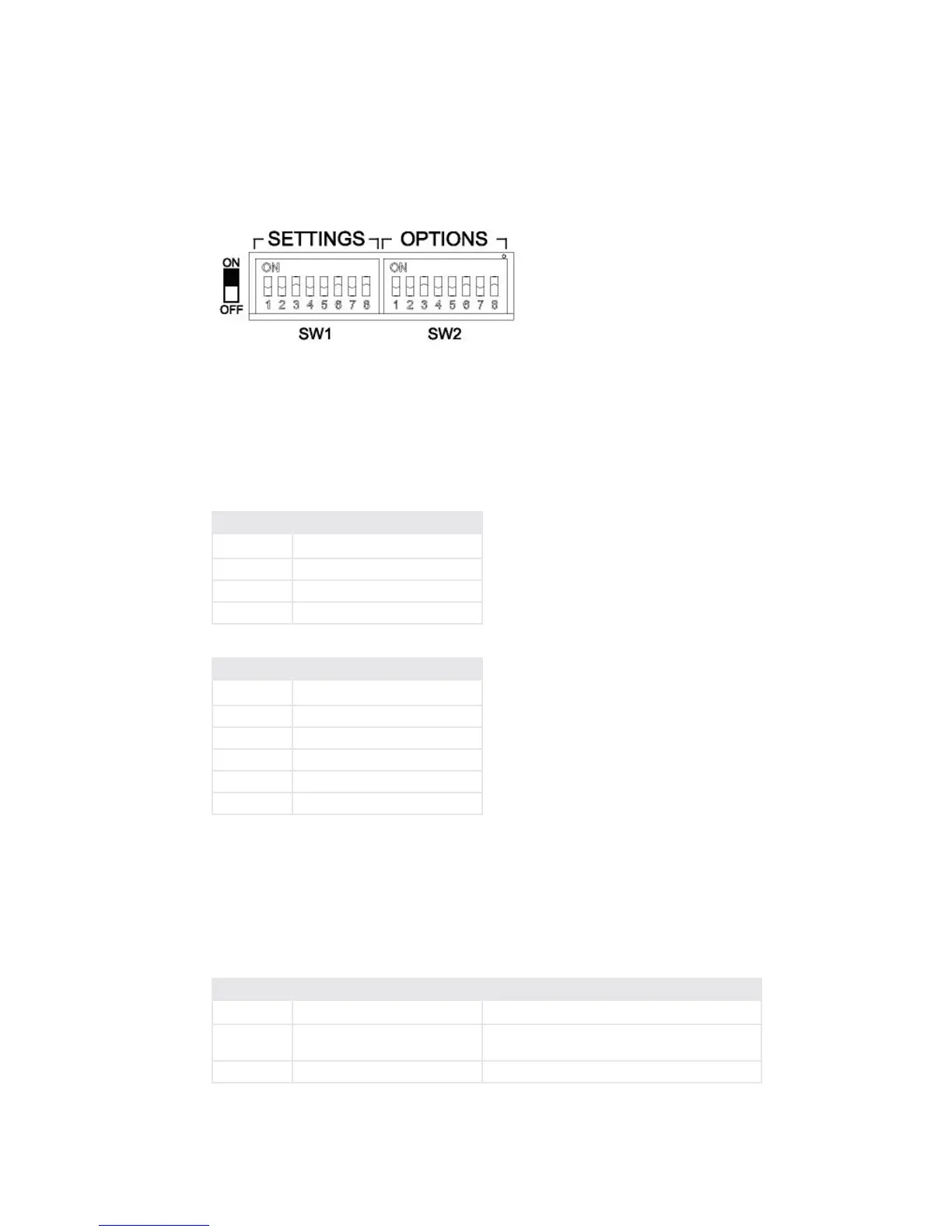
On the rear panel of the Hx1 and Hx2 chassis there are two banks of DIP switches labeled
SETTINGS and OPTIONS. e SETTINGS bank of DIP switches (SW1) allows you to
control the operational levels of various signal processing stages of the hybrid unit. e OP-
TIONS bank of DIP switches (SW2) allows you to congure the operation of various features
of the hybrid. e two tables below show how the individual DIP switches are allocated on
each bank.
SETTINGS Function
Bits 1 and 2 EQ LO, xed dB gain adjustment
Bits 3 and 4 EQ HI, xed dB gain adjustment
Bits 5 and 6 Ducker dB gain adjustment
Bits 7 and 8 AGC and Noise Gate settings
OPTIONS Function
Bits 1 and 2 DDEQ conguration
Bits 3 and 4 Auto-Answer conguration
Bit 5 Send gain to phone
Bit 6 Hx2 internal mix-minus enable
Bit 7 Feedback Reduction enabled
Bit 8 Reserved
Dynamic Digital Equalization Conguration settings
OPTIONS Bits #1 and #2 control the overall operation of the DDEQ processing function. You
can select between OFF, Fixed EQ, Adaptive EQ, or Adaptive + Fixed EQ using the following
bit settings:
OPTIONS
Bit 1 Bit 2 Conguration Setting Value
OFF OFF DDEQ feature is turned OFF
OFF ON Fixed EQ mode (Use SETTING Bits #1, 2, 3, 4 to
set the levels)
ON OFF Adaptive EQ mode [Factory Default]


 To Next Page