6.1 On-board Diagnostics
Pressing and holding the button for 3 seconds puts the unit into a self-diagnostic mode.
When the unit is in diagnostic mode, the Line Status display shows the current diagnostic state.
is mode is only intended to provide status information, and to conrm if the hybrid unit is
operational. NOTE: e left hybrid front panel buttons control diagnostics of both hybrids on
an Hx2 unit.
6.1.1 Software Version
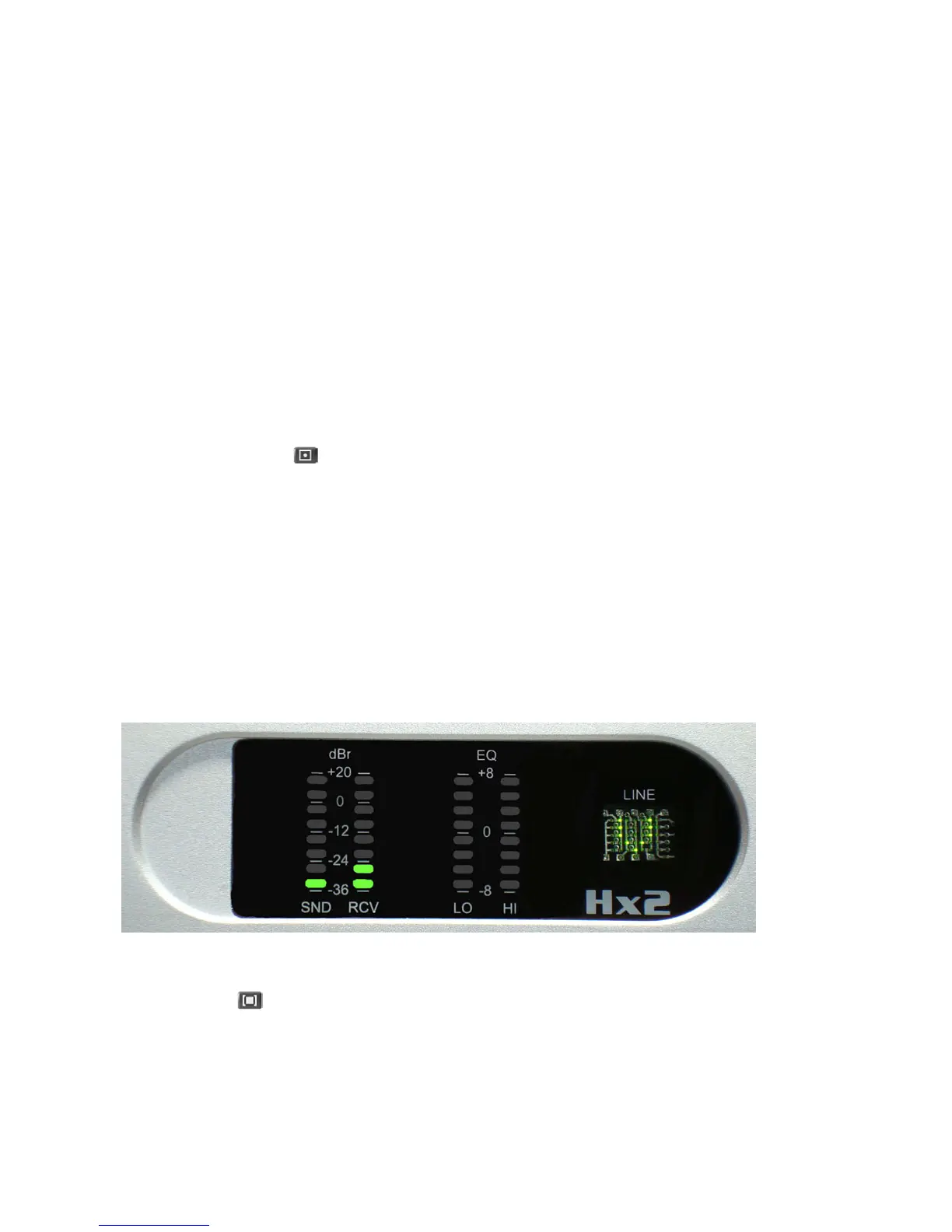
Upon entering the diagnostic mode of operation, the Line Status display should indicate the
letter ‘V’. e major revision number is displayed on the SND LED bargraph, and the minor
revision number is displayed on the RCV LED bargraph. Simply count the number of il-
luminated LEDs in each bargraph for the respective version numbers. In the gure below, one
segment is lit on the SND meter, and two segments are lit on the RCV meter. e software
revision number shown in this gure is Version 1.2.
6.1.2 DIP Switch Status
Press the hybrid button to advance to the next diagnostic test. e Line Status display
should indicate the letter ‘S’. e SETTINGS bank of DIP switches is displayed on the
SND meter bargraph, the OPTIONS bank of DIP switches is displayed on the RCV meter
bargraph, and the internal bank of DIP switches is displayed on the EQ LO meter bargraph.
For each bank of DIP switches, the status of Bit #1 is shown on the bottom LED segment of
the bargraph, while the status of Bit #8 is shown on the top LED segment of the bargraph. If
the switch is set to the ON position, the corresponding LED segment will light up. e gure
below shows the Factory Default DIP switch settings. (All the bits of the internal DIP switch
6 Troubleshooting
| 37


 To Next Page