17
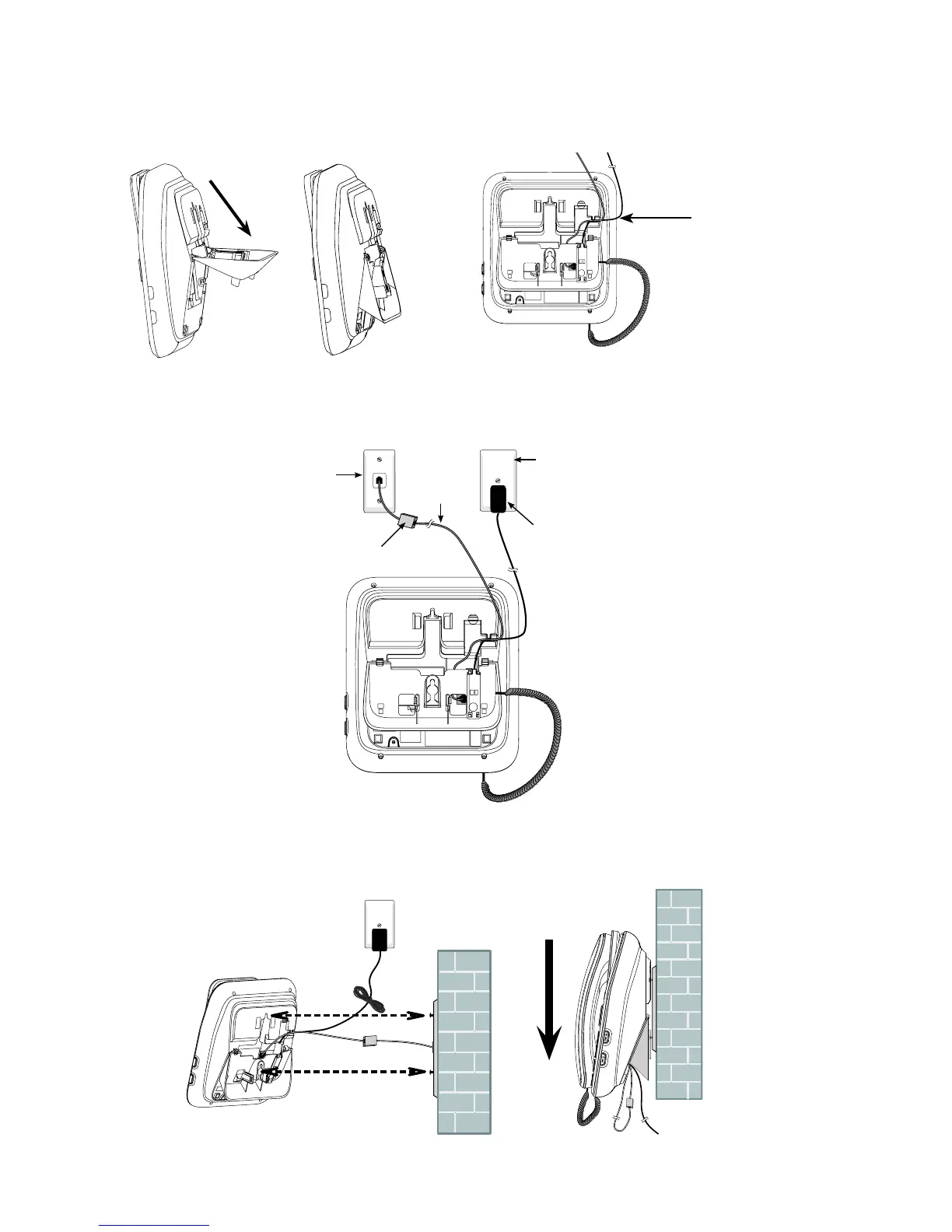
Rotate the wall mount bracket and lock it into wall mount position. Route the
telephone line cord and power adaptor cord through the slot on the bottom of
the telephone base. Bundle the telephone line cord and the power adaptor cord
with twist ties.
Align the slots on the back of the telephone base with the studs of the wall
mounting plate. Slide the telephone base down until it locks securely on the wall
mounting plate.
4.
5.
6.
Route through
the slot
Telephone
line cord
If you have DSL high-speed
(not included) is required.
Telephone base
power adapter
Mains power
wall socket
Telephone
wall jack



 To Next Page