to start a 3-Way-Chat.
AUDIO ASSIST
Press to enhance the clarity and loudness of the caller’s voice during a call.
PAGE
Press to page all handsets and pendants when idle.
ANS ON/OFF LIGHT
Press to turn the built-in answering machine on/off.
On when the answering system is turned on.
MIC
Microphone.
•
•
10.
•
11.
•
12.
•
•
13.
•
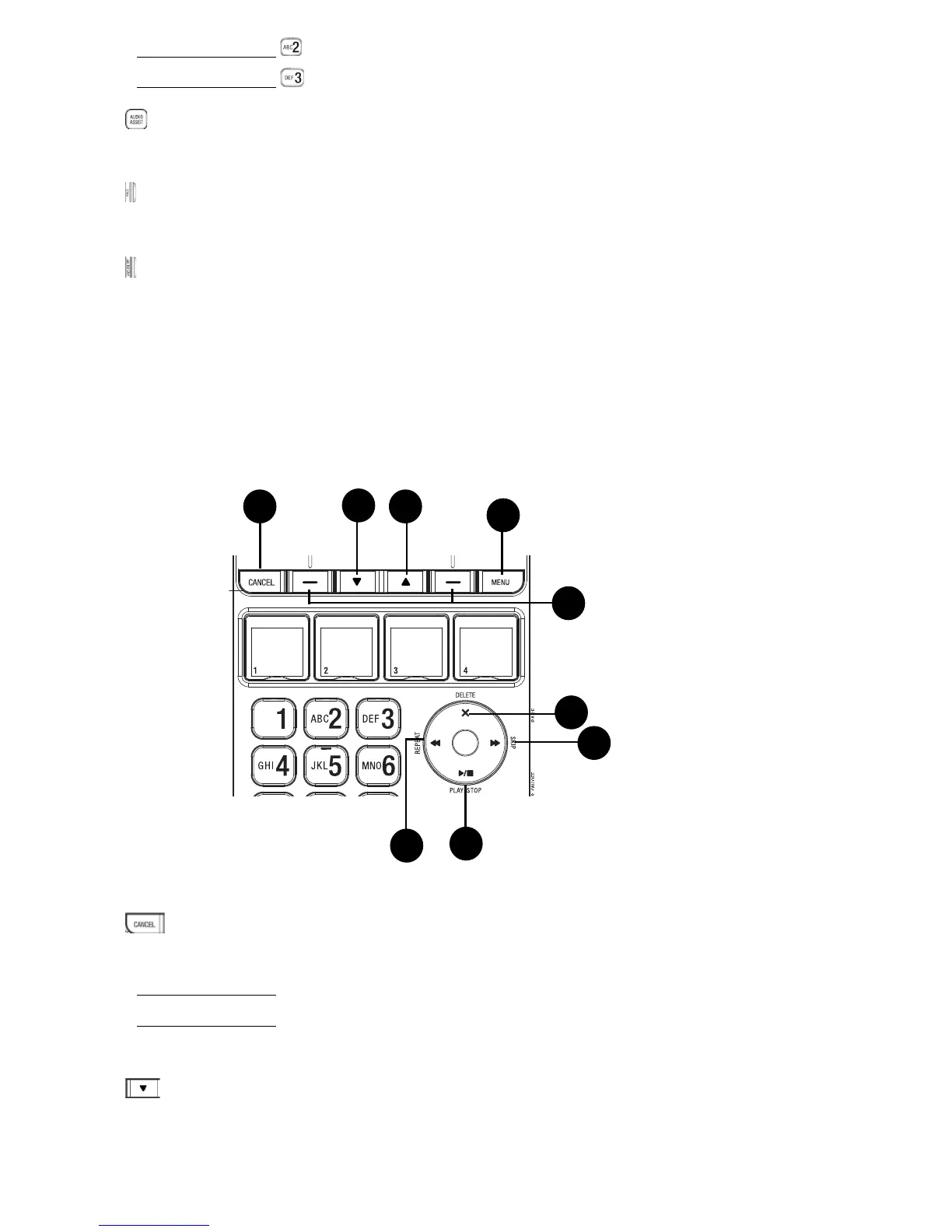
CANCEL
Press to cancel an operation, or back to the previous menu while in a menu.
Press and hold to return to idle mode while in a menu.
Press and hold to erase the missed call indicator when idle.
Press to silence the base ringer temporarily while the phone is ringing.
DOWN
Press to scroll down while in menus or lists.
Press to move the cursor to the left while entering or modifying names or
numbers.
14.
•
•
•
•
15.
•
•
19
20
18
15
14
22
21
17
16



 To Next Page