12
SETTING UP
Telephone base installation
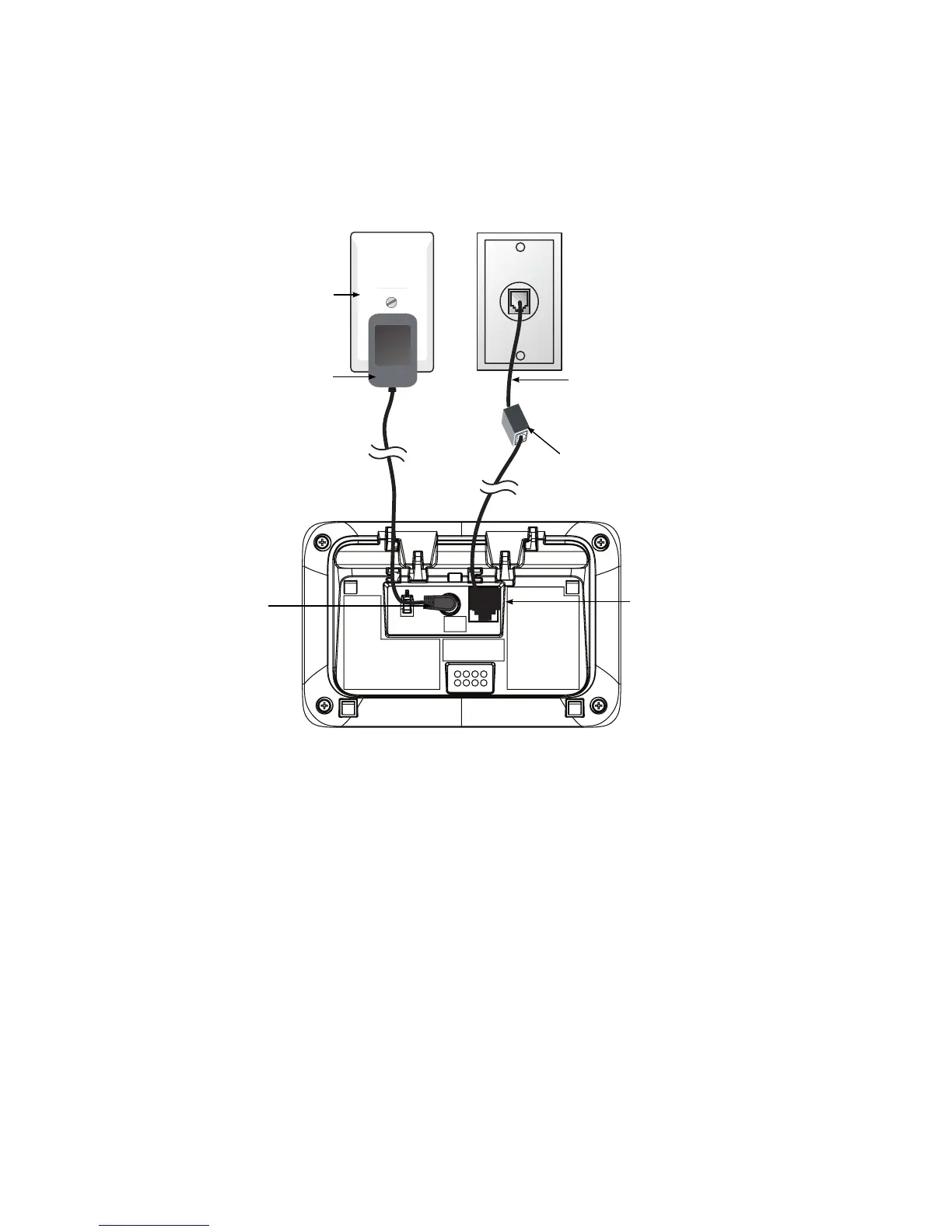
Plug the mains power adapter cable into the base station, plug the other end of
the mains power adapter into a mains power wall socket.
Insert one end of the telephone line cord into the base station and the other end
of the telephone line cord into a telephone wall jack. If you have DSL high speed
internet service, a DSL lter (not included) is required.
CAUTION:
If you subscribe to telephone service from a cable company or a VoIP service provider, plug
the telephone line cord into the modem/router/terminal adapter provided by your cable/
VoIP service provider. Contact your cable/VoIP service provider if you have any difculties in
installation.
1.
2.
Telephone line cord
If you have DSL high-
speed Internet service, a
DSL lter (not included) is
required.
Telephone base
power adapter
Mains power
wall socket
Telephone line jack
Power cord jack



 To Next Page