16
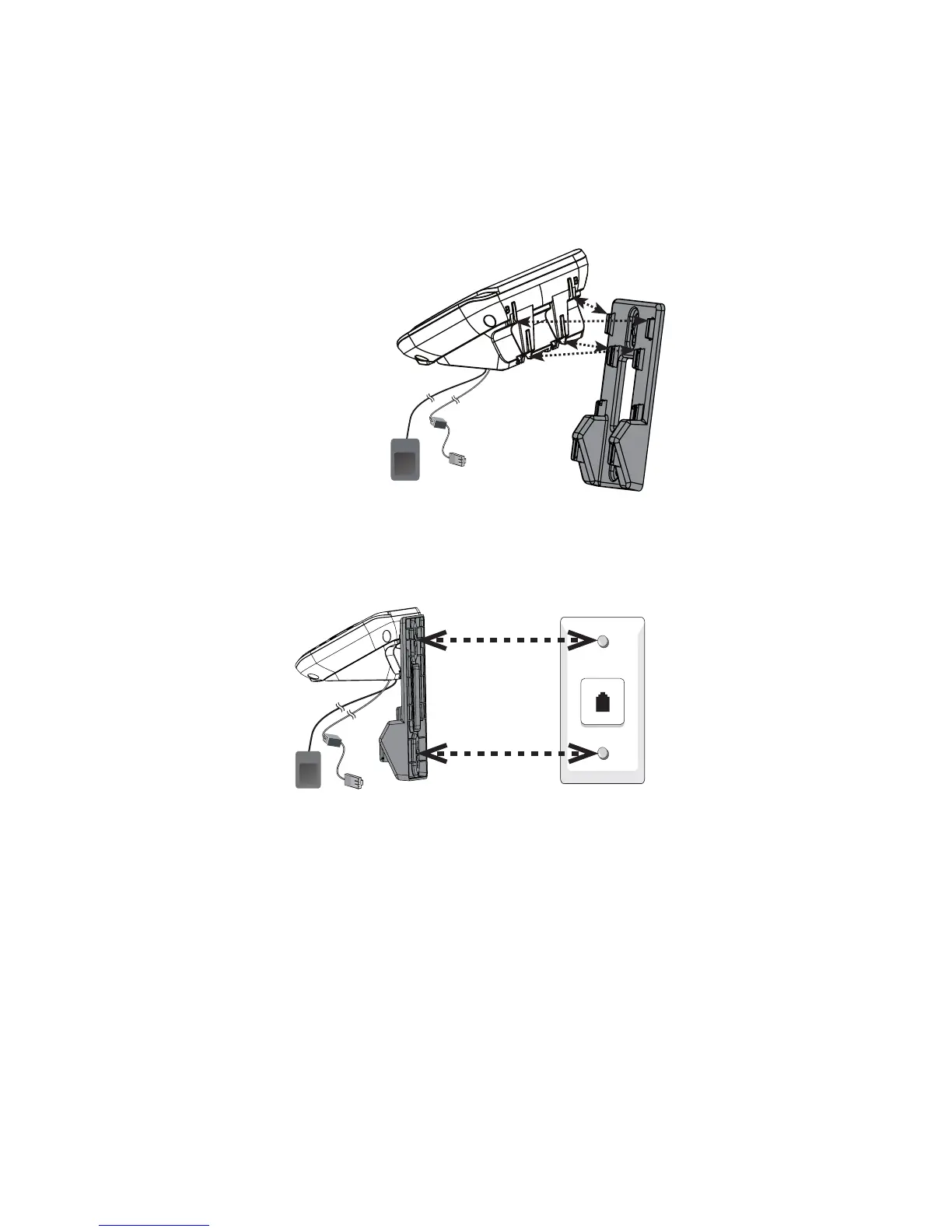
Position the telephone base against the wall mount bracket with the extended
tabs marked B on top. Insert the extended tabs on the wall mount bracket into
the slots marked B on the back of the telephone base. Push the telephone base
down until it clicks securely.
Align the holes on the bracket with the standard wall plate and slide the
bracket down until it locks securely.
2.
3.



 To Next Page