10
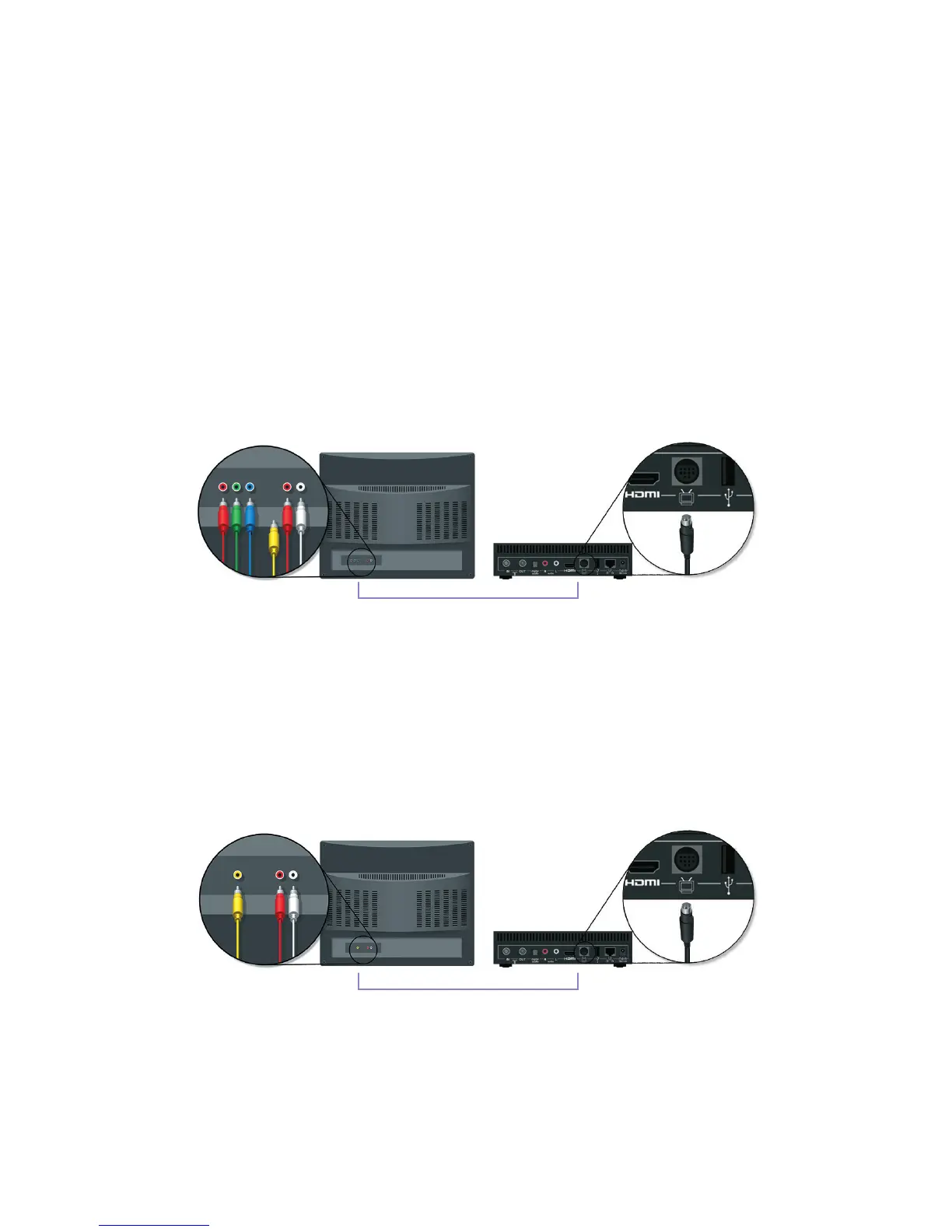
2. Component (HD Option)
YoucanalsousetheMini-DIN-to-Composite/ComponentcableforHDTV.
Connect the round black plug end to your T-Box
®
. Then connect the blue, green
and red video plugs to your TV's video inputs; and the red and white audio plugs
to the TV’s audio inputs.
3. Composite (non-HD)
If your TV doesn’t support HD inputs, you can connect the round black plug on
theMiniDIN-to-Composite/ComponentcabletoyourT-Box,thenconnectthe
yellow video plug to your TV’s video input, and the red and white audio plugs
to the TV’s audio inputs.



 To Next Page