25
TIMESHIFT FEATURES
If you’re watching a free-to-air TV program, you can press the Pause button on
your remote to ‘stop’ the live broadcast while you get a cup of tea, answer the
phone, or anything else. To carry on watching from where you left off, just press
the 'Play' or 'Pause' button again.
Once you go back to watching a program that you’ve paused, you’ll be able to
press Rewind to go back and see something that you missed, or press Fast
Forwardtoskipaheadandcatchupwiththelivebroadcast.(Fastforwarding
willautomaticallystopwhenitcatchesupwiththelivebroadcast.)
THE PROGRAM GUIDE
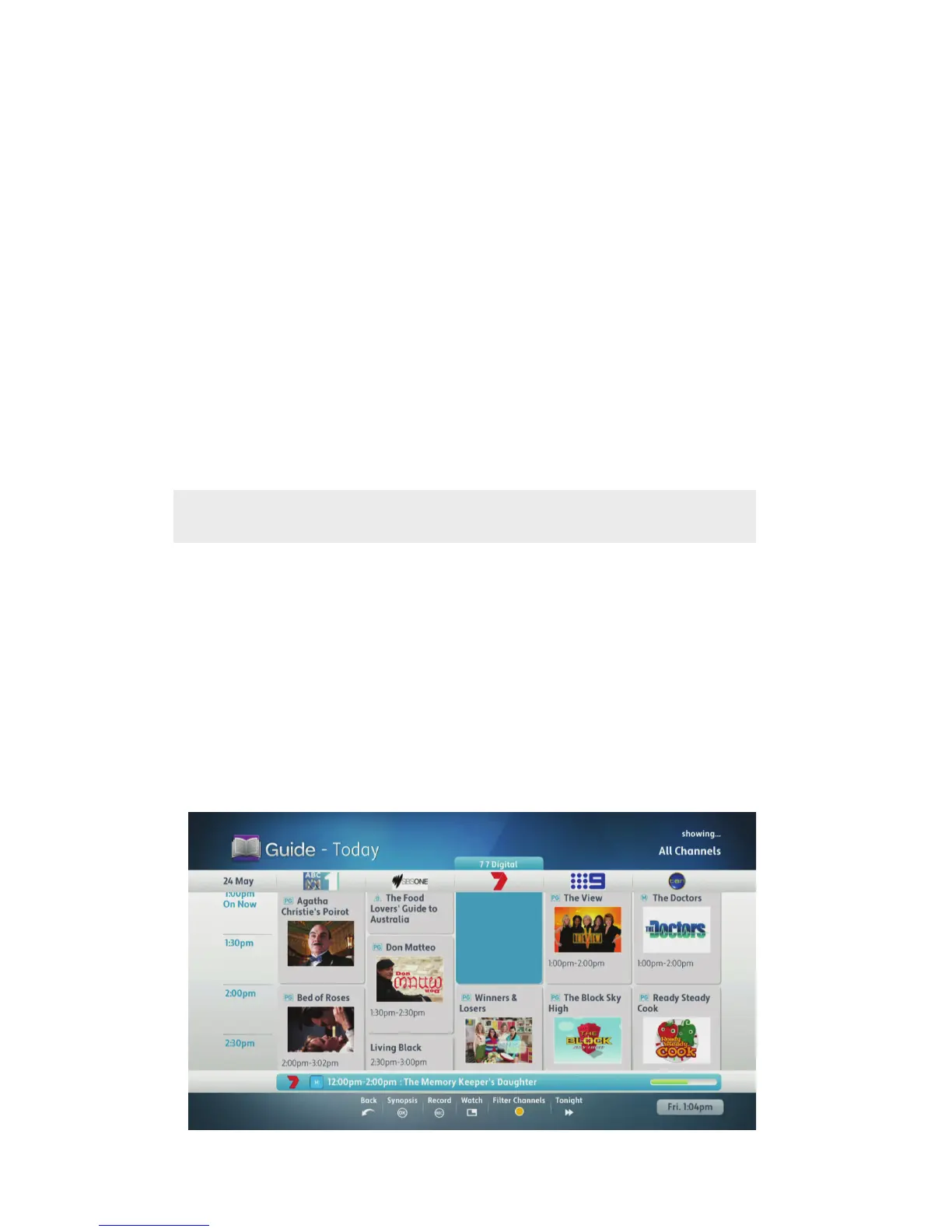
The Program Guide shows you what’s on your digital free-to-air TV, BigPond
®
channels and Foxtel on T-Box
®
seven days in advance. To access the Program
Guide, you can either press the Guide button on your remote control or select
Program Guide from the Home menu.
Simply use the arrow buttons on your remote control to move around the
Program Guide.
Youcanselectindividualchannelsorprograms,plusyoucanjumpaheadto
eachday’sprimetimeprogrammingusingtheFFWD(fastforward)button,or
skipbetweendaysin24-hourincrements.PressingtheRWD(rewind)button
will take you back to the previous day's guide in 24-hour increments.
Note: See page 52 to see how time-shifting is affected by multi-record.



 To Next Page