57
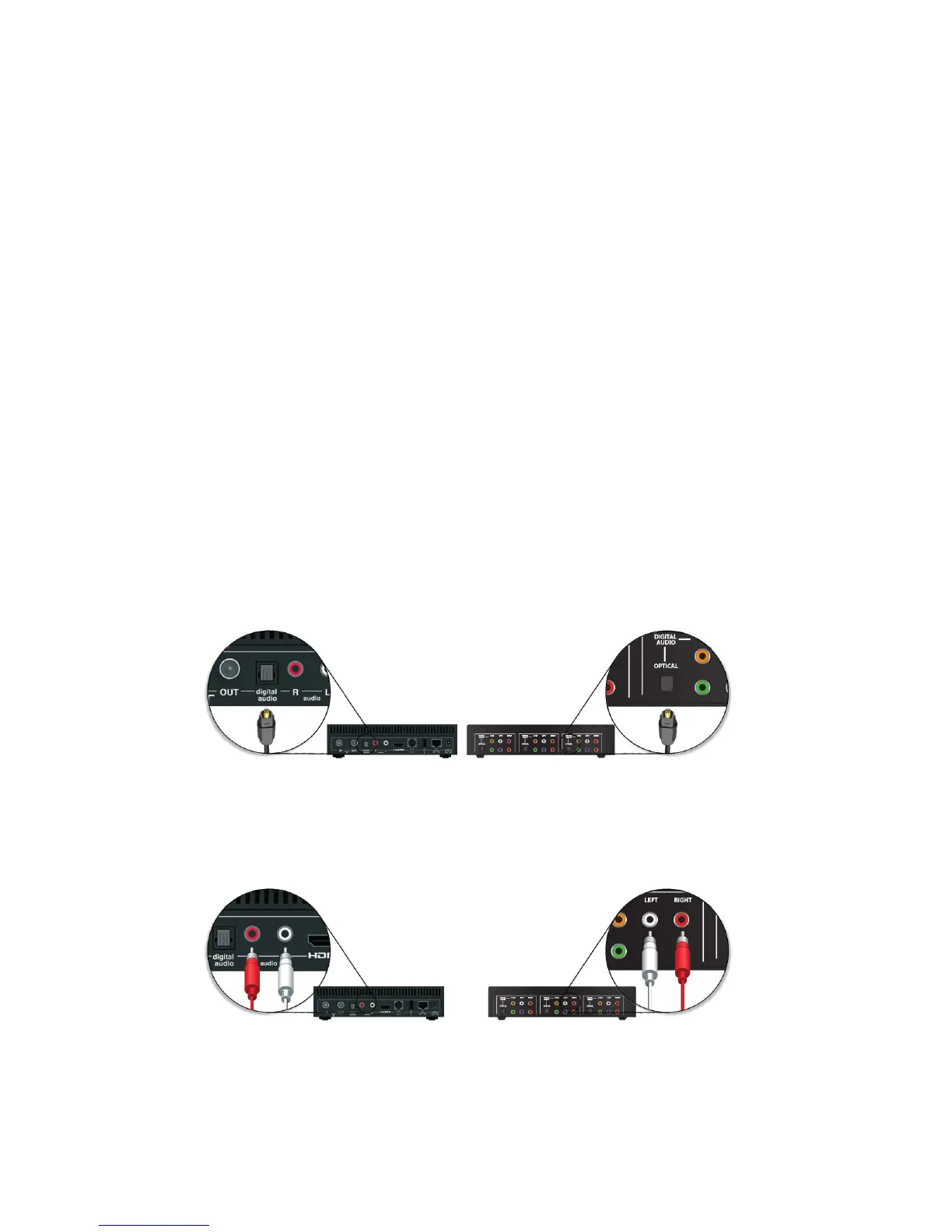
DIGITAL AUDIO CONNECTION
RCA CONNECTION
The quality of my BigPond TV channels is poor
•Tochangeyourmediastreamingsettingsgoto‘InternetConnection’under
‘Settings’ from the T-Box main menu. If this is unsuccessful, call support
on 13 2200
If you exceed your BigPond monthly usage allowance your connection will slow
and due to the slower speed, your BigPond TV service will not work.
How do I connect my T-Box to your stereo amplier?
YourT-BoxhasadigitalaudioportaswellasapairofRCAaudioports.Usea
digital audio cable or stereo audio cable with 2 RCA inputs to connect to your
stereoamplier(Thesecablesarenotprovidedinyourstandardkit).Goto
Settings>Audio Settings to then select your Preferred Audio Mode.



 To Next Page