Page 10 of 14
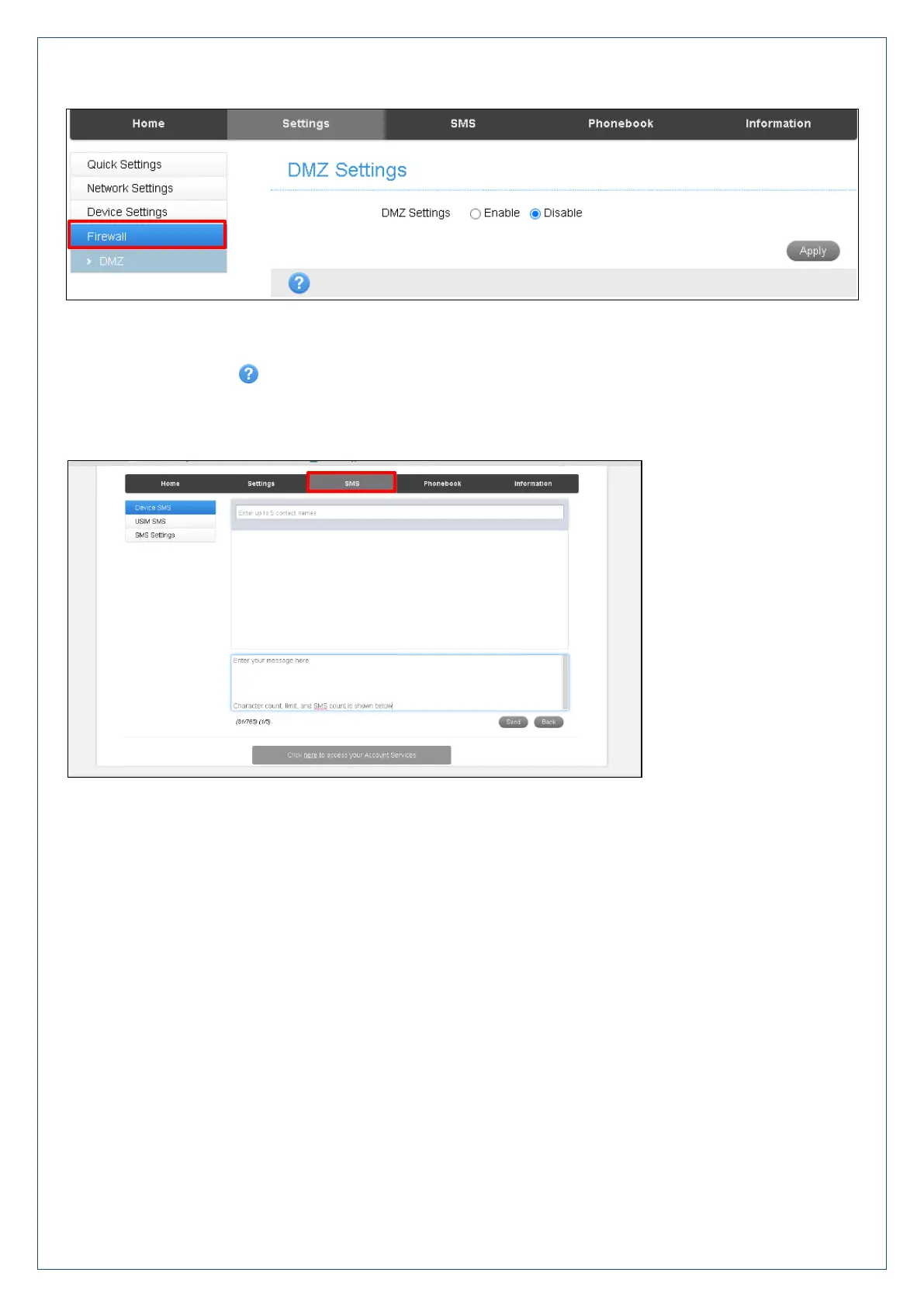
Settings > Firewall > DMZ
Enable the DMZ Setting to open up all ports from the WAN side (mobile network) to the LAN side for this
particular allocated IP address.
It is advisable to set a Static IP address for this device outside of the DHCP range eg 192.168.0.20
Press the Help icon to get in context tips.
SMS
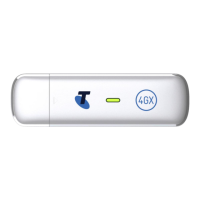
Click in the top box to add Contacts
You can enter Contact names in the Contacts field and the device will search and list applicable matches
Click in the bottom box to type your message
Press the Send button when done
Threaded messages (messages sent and received to the same Contact) are displayed in the main panel.
View SMS > SMS Settings to enable delivery reports and to check the SMS centre number (read from your
SIM card)












 To Next Page