Getting to Know Your Phone Viewing Phone Status
Arcata 2203 18 User Guide
Viewing Phone Status
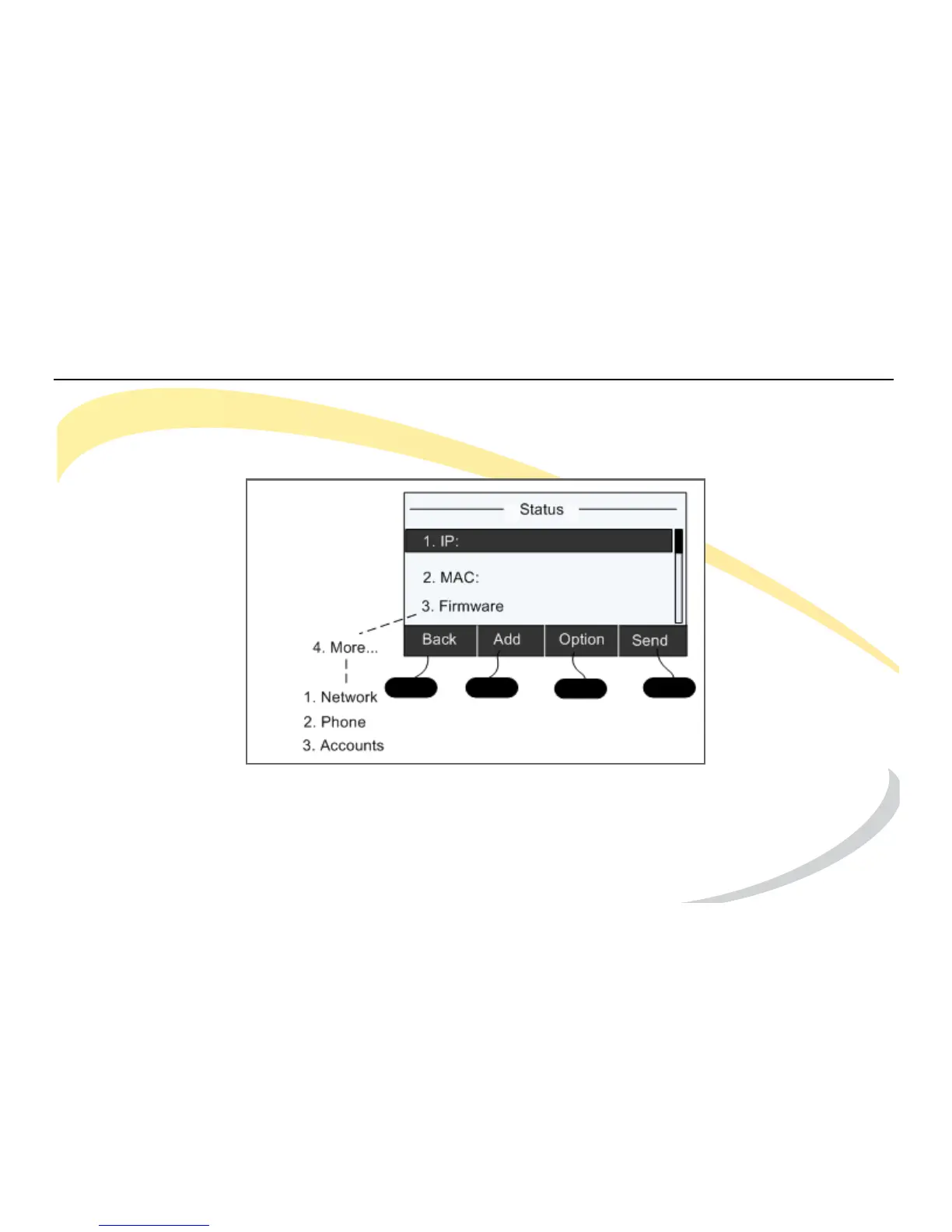
1 Press the OK navigation key. The IP Address, MAC address, and Firmware Version are shown.
2 Press 4 to access More options, then the number of the category you want to view.
1 - Network status: IP Address, MAC Address, WAN/LAN, Gateway and DNS
2 - Phone status: Product Name, Hardware, Firmware, Product ID and MAC
3 - Accounts: The status of SIP accounts on the phone



 To Next Page