- 6 -
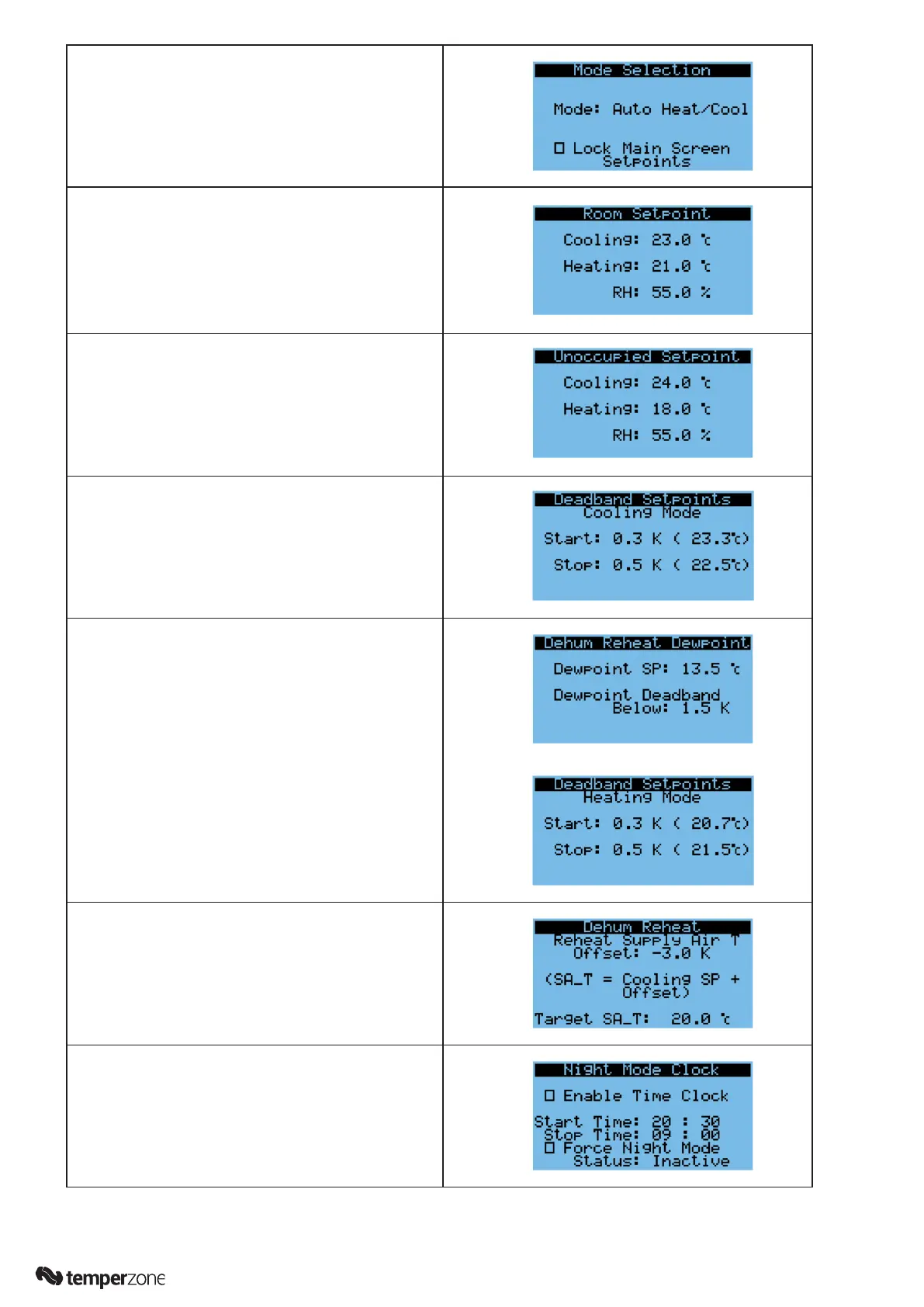
4. Skip past this page (↓) unless you want to change the
factory setting. The mode of the unit can be limited
to heating only or cooling only, if required to suit the
application.
Setpoints
5. Use Up/Down (↑/↓) keys to adjust the value or press
enter key (↵) to move to the next value. The page
shown is for the occupied settings. Once done press
enter until it ashes in the top left corner. Now press
the down key (↓) to move to the next page, or esc key
(⟲) to go back to the Settings Menu.
6. The second page allows the Unoccupied settings to
be changed.
7. Scroll down (↓) to the next page.
The deadbands can be adjusted, these control the
how far past the setpoint before the mode is turned
on or off.
8. Scroll down (↓) to the next page.
To prevent moisture formation on duct work when
the unit is running in cooling mode, if the optional
reheat coil is installed this function will control the
supply air to be above the dewpoint temperature of
the room.
9. Scroll down (↓) to the next page.
If the optional reheat coils are tted then a supply
air temperature can be set when operating in dehum
mode when the room temperature is within setpoint
and the RH is too high.
10. Scroll down (↓) to the next page.
Quick access to a daily schedule to set the hours
of Night Mode. Night mode reduces the outdoor fan
use to provide lower noise levels during operation.



 To Next Page