- 7 -
11. Scroll down (↓) to the next page.
12. Scroll down (↓) to the next page.
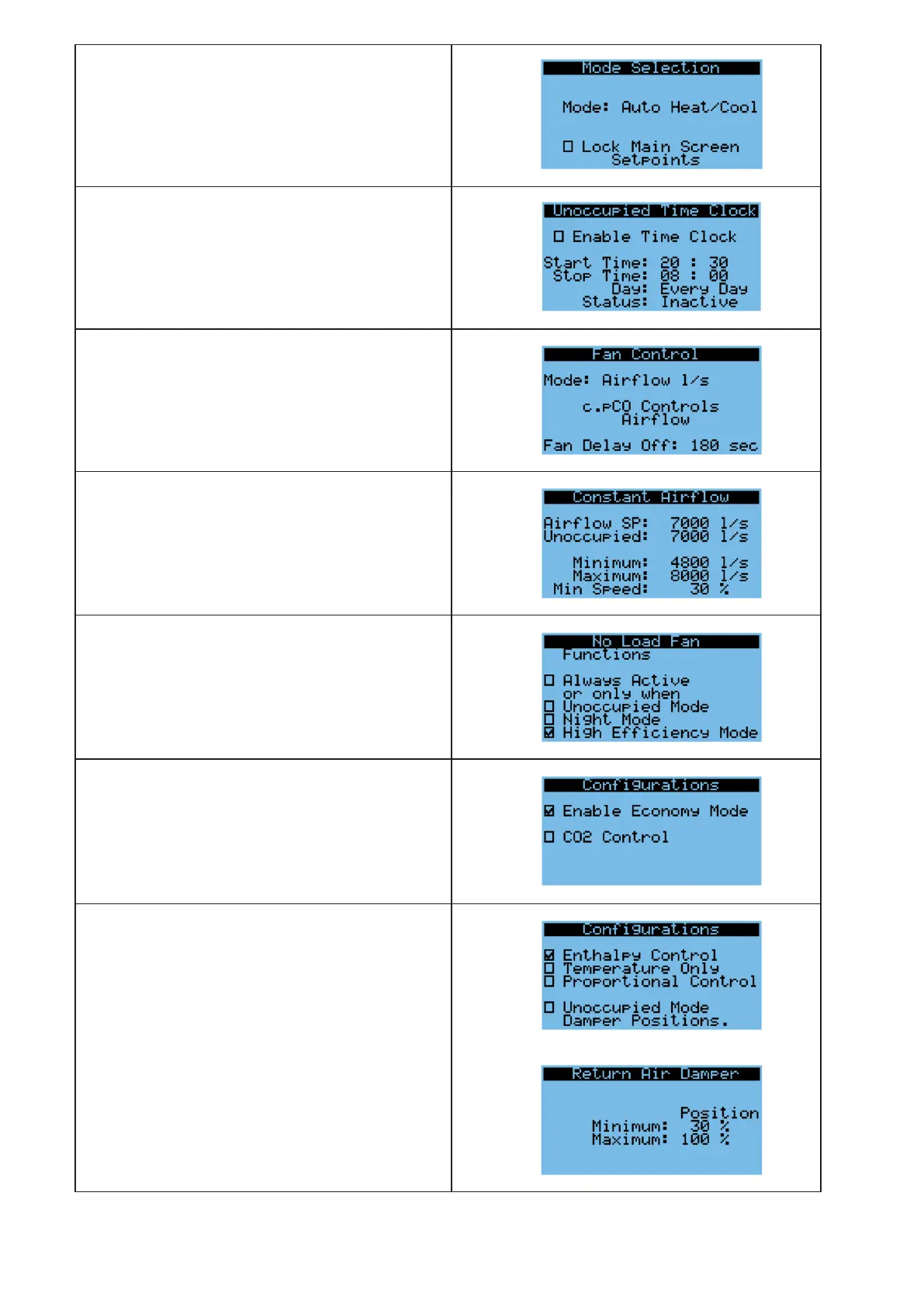
Quick access to a daily schedule to set the
Unoccupied hours.
Return to the Main Menu (↵)
Indoor Fan Conguration
13. Main Menu/Settings/Indoor Fan Cong./Fan Control
Method (1).
For setting of the fan control method.
Options: constant air ow or speed controlled,
0-10V dc input
14. Main Menu/Settings/Fan Cong./Constant Air Flow
(2).
Scroll down to the next page. A pressure sensor is
factory tted to the indoor fans allowing the air ow
to be automatically controlled. Set the ow in l/s.
15. Menu/Settings/Fan Cong./No Load Fan (3).
For setting of the fan staus when there is no load on
the system.
Return to the Main Menu (↵)
Damper Conguration
16. Main Menu/Settings/Damper Cong.
Select ‘Damper Cong.’ (↵)
For units supplied with Economiser Package,
Economy Mode is enabled.
Scroll down (↓) to the next page
17. For units supplied with Economiser Package,
Enthalpy Control is the recommended control
method.
Options are available to control the economiser
dampers: unoccupied mode, damper stroke, damper
direction, fresh air inlet
Scroll down (↓) to see the next pages.



 To Next Page