EasyManua.ls Logo

Tenex TX Console - User Manual

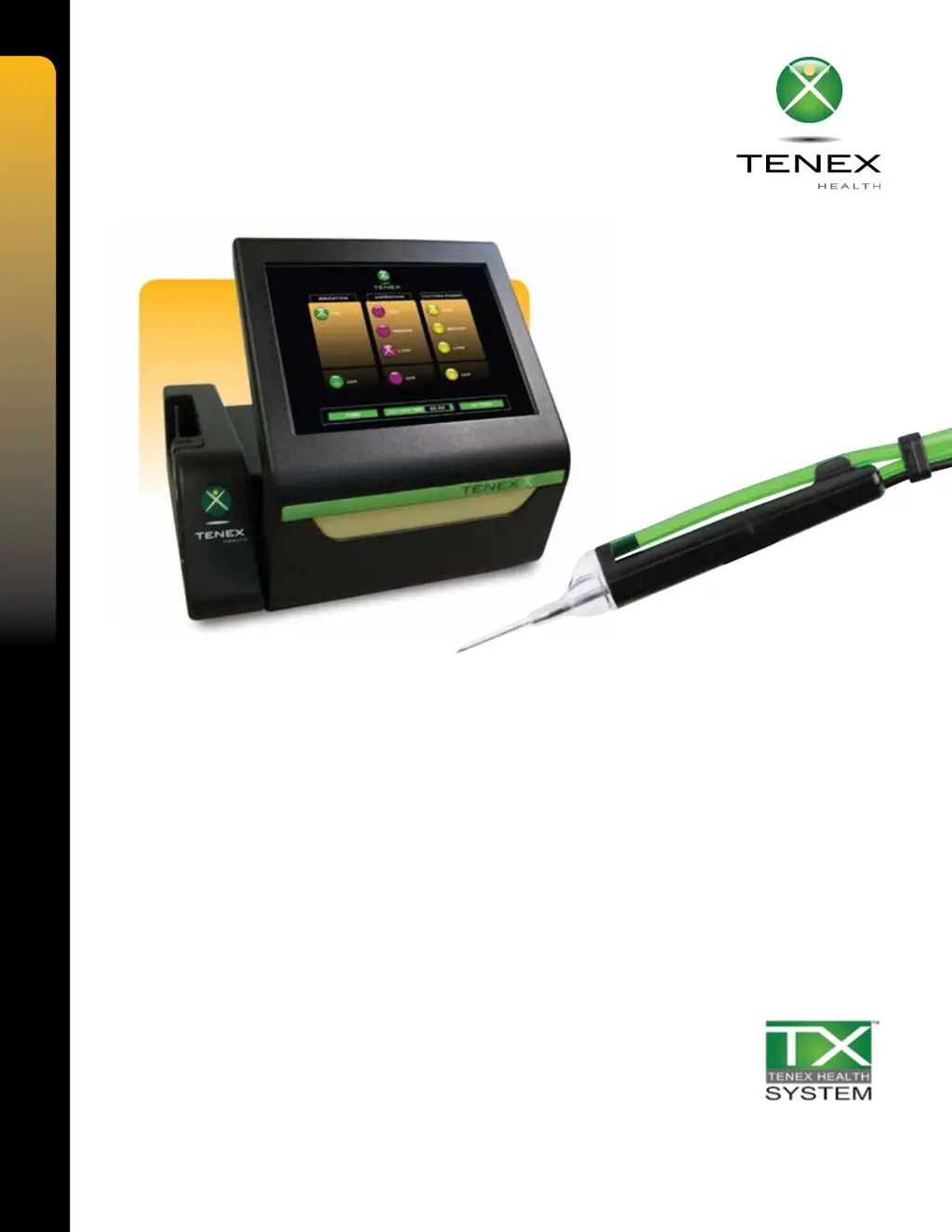
Tenex TX Console
56 pages
Print Icon
To Next Page IconTo Next Page
Loading...
TX
®
Console
Operators Manual
For Software Versions 0.1.4 and 1.0.0

Table of Contents

Questions and Answers

  • T
    tabitharussoAug 3, 2025
    How to fix a Tenex TX Console Medical Equipment unit that will not turn on?
    • P
      petersonstacyAug 3, 2025
      If your Tenex Medical Equipment unit won't turn on, first ensure the AC power cord is properly connected and that there's adequate supply voltage from the mains. Next, check the fuses in the AC power input module and replace them if they are blown. As a last step, try cycling the power switch off for 10 seconds and then back on.
  • K
    Kimberly GarciaAug 8, 2025
    What to do if Tenex TX Console has no or poor cutting power?
    • S
      Sabrina OconnellAug 8, 2025
      If you are experiencing no or poor cutting power with your Tenex Medical Equipment, check the TX MicroTip connection to ensure the electrical connector is properly inserted into the Console CUT receptacle. Also, the parameter setting may be too low, so increase it to a higher cutting power setting. Inspect the TX MicroTip for damage and replace it if necessary.
  • C
    Christine ParsonsAug 13, 2025
    Why is there no irrigation in my Tenex TX Console Medical Equipment?
    • L
      Lori PerryAug 13, 2025
      If there is no irrigation in your Tenex Medical Equipment, first check that the Irrigation parameter setting is selected to ON. Depress the foot pedal and listen for the irrigation pinch valve operation (you should hear a click). Ensure the tubing is properly connected and that the Inflation Cuff Air Tubing is correctly connected to the Console receptacle. Also, check that the tubing is not kinked or damaged. Depress the foot pedal to listen for air pump operation and check that air is coming out of the Console.
  • J
    Joel GonzalesAug 23, 2025
    What causes no or poor aspiration in Tenex TX Console?
    • R
      Robert CharlesAug 25, 2025
      If you're experiencing no or poor aspiration (vacuum) with your Tenex Medical Equipment, check that the Aspiration parameter setting is LOW, MEDIUM, or HIGH. If the parameter setting is too low, increase it to a higher aspiration setting. Also, check that the cartridge is properly installed and that the tubing is not kinked or damaged. Finally, inspect the TX MicroTip and tubing for any blockages.
  • K
    Kyle BarnesAug 28, 2025
    What to do if Tenex TX Console is malfunctioning or unresponsive?
    • J
      jamesbowmanAug 28, 2025
      If your Tenex Medical Equipment is malfunctioning or unresponsive, close the screen to the horizontal position, then reopen it and turn the system ON. Also, verify there is no visible moisture or debris on the touchscreen; if needed, clean it with a very small amount of 70% IPA applied to a soft cloth.
  • J
    Jeremy NewmanNov 17, 2025
    How to troubleshoot a TX MicroTip that will not prime on Tenex TX Console Medical Equipment?
    • A
      Alexandra BurkeNov 17, 2025
      If the TX MicroTip on your Tenex Medical Equipment will not prime, start by checking that the tip protector is securely fastened during priming. Then, inspect the TX MicroTip and tubing for fluid leaks and proper connection. Verify the cartridge is properly installed and securely locked into place. Make sure the pressure cuff maintains pressure and the coagulation feature is OFF. If these steps don't work, perform manual priming by cycling the power switch off and then on, selecting irrigation ON, aspiration HIGH, and cutting power OFF. Ensure coagulation is off, depress the foot pedal until the Inflation Cuff is tight around the irrigation bag and the needle cap is filled with irrigation fluid. Finally, select cutting power LOW, MEDIUM, or HIGH and depress the foot pedal to test ultrasoni...

Summary

Chapter 2 Information for Safety

Contraindications

Lists conditions where the system or TXB MicroTip should not be used.

Adverse Effects

Lists potential negative outcomes from using the system.

Warnings and Precautions

Crucial safety information regarding MicroTip handling, electrical safety, and usage.

Chapter 6 Operation

Main Mode Interface

Describes the main interface panels for Irrigation, Aspiration, and Cutting Power settings.

Irrigation Function

Explains how to use the irrigation panel, its controls, and its interaction.

Aspiration Function

Details the aspiration panel, vacuum levels, flow rates, and interaction.

Cutting Function

Explains the cutting function, power delivery, duty cycle, and occlusion response.

Chapter 7 Troubleshooting Guide

AC Power Issues

Solutions for issues related to the unit not turning on.

System Setup Troubleshooting

Troubleshooting steps for priming issues and improper setup.

Irrigation System Issues

Solutions for problems related to no or insufficient irrigation flow.

Aspiration System Issues

Troubleshooting for no or poor aspiration (vacuum) performance.

Cutting Function Issues

Solutions for no or poor cutting power.

Touchscreen Issues

Guidance for malfunctioning or unresponsive touchscreen issues.

Chapter 11 Operation with Coagulation Function

Main Mode Interface (Coagulation)

Describes the main interface panels for all functions including coagulation.

Irrigation Function (Coagulation)

Explains the irrigation panel, controls, and interaction.

Aspiration Function (Coagulation)

Details the aspiration panel, vacuum levels, flow rates, and interaction.

Coagulation Function

Details the coagulation function, its power signal, accessory use, and controls.

Chapter 12 Troubleshooting Guide with Coagulation Function

Coagulation Function Issues

Troubleshooting for no coagulation power.

Chapter 15 Maintenance and Service

Tenex TX Console Specifications

General IconGeneral
BrandTenex
ModelTX Console
CategoryMedical Equipment
LanguageEnglish