11
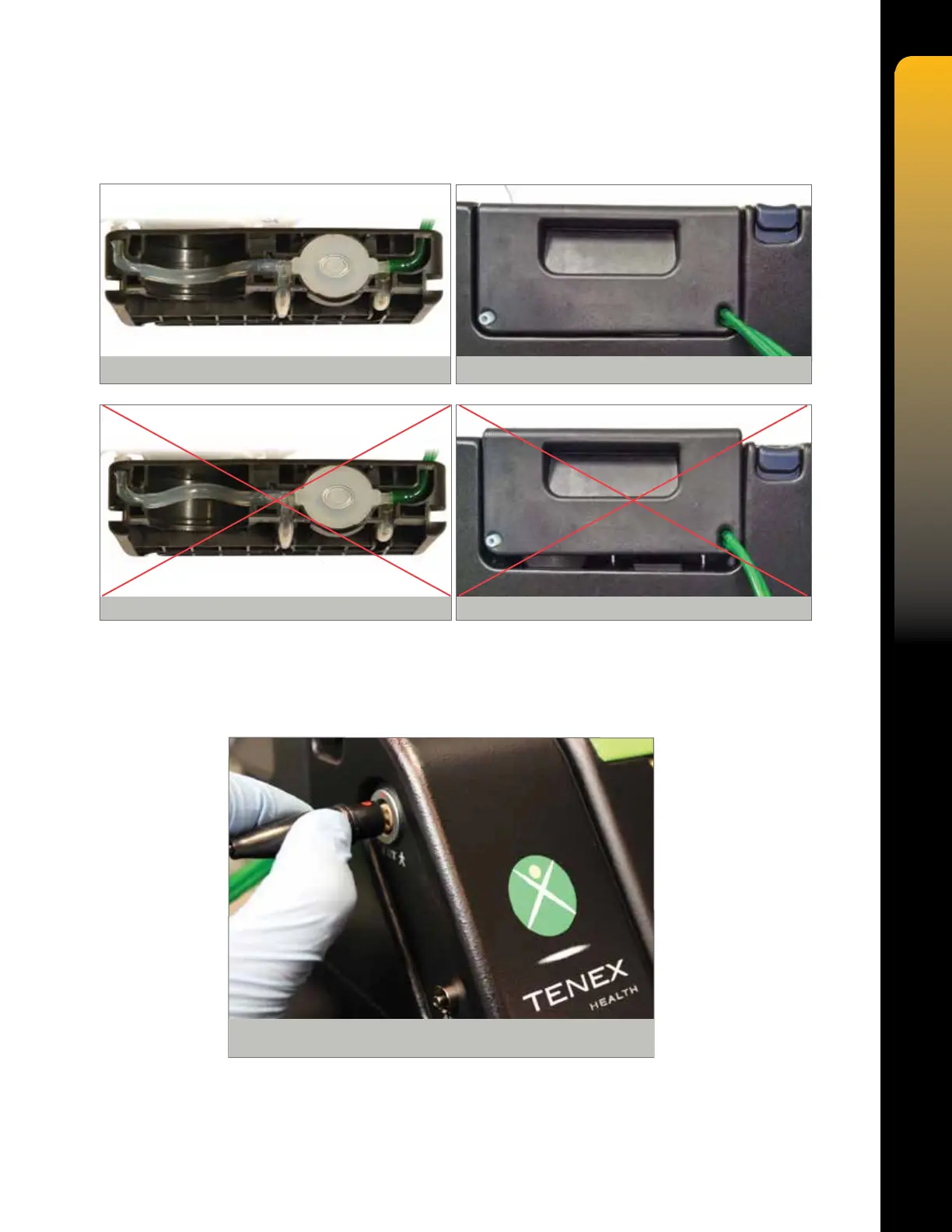
9. Ensure that the aspiration tube is properly centered on the bottom side of the cartridge
and then insert cartridge into side of console, pressing straight down rmly until locked
in place. NOTE: The TX Console is not sterile.
10. Align the Red Dot on the MicroTip electrical connector with the Red Dot on the console side
panel CUT receptacle, and then insert straight into the receptacle.
CAUTION: Failure to align the Red Dot on the MicroTip connector with the Red Dot on the
console receptacle may damage the connector pins.
Figure 4. CORRECT Aspiration Tube Alignment
Figure 5. CORRECT Insertion
Figure 6. INCORRECT Aspiration Tube Alignment Figure 7. INCORRECT Insertion
Figure 8. Electrical Connector Orientation


 To Next Page